
There are hundreds of new apps released every week, 20,000+ users downloaded Hdmi smart view latest version on 9Apps for free every week! It shouldn't be surprising to find a app popular faithfully This hot app was released on 2018-07-26. To know more information, read the paragraph below.
- The application is very simple to use :
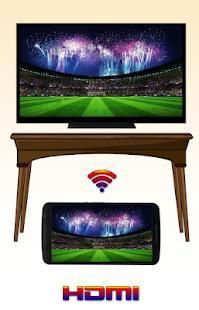
- Hdmi smart view tv allows you to connect smartphone to TV to be a second screen for your phone by HDMI cable and cable mhl or vga to HDMI as well as card readers from your phone or tablets. all you have to do is connect the TV with an HDMI cable to read the phone information or connect the TV with the same HDMI cable as your smart phone then open this android software hdimi you will see all the files in your phone and you can enjoy watching TV or playing games on tv or watching movies on tv, please consider hdmi USB connector to TV connector with usb cable.
you can also display your tablet screen on TV using the HDMI cable.
- How to connect HDMI to TV ?
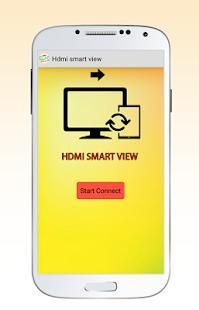
Click START CONNECT
Hdmi mhl player use USB to HDMI connector, cable to TV
HDMI MHL player allows you to read USB flash drives and display on TV.
Use your IR blaster phone to change the inputs on your Auvio HDMI switch.
HDMI MHL player on TV is miserable miserable to help you!
The application is very simple to use :
NB: please send an email to Medmostapha311@gmail.com if you have any questions.
- Aplikasi ini sangat mudah digunakan:
- HDMI pandangan cerdas tv memungkinkan Anda untuk menghubungkan smartphone ke TV menjadi layar kedua untuk ponsel Anda dengan kabel HDMI dan kabel mhl atau vga ke HDMI serta pembaca kartu dari ponsel atau tablet. yang harus Anda lakukan adalah menghubungkan TV dengan kabel HDMI untuk membaca informasi telepon atau menghubungkan TV dengan kabel HDMI sama dengan ponsel pintar Anda kemudian buka software ini android hdimi Anda akan melihat semua file di telepon Anda dan Anda dapat menikmati menonton TV atau bermain game di tv atau menonton film di tv, silakan mempertimbangkan konektor USB HDMI konektor TV dengan kabel usb.
Anda juga dapat menampilkan layar tablet di TV menggunakan kabel HDMI.
- Bagaimana menghubungkan HDMI ke TV?
Klik MULAI CONNECT
HDMI mhl penggunaan pemain USB ke konektor HDMI, kabel TV
HDMI MHL player memungkinkan Anda untuk membaca USB flash drive dan menampilkan di TV.
Gunakan blaster ponsel IR Anda untuk mengubah input pada switch Auvio HDMI Anda.
HDMI MHL pemain di TV adalah menyedihkan menyedihkan untuk membantu Anda!
Aplikasi ini sangat mudah digunakan:
NB: silahkan kirim email ke Medmostapha311@gmail.com jika Anda memiliki pertanyaan.



9Apps 4.9










