
The No.1 store for free apps, games & videos. 20,000+ users downloaded Green Whats Web Messenger latest version on 9Apps for free every week! The app has also been given a bit of a visual makeover, too This hot app was released on 2018-09-23. Don’t be hesitate, download and install it on your mobile phone now!
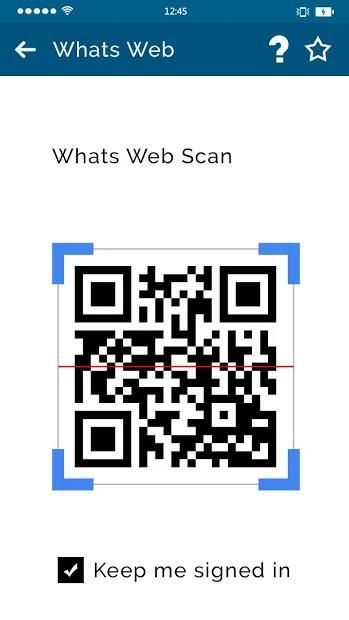
Green Whats web Messenger is the app that makes it easy to get WhatsApp from your smartphone to your tablet. Simply scan the QR code with your smartphone camera and chat comfortably on your tablet. Use your account on both devices at the same time. Connecting once is enough.
Advantages:
- Your contacts and messages at the same time on mobile and tablet
- Chat comfortably on the tablet - on a larger display, with larger font
- Send and receive documents, pictures, videos and voice messages
- Receive notifications in the background as well
- Chat with Bluetooth keyboard
- Whats web and Whats scan type facilities.
- Easy QR scan and chat.
- Easy Browser Chat
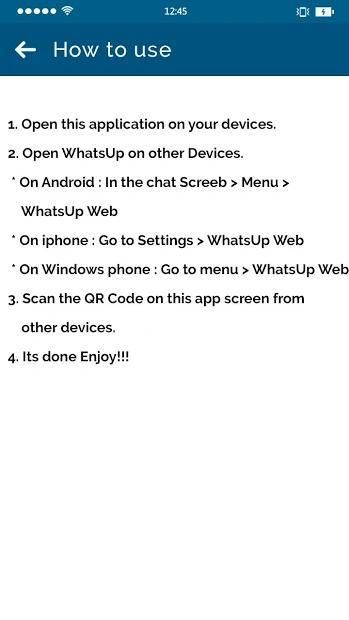
* Open this application on your devices.
* Open WhatsUp on other Devices.
* On In the chat Screen > Menu > WhatsUp Web
* Scan the QR Code on this app screen from other devices
* Its done Enjoy.
Note: Whatscan for web - WhatsCode QR is created by us, and it not an official WhatzApp application and not associated with WhatzApp Inc.
Disclaimer: This app is no way affiliated with WhatsApp Inc.
Green Whats web Messenger adalah aplikasi yang memudahkan untuk mendapatkan WhatsApp dari smartphone Anda ke tablet Anda. Cukup pindai kode QR dengan kamera ponsel cerdas Anda dan obrolkan dengan nyaman di tablet Anda. Gunakan akun Anda di kedua perangkat secara bersamaan. Menghubungkan sekali saja sudah cukup.
Keuntungan:
- Kontak dan pesan Anda pada saat yang sama di ponsel dan tablet
- Ngobrol dengan nyaman di tablet - di layar yang lebih besar, dengan font yang lebih besar
- Kirim dan terima dokumen, gambar, video, dan pesan suara
- Terima pemberitahuan di latar belakang juga
- Obrolan dengan keyboard Bluetooth
- Fasilitas Whats web dan Whats scan.
- Pemindaian dan obrolan QR yang mudah.
- Obrolan Browser Mudah
* Buka aplikasi ini di perangkat Anda.
* Buka WhatsUp di Perangkat lain.
* Aktif Di obrolan Layar> Menu> Web WhatsUp
* Pindai Kode QR di layar aplikasi ini dari perangkat lain
* Sudah selesai Selamat menikmati.
Catatan: Apa pun untuk web - WhatsCode QR dibuat oleh kami, dan itu bukan aplikasi resmi WhatzApp dan tidak terkait dengan WhatzApp Inc.
Penafian: Aplikasi ini tidak berafiliasi dengan WhatsApp Inc.
New Release



9Apps 4.9











