
9Apps is the free store of application, 30,000+ users downloaded Global Net Sharing latest version on 9Apps for free every week! And now, this app adds more functions. This hot app was released on 2020-03-16. Read the following paragraph to see more information.
GLOBAL NET SHARING VPN - Fast, Secured and Stayble Connection The Number 1 Free Net Provider
To provide internet connection beyond the limit of your load data promo.
GLOBAL NET SHARING VPN
Powered by: GLOBAL NET SHARING TEAM
" MAGBASAHIN NG MABUTI ANG INSTRUCTION PARA HNDI NGA'NGA " ( READ )
whats new:
• Build for Gaming VPN
• xTreme UI
• Fast Connect
• OnLine and OffLine Update
• Auto Update
• Fastest VPN
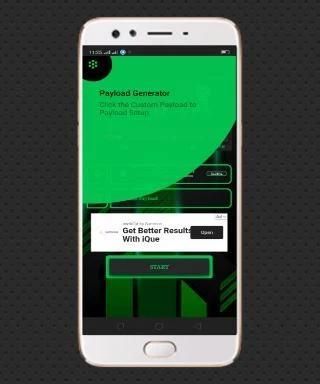
• Custom Payload Generator
• Free KeepSharing Panel
• Updated Network Promo
• Digitalocean Server
• 3 Tap to Connect
1: After Install the VPN ( UPDATE )
2: Select Your Server Desire
3: Select Your Proper Network Promo / Then ( START )
How to use:
• Download the VPN App
• Create your own Account policy
• Go to menu Select Web Panel to Start Create your own Account
• Web Panel User and Pass: keepsharing2019
• Choose your proper Server According to VPN App Server List
• Remember / Save your Account
• To put your Account into the VPN App go to Menu Select / Click Account
• Start put your Account : Username and Password then SAVE
• Select your Proper Server created Account into VPN App Server List ( LOCATION )
• Select your Proper Network Promo to ( NETWORKS )
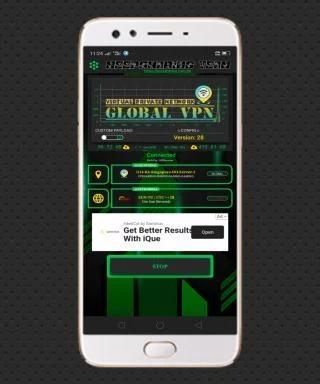
• THEN TAP ( START )
• Wait until the VPN App CONNECTED
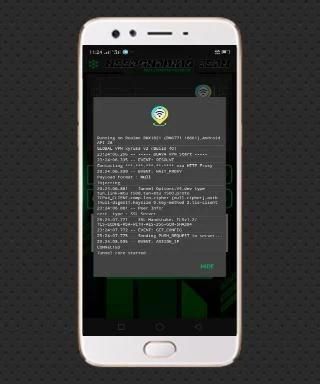
• To Show Logs LONG PRESS YOUR BACKPRESS @ Your Mobile App
Note:
Creating of Account is now Optional Since that I already have provide an account builtin
but still you can create your own account.. Just Follow the instructions.
© ENJOY ©
GLOBAL NET SHARING VPN is a FreeVPN and not for Sale
® Global Net Sharing Team
• Hanzivan
• Sandies
• To all Modirator
• and to you
For more Info Just Visit:
http://globalnetsharing.com
GLOBAL NET SHARING VPN - Koneksi Cepat, Terjamin, dan Stayble Penyedia Neto Nomor 1 Gratis
Untuk menyediakan koneksi internet di luar batas promo memuat data Anda.
VPN PEMBAGIAN NET GLOBAL
Didukung oleh: TIM PEMBAGIAN JARINGAN GLOBAL
"MAGBASAHIN NG MABUTI ANG INSTRUKSI PARA HNDI NGA'NGA" (BACA)
apa yang baru:
• Build for Gaming VPN
• xTinggi UI
• Koneksi Cepat
• Pembaruan OnLine dan OffLine
• Pembaruan Otomatis
• VPN Tercepat
• Generator Payload Kustom
• Panel KeepSharing Gratis
• Promo Jaringan Diperbarui
• Server Digitalocean
• 3 Ketuk untuk Menghubungkan
1: Setelah Menginstal VPN (PEMBARUAN)
2: Pilih Keinginan Server Anda
3: Pilih Promo Jaringan Tepat Anda / Lalu (MULAI)
Cara Penggunaan:
• Unduh Aplikasi VPN
• Buat kebijakan Akun Anda sendiri
• Buka menu Pilih Panel Web untuk Mulai Buat Akun Anda sendiri
• Pengguna dan Pass Panel Web: keepsharing2019
• Pilih Server yang sesuai dengan Daftar Server Aplikasi VPN
• Ingat / Simpan Akun Anda
• Untuk memasukkan Akun Anda ke Aplikasi VPN, buka Menu Select / Click Account
• Mulai masukkan Akun Anda: Nama Pengguna dan Kata Sandi kemudian SIMPAN
• Pilih Akun yang dibuat Server Proper Anda ke dalam Daftar Server Aplikasi VPN (LOCATION)
• Pilih Promo Jaringan Yang Tepat untuk (JARINGAN)
• KEMUDIAN TAP (MULAI)
• Tunggu hingga Aplikasi VPN TERHUBUNG
• Untuk Menampilkan Log LAH PRESS BACKPRESS ANDA @ Aplikasi Seluler Anda
catatan:
Membuat Akun sekarang Opsional Karena saya sudah menyediakan akun bawaan
tapi tetap saja Anda bisa membuat akun sendiri .. Ikuti saja petunjuknya.
NIKMATI ©
GLOBAL NET SHARING VPN adalah FreeVPN dan bukan untuk Dijual
® Tim Berbagi Net Global
• Hanzivan
• Sandies
• Untuk semua Modirator
• dan untukmu
Untuk Info Lebih Lanjut Kunjungi:
http://globalnetsharing.com
• Fixed Minimal Bug Issue
• Removed Some PopUp Ads
• Increased Speed

9Apps 4.9