

Browse and download apps to your android phone from the App Store. 30,000+ users downloaded Gems Portal latest version on 9Apps for free every week! Players who wants to play both because this app is good and because the app are response quickly at any time. This hot app was released on 2019-01-03. For more mobile apps information, you can go to our official website - 9Apps.
Gems Manager is the best way to manage your projects, clients and team members. You can easily collaborate with your team and monitor your work.
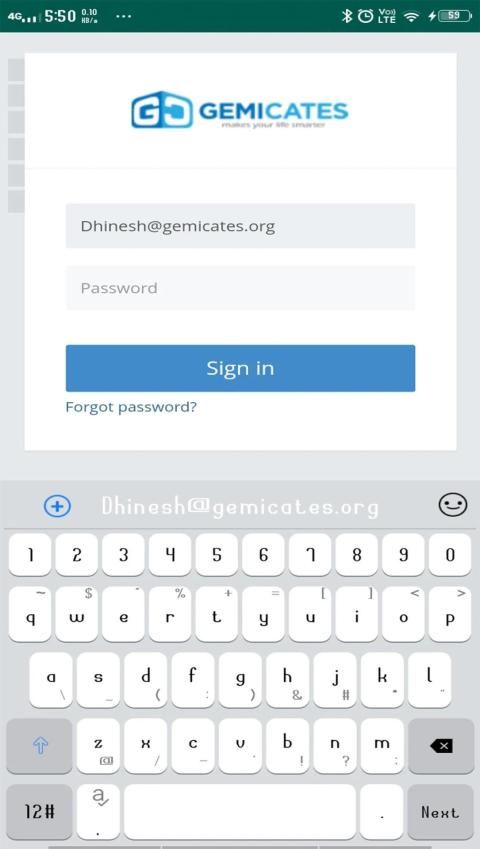
Once you have downloaded the application, install the application on your server and sign in to your dashboard.
1.Add your customers by going to the Clients view. You can access any view
by clicking on the menus from the left sidebar.
2. Add your projects from the Projects view. Once you have created any
project you are ready to add tasks, mile stones, files, comments, notes and
invoices to the project. If you would like to track the time of your project,
simply you can use the start timer button located in each project details
view.
3.Do you have a team and you want to collaborate with them? You can invite
or add manually your team members from the Team members view. Once
you've added the team members then you can add the members in your
projects, assign them to tasks, send messages, share ideas and files, store
their personal, social and work information, etc.
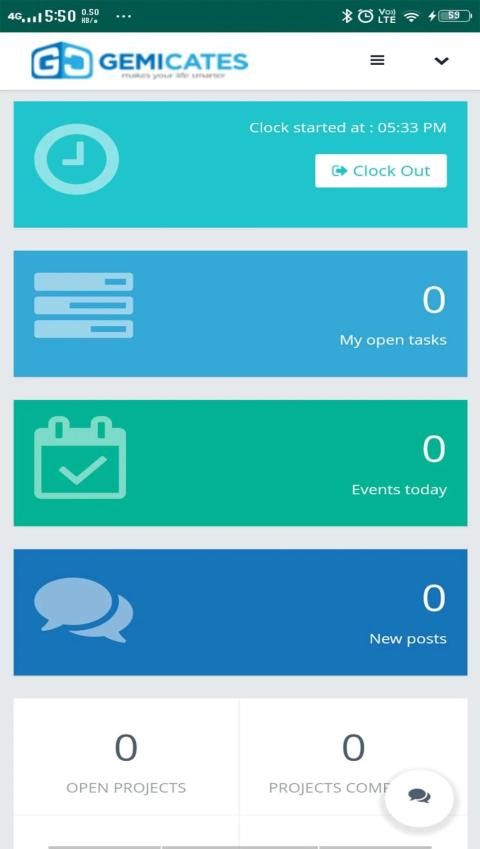
4.Do you want to track attendance or daily time reporting of your team
members? This application makes easy to time reporting. The team
members can report the daily time cards by using the Clock In and Clock Out
button located in dashboard. They can also submit the leave applications for
their absences.
5.You can create invoices and send the invoices to your clients from the
Invoices view. Make sure you have configured your email settings before
sending any email.
6.Do you interested to provide a smart support to your customers? There is a
client portal in this application. Your clients can login to the client portal and
submit their support tickets. You can easily manage the tickets from the
Support tickets view.
7.To make this application more suitable to you please have a look at the
Settings page and change the settings according to your needs.
To learn more about the application please check all parts of this
documentation. In this documentation, we'll describe different parts
according to the screenshots.
Features
1.Easily accessible UI
2.Project management
3.Client management
4.Team management;
5.Team conversation
6.Private messaging with team members and clients
7.Tasks, milestones, gantt, notes, files and customer feedback
8.Project timesheet and time tracker
9.Drag and drop facility for files
10.Custom Fields
11.Web and email notifications
12.Client portal
13.All reports of any client in a single page
14.Informative profile page for client contacts
15.Estimate requests
16.Estimates
17.Support tickets
18.Invoice management
19.Invoice pdf, online payment (PayPal and Stripe)
20.Expense & payments report
21.Custom role (permissions) for team members
22.Event calendar
23.Private notes
24.Customizable email templates
25.Timecard/attendance management
26.IP restriction for timecard entry
27.Leave management
28.Team member's details view
29.Announcement/notice management
30.Report printing and export
31.Dynamic graph and visual report
32.Activity logs for projects
Manajer Permata adalah cara terbaik untuk mengelola proyek, klien, dan anggota tim Anda. Anda dapat dengan mudah berkolaborasi dengan tim Anda dan memantau pekerjaan Anda.
Setelah mengunduh aplikasi, instal aplikasi di server Anda dan masuk ke dasbor Anda.
1.Tambahkan pelanggan Anda dengan membuka tampilan Klien. Anda dapat mengakses tampilan apa pun
dengan mengklik menu dari sidebar kiri.
2. Tambahkan proyek Anda dari tampilan Proyek. Setelah Anda membuatnya
memproyeksikan Anda siap untuk menambahkan tugas, mil batu, file, komentar, catatan dan
faktur untuk proyek. Jika Anda ingin melacak waktu proyek Anda,
cukup Anda dapat menggunakan tombol mulai waktu yang terletak di setiap detail proyek
melihat.
3.Apakah Anda memiliki tim dan Anda ingin berkolaborasi dengan mereka? Anda bisa mengundang
atau tambahkan secara manual anggota tim Anda dari tampilan anggota Tim. Sekali
Anda telah menambahkan anggota tim maka Anda dapat menambahkan anggota di akun Anda
proyek, menugaskan mereka untuk tugas, mengirim pesan, berbagi ide dan file, menyimpan
informasi pribadi, sosial dan pekerjaan mereka, dll.
4.Apakah Anda ingin melacak kehadiran atau pelaporan waktu harian tim Anda
anggota? Aplikasi ini memudahkan pelaporan waktu. Tim
anggota dapat melaporkan kartu waktu harian dengan menggunakan Clock In dan Clock Out
tombol yang terletak di dashboard. Mereka juga dapat mengirimkan aplikasi cuti untuk
ketidakhadiran mereka.
5. Anda dapat membuat faktur dan mengirim faktur ke klien Anda dari
Tampilan faktur. Pastikan Anda telah mengonfigurasi pengaturan email Anda sebelumnya
mengirim email apa pun.
6. Apakah Anda tertarik untuk memberikan dukungan cerdas kepada pelanggan Anda? Ada sebuah
portal klien dalam aplikasi ini. Klien Anda dapat masuk ke portal klien dan
kirimkan tiket dukungan mereka. Anda dapat dengan mudah mengelola tiket dari
Mendukung tampilan tiket.
7.Untuk menjadikan aplikasi ini lebih cocok untuk Anda, silakan lihat
Halaman pengaturan dan ubah pengaturan sesuai dengan kebutuhan Anda.
Untuk mempelajari lebih lanjut tentang aplikasi ini, periksa semua bagian ini
dokumentasi. Dalam dokumentasi ini, kami akan menjelaskan bagian yang berbeda
sesuai dengan tangkapan layar.
fitur
1. UI yang mudah diakses
2. Manajemen proyek
3. manajemen Klien
4. Manajemen tim;
5.Tim percakapan
6.Pesan pribadi dengan anggota tim dan klien
7. Tugas, tonggak sejarah, gantt, catatan, file, dan umpan balik pelanggan
8. Project absen dan pelacak waktu
9. Fasilitas drop dan drop untuk file
10. Bidang Kustom
11. Pemberitahuan via email dan email
12. Portal klien
13.Semua laporan klien apa pun dalam satu halaman
14. Halaman profil informatif untuk kontak klien
15.Meminta permintaan
16. Perkiraan
17. Mendukung tiket
18. Manajemen suara
19.Invoice pdf, pembayaran online (PayPal dan Stripe)
20. Laporan biaya & pembayaran
21. Peran khusus (izin) untuk anggota tim
22.Tanggal kalender
23. Catatan pribadi
24. Template email yang dapat disesuaikan
25.Timecard / manajemen kehadiran
26.Perbatasan IP untuk entri kartu nama
27. Tinggalkan manajemen
28.Tim rincian tampilan anggota
29. Pengumuman / manajemen pemberitahuan
30.Laporan pencetakan dan ekspor
31. Grafik dinamis dan laporan visual
32. Log kegiatan untuk proyek
Gemicates Ultimate Project Manager
The ultimate solution of projects, clients and team management




9Apps 4.9









