
Thousands of top best android apps on 9Apps! 20,000+ users downloaded Gaming Controller latest version on 9Apps for free every week! The world's most powerful app is here waiting for you. This hot app was released on 2019-08-14. Why not download and play it now?
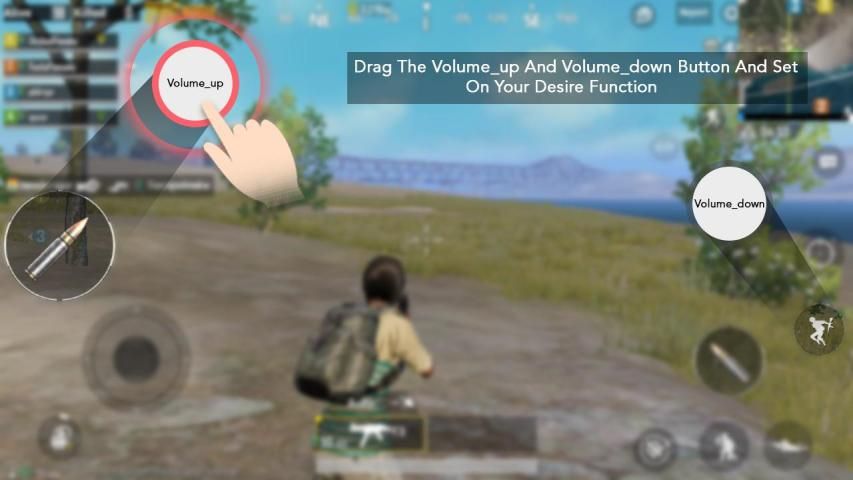
Play Android Games with Volume Up & Down buttons.
No root or activator is required !!
Gaming Controller supports all game & app with automation with the help of volume up & down key .
Control your game with volume up & down key
== How to Use ==
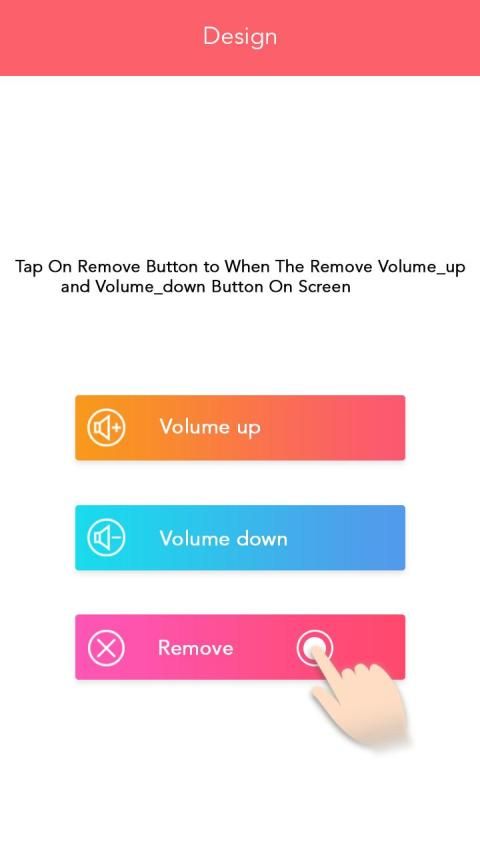
1) Open the app
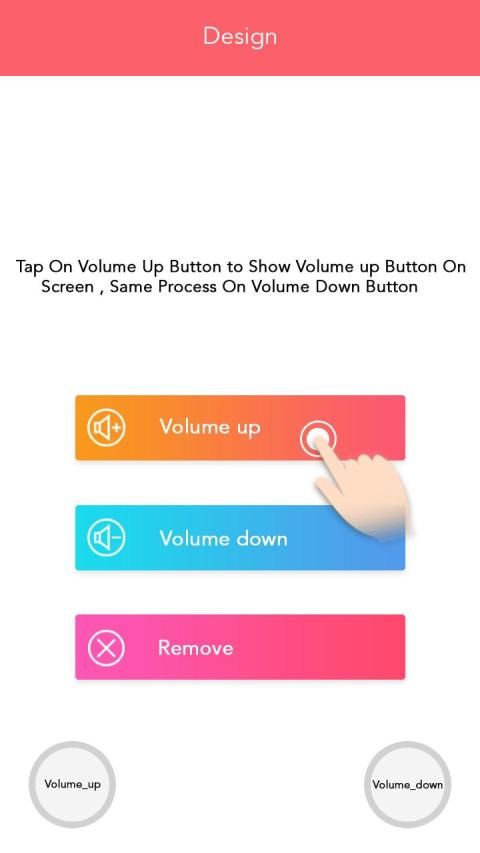
2) Press Volume up button to add volume UP botton
3) Now you will see two buttons on your screen
4) Set size & opacity of the button
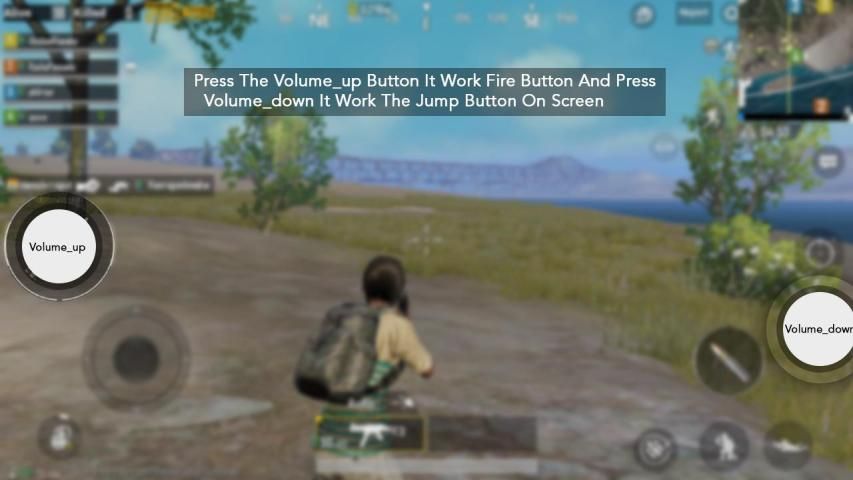
5) Now open your game & place these two button on your desired game button.
6) Control click with these two buttons by pressing volume up & down key.
Mainkan Game Android dengan tombol Volume Naik & Turun.
Tidak perlu root atau aktivator !!
Game Controller mendukung semua game & aplikasi dengan otomatisasi dengan bantuan tombol volume naik & turun.
Kontrol game Anda dengan tombol volume naik & turun
== Cara Menggunakan ==
1) Buka aplikasi
2) Tekan tombol Volume naik untuk menambahkan volume ke atas
3) Sekarang Anda akan melihat dua tombol di layar Anda
4) Atur ukuran & opacity dari tombol
5) Sekarang buka game Anda & tempatkan kedua tombol ini pada tombol game yang Anda inginkan.
6) Kontrol klik dengan dua tombol ini dengan menekan tombol volume atas & bawah.
- Minor Bug Fixed.







9Apps 4.9










