
Are you finding some interesting apps? 20,000+ users downloaded Cover 4G LTE Network Mode latest version on 9Apps for free every week! It is a wonderful app that amazes every player. This hot app was released on 2018-07-11. Even if you’re not a fan of this app, you’ll love it after reading this page.
This app will help You change network to 4G/3G/2G and stay in chosen network.
If you have free 4G data transfer and You must pay for 3G, just set up your network for only LTE.
Force LTE not working on every phone. It is depends what brand or stock-custom rom your phone have.
4G LTE Only Mode App enables you to switch to LTE Only mode by allowing you to open a hidden Settings menu where advanced network configurations can be selected.It is a common thing that most of smartphone switch to 2G or 3G network if there is 4G network.But this app helps you to choose 4G only mode and so that you can stay in that stable network.
Select your 3G network 4G or Force LTE Only Mode using Software of VoLTE supports all device in India and other countries. Now the days' mobile network company is going to 5G and 4G is very popular here.
This application or Force 4G Network software helps people to set their mobile in 4G or LTE mode which save people from fluctuation in the network as well.
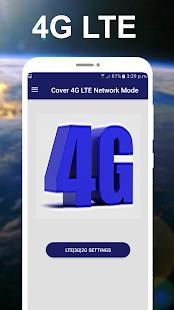
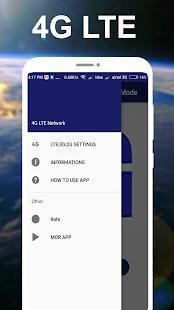
The applications work very smoothly, just open it and click on LTE or 4G network only and then got to setting and selection your preferred network type.
Now people can switch from 2G to 4G direct or 3G to 4G straightforward, list of device support comes from Samsung, Nokia, Sony, LG, HTC, Motorola, Huawei, etc. If your devices do not support then kindly comment here, we will solve your issue.
Main Features :
1) Change Network to 4G Network
2) Test the Internet Speed through Ping test
3) Check Your Battery Information.
4) Check your Phone Usage statistics
5) Check your WLAN information
Other Features
• See your IMEI no.
• Check network signal strength
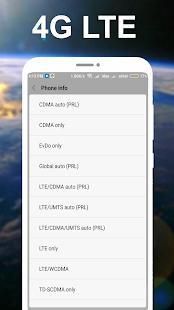
• Set preferred network type to
• WCDMA preffered
• GSM only
• WCDMA only
• GSM auto (PRL)
• CDMA auto (PRL)
• CDMA only
• EvDo only
• Global auto (PRL)
• LTE/CDMA
• LTE/UMTS
• LTE/CDMA/UMTS
• LTE only
• LTE/WCDMA
• TD-SCDMA
• Global/TD-SCDMA
• Change Radio Band
• Set fixed dialing numbers
Aplikasi ini akan membantu Anda mengubah jaringan untuk 4G / 3G / 2G dan tinggal di jaringan yang dipilih.
Jika Anda memiliki transfer data gratis 4G dan Anda harus membayar untuk 3G, hanya mengatur jaringan Anda untuk hanya LTE.
Angkatan LTE tidak bekerja pada setiap ponsel. Hal ini tergantung apa merek atau saham-custom rom memiliki ponsel Anda.
4G LTE Hanya Modus App memungkinkan Anda untuk beralih ke LTE Hanya modus dengan memungkinkan Anda untuk membuka menu Settings tersembunyi di mana konfigurasi jaringan canggih dapat selected.It adalah hal yang umum bahwa sebagian besar beralih smartphone ke jaringan 2G atau 3G jika ada jaringan 4G .Tapi aplikasi ini akan membantu Anda untuk memilih 4G hanya modus dan sehingga Anda dapat tinggal di jaringan stabil.
Pilih Anda Hanya Mode menggunakan Software 3G jaringan 4G atau LTE Angkatan dari VoLTE mendukung semua perangkat di India dan negara-negara lain. Sekarang perusahaan jaringan selular hari-hari akan 5G dan 4G sangat populer di sini.
Aplikasi ini atau perangkat lunak Angkatan Jaringan 4G membantu orang untuk mengatur mobile mereka di 4G atau mode LTE yang menyelamatkan orang-orang dari fluktuasi dalam jaringan juga.
Aplikasi bekerja sangat lancar, hanya buka dan klik pada LTE atau jaringan 4G saja dan kemudian harus menetapkan dan pemilihan jenis jaringan yang Anda pilih.
Sekarang orang dapat beralih dari 2G ke 4G langsung atau 3G ke 4G mudah, daftar dukungan perangkat berasal dari Samsung, Nokia, Sony, LG, HTC, Motorola, Huawei, dll Jika perangkat Anda tidak mendukung maka silakan komentar di sini, kita akan memecahkan masalah Anda.
Fitur Utama:
1) Perubahan Jaringan ke Jaringan 4G
2) Uji Kecepatan Internet melalui tes Ping
3) Periksa Baterai Informasi Anda.
4) Periksa Statistik penggunaan Telepon Anda
5) Periksa informasi WLAN Anda
Fitur lainnya
• Lihat IMEI Anda tidak.
• kekuatan sinyal jaringan Periksa
• Set jenis jaringan lebih suka
• WCDMA preffered
• GSM saja
• WCDMA hanya
• GSM auto (PRL)
• CDMA auto (PRL)
• CDMA hanya
• EvDo hanya
• auto global (PRL)
• LTE / CDMA
• LTE / UMTS
• LTE / CDMA / UMTS
• LTE hanya
• LTE / WCDMA
• TD-SCDMA
• Global / TD-SCDMA
• Perubahan Radio Band
• Set tetap nomor panggilan

9Apps 4.9











