


Thousands of top best android apps on 9Apps! 20,000+ users downloaded Find Lost Phone latest version on 9Apps for free every week! This will give an informative for the other crazy players. This hot app was released on 2018-05-23. If you still need more information collecting extra factors, read below.
Find My Lost Mobile is multi-purpose Anti-theft, phone tracker, and navigational application. With one single application Find Lost Phone, you can find your stolen or misplaced mobile phone, track your friends and family members and navigate without the internet. It is a user-friendly application that is going to keep your phone saved and protected.
Features :-
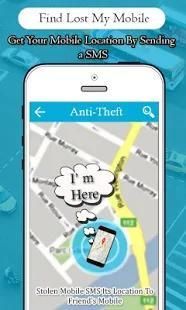
* Auto tracks phone location of your Family and Friends through just SMS.
* Locates your mobile phone remotely.
* Auto tracks your lost or misplaced phone through someone else’s phone with a single SMS.
* Uses 4-6 digits to set a security code.
* Locks application with the security code.
* Detects SIM change and automatically locks cell phone with the security code.
* Turns on Alarm with maximum volume even if a cell phone is on silent mode.
* Select App Default alarm or select any other alarm tone from your mobile device.
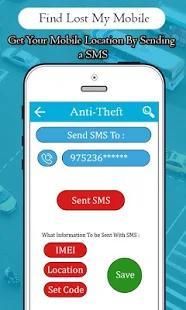
* Sends your phone location, lock code and IMEI number to only your trusted phone numbers which you saved in Anti-theft settings.
* Send SMS to your trusted mobile number(s) if new SIM Card is inserted in your stolen mobile phone.
* Send security code on your e-mail address for your record.
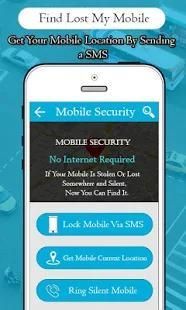
* Works without the internet.
* Consumes very little battery of your phone.
* Application has default code “12345”, but a user can change it at any time accordingly.
Features :-
* read sent and received sms messages
* find the android
* find my imei
* find the phone
* remote sms alarm
* locate my mobile
* remote sms lock and unlock
* find the phone number
* android tracker
How does it Work?
In order to make Find my Lost Phone application functional in your android mobile phone, first, activate the application by pressing “Tap to Activate” at the main page.
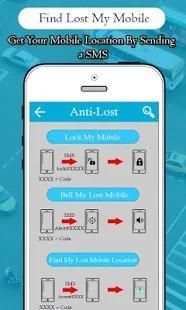
A- If your phone is misplaced in home/office track your phone by sending following messages from any cell phone to your lost phone:
I. Buzz your silent phone at maximum volume: Alert#xxxx
II. Lock your lost phone: Lock#xxxx
III. Find phone location of lost/misplaced phone: Locate#xxxx
(xxxx = security code set in settings)
B- When a phone is stolen and SIM is changed:
I. This application detects SIM change in your lost phone and locks the phone automatically with the lock code set by you in the app.
II. It sends following message to your trusted friends’ phone number, you saved in the Anti-lost settings with the following options:
a. Your lost phone IMEI number.
b. A current location of the stolen/misplaced cell phone (using GPS ).
c. Phone security code set by you.
How to uninstall "Find My Lost Phone"?
To uninstall the App, you must deactivate the app security first then uninstall it from your cell phone. Application can be deactivated by
I- Click "Tap to Deactivate" at home page of "Find My Lost Phone" OR
II- Phone Settings > Security > Device Administrators, uncheck "Find My Lost Phone"
Device Administrator Permissions Required :
This app requires Device Administrator permissions.
Lock Phone: It allows you to lock your phone remotely or when the SIM change is detected.
Reset Password: When your phone is lost or stolen
SMS: Send SMS to your trusted contacts when SIM change in your phone is detected.
Other Permissions:
Receive and Send SMS, Read Contacts, GPS, Network State Permissions, Receive Maps, Read GServices, Read Phone State, Receive Boot Completed, Write External Storage, Internet Services
Saya menemukan Hilang Mobile multi-tujuan Anti-pencurian, telepon tracker, dan aplikasi navigasi. Dengan satu aplikasi tunggal Cari Kehilangan Telepon, Anda dapat menemukan ponsel Anda dicuri atau hilang, melacak teman-teman dan anggota keluarga dan menavigasi tanpa internet. Ini adalah aplikasi yang user-friendly yang akan menjaga ponsel Anda disimpan dan dilindungi.
Fitur :-
* Auto trek telepon lokasi Keluarga dan Teman melalui hanya SMS.
* Menempatkan ponsel Anda dari jarak jauh.
* Auto melacak ponsel Anda hilang atau salah melalui telepon orang lain dengan SMS tunggal.
* Menggunakan 4-6 digit untuk mengatur kode keamanan.
* Aplikasi Kunci dengan kode keamanan.
* Mendeteksi perubahan SIM dan secara otomatis mengunci ponsel dengan kode keamanan.
* Menyala Alarm dengan volume maksimal bahkan jika ponsel pada mode diam.
* Pilih App alarm default atau pilih salah nada alarm lain dari perangkat mobile Anda.
* Mengirim lokasi telepon Anda, kode kunci dan nomor IMEI hanya nomor telepon Anda terpercaya yang Anda simpan di dalam pengaturan Anti-pencurian.
* Kirim SMS ke nomor Anda dipercaya seluler (s) jika kartu SIM yang baru dimasukkan di ponsel Anda dicuri.
* Kirim kode keamanan pada alamat e-mail Anda untuk catatan Anda.
* Bekerja tanpa internet.
* Membutuhkan sangat sedikit baterai telepon Anda.
* Aplikasi memiliki kode default “12345”, tetapi pengguna dapat mengubahnya setiap saat sesuai.
Fitur :-
* Membaca yang dikirim dan diterima pesan sms
* Menemukan android
* Menemukan imei saya
* Menemukan telepon
* Alarm remote sms
* Mencari ponsel saya
* Kunci sms terpencil dan membuka
* Menemukan nomor telepon
* Tracker android
Bagaimana cara kerjanya?
Dalam rangka untuk membuat Cari aplikasi Telepon Hilang saya fungsional di ponsel android Anda, pertama, mengaktifkan aplikasi dengan menekan “Ketuk untuk Aktifkan” di halaman utama.
A- Jika telepon Anda salah tempat di rumah / kantor melacak ponsel Anda dengan mengirimkan pesan berikut dari setiap ponsel ke ponsel Anda hilang:
I. Buzz telepon diam Anda pada volume maksimum: Siaga # xxxx
II. Mengunci ponsel Anda hilang: Lock # xxxx
AKU AKU AKU. Cari lokasi ponsel yang hilang / telepon salah: Cari # xxxx
(Xxxx = kode keamanan ditetapkan dalam pengaturan)
B- Ketika telepon dicuri dan SIM berubah:
I. Aplikasi ini mendeteksi perubahan SIM di telepon Anda hilang dan mengunci telepon secara otomatis dengan kode kunci yang ditetapkan oleh Anda di app.
II. Ini mengirimkan pesan berikut ke nomor telepon teman terpercaya Anda, Anda simpan dalam pengaturan Anti-hilang dengan pilihan berikut:
Sebuah. Nomor IMEI ponsel yang hilang.
b. Sebuah lokasi saat ponsel dicuri / salah (menggunakan GPS).
c. kode keamanan ponsel yang ditetapkan oleh Anda.
Bagaimana uninstall "Find My Phone Lost"?
Untuk menghapus App, Anda harus menonaktifkan keamanan aplikasi pertama kemudian uninstall dari ponsel Anda. Aplikasi dapat dinonaktifkan oleh
I- Klik "Ketuk untuk Nonaktifkan" di halaman rumah "Find My Phone Hilang" OR
Pengaturan II- Telepon> Keamanan> Administrator Perangkat, hapus centang "Find My Phone Hilang"
Perangkat Administrator Permissions Diperlukan:
Aplikasi ini membutuhkan Perangkat izin Administrator.
Kunci Telepon: Hal ini memungkinkan Anda untuk mengunci ponsel Anda dari jarak jauh atau ketika perubahan SIM terdeteksi.
Reset Password: Bila telepon Anda hilang atau dicuri
SMS: Kirim SMS ke kontak Anda dipercaya ketika perubahan SIM di telepon Anda terdeteksi.
Izin lainnya:
Menerima dan Mengirim SMS, Baca Kontak, GPS, Jaringan Negara Izin, menerima Maps, Baca GServices, Baca Telepon Negara, menerima Boot Selesai, Menulis External Storage, Jasa Internet



9Apps 4.9










