

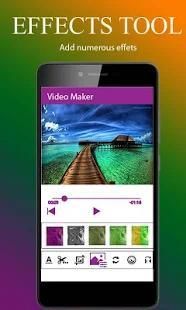
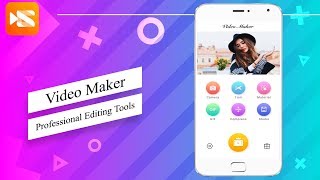
Get the best free apps for your android phones. 20,000+ users downloaded Video Maker latest version on 9Apps for free every week! You will feel better when you start playing This hot app was released on 2018-06-03. Don’t wait any longer– the application will shock you.
Expert Video Editor Pro fully featured video editor and movie maker.Multi editing layers of video, images,
and text, precise cutting and trimming of editing videos, add audio, color filters,
transitions, and much more. This is the professional video editor app for all social
media networks like Instagram, Facebook and Youtube,snapchat , viber.It provides sound experience of
video editing for not only biggner and expert but also YouTube creators and also students.
Expert Video Editor Pro supports the following video editing features:
Key Features:
• it Flip videos vertically or horizontally
• if you Keep updated app then will get more effects, filters, stickers and more
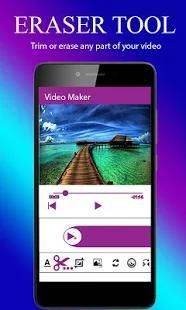
• Precise video trimming and cutting
• Rotate videos according to your desire.
• Hue, brightness, saturation and contrast controls now in your hands, adjust it yourslef.
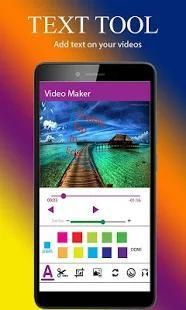
• Add text on videos that you want .
• Speed of Videos you can easily control whome you are editing.
• Many Effective Filters
• Instantly update of preview of your trims, crops, effects, filters etc.
• Add Effects form the given list.
• Share on Instagram, YouTube, Facebook,Snapchat ,viber, Google+, Dropbox and more
01: Filters
Video Editor offers you various filters you can add on video you are editing,
select filters tool from tool tabs in bottom and then select your desired filter from collection.
Once you have selected a filter, wait for app to apply. Long videos take more time to apply a filter.
02 :Flip Video
In Shot you can mirror a video or flip a video vertically or horizontally.
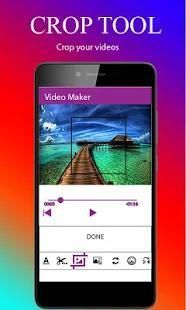
03 Crop Videos
You can crop videos using Shot Video Editor. Cropping a video is easy and simple like never before,
just add video, select crop tool, set crop area and done. You can export video after cropping or add filters,
effects, text or stickers etc.
04 Combine Videos
Shot can combine multiple videos. Open or import video from gallery,
as its loaded you can add more videos to combine all. There is no limit of videos
you can add to combine, but keep in mind long videos takes more rendering time.
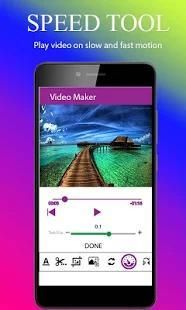
05 Video Speed:
You can use video editor to increase or decrease video speed.
Example you have a video in which you want to give a slow motion effect in your video,
this app can do that for you in no time.
Supported OS and Devices
• Video Cut Pro can be used on most devices running Android 4.1.2 (Jelly Bean) and above.
Supported Video Formats
• MP4 (H.264, H.263 AAC LC / PCM)
• 3GP (H.264, H.263 AAC LC / PCM)
• MOV (H.264, H.263 AAC LC / PCM)
Import Formats
MP4
3GP
MOV
Export Format
MP4 with H.264 and H.263 + AAC LC (The H.264 profile depends on the device).
Output video resolution depends on videos added in project.
Permission Required
requires access to your phone’s storage in order to import videos f
rom gallery and export edited videos in phone or external storage.
Ahli Video Editor Pro fitur lengkap editor video dan film lapisan maker.Multi editing video, gambar,
dan teks, pemotongan yang tepat dan pemangkasan video editing, menambahkan filter audio, warna,
transisi, dan banyak lagi. Ini adalah profesional aplikasi editor video untuk semua sosial
jaringan media seperti Instagram, Facebook dan Youtube, Snapchat, viber.It menyediakan pengalaman suara
editing video untuk tidak hanya biggner dan ahli tapi juga pencipta YouTube dan juga mahasiswa.
Ahli Video Editor Pro mendukung fitur editing video berikut:
Fitur Utama:
• itu Balik video secara vertikal maupun horizontal
• jika Anda Jauhkan aplikasi yang diperbarui maka akan mendapatkan lebih banyak efek, filter, stiker dan lebih
• Video Precise pemangkasan dan pemotongan
• video Putar sesuai dengan keinginan Anda.
• Hue, kecerahan, saturasi dan kontras kini di tangan Anda, sesuaikan yourslef.
• Tambahkan teks pada video yang Anda inginkan.
• Kecepatan dari Video Anda dapat dengan mudah mengontrol whome Anda mengedit.
• Banyak Filter Efektif
• Seketika memperbarui pratayang dari Anda trim, tanaman, efek, filter dll
• Tambahkan Efek membentuk daftar yang diberikan.
• Berbagi di Instagram, YouTube, Facebook, Snapchat, Viber, Google+, Dropbox dan lebih
01: Filter
Video Editor menawarkan berbagai filter Anda dapat menambahkan pada video Anda mengedit,
memilih alat filter dari tab tool di bawah dan kemudian pilih filter yang Anda inginkan dari koleksi.
Setelah Anda memilih filter, menunggu untuk aplikasi untuk menerapkan. video lama mengambil lebih banyak waktu untuk menerapkan filter.
02: Flip Video
Dalam Ditembak Anda dapat cermin video atau flip video secara vertikal maupun horizontal.
03 Tanaman Video
Anda dapat memotong video menggunakan Ditembak Editor Video. Cropping video mudah dan sederhana tidak seperti sebelumnya,
hanya menambahkan video, pilih alat crop, mengatur area tanaman dan dilakukan. Anda dapat mengekspor video setelah tanam atau menambahkan filter,
efek, teks atau stiker dll
04 Kombinasikan Video
Ditembak dapat menggabungkan beberapa video. Terbuka atau impor video dari galeri,
sebagai yang dimuat Anda dapat menambahkan lebih banyak video untuk menggabungkan semua. Tidak ada batasan video
Anda dapat menambahkan untuk menggabungkan, namun perlu diingat video lama membutuhkan waktu lebih rendering.
05 Video Kecepatan:
Anda dapat menggunakan editor video untuk meningkatkan atau menurunkan kecepatan video.
Misalnya Anda memiliki video di mana Anda ingin memberikan efek gerakan lambat dalam video Anda,
aplikasi ini dapat melakukannya untuk Anda dalam waktu singkat.
Didukung OS dan Perangkat
• Video Cut Pro dapat digunakan pada sebagian besar perangkat yang menjalankan 4.1.2 Android (Jelly Bean) dan di atas.
Didukung Format Video
• MP4 (H.264, H.263 AAC LC / PCM)
• 3GP (H.264, H.263 AAC LC / PCM)
• MOV (H.264, H.263 AAC LC / PCM)
impor Format
MP4
3GP
MOV
ekspor Format
MP4 dengan H.264 dan H.263 + AAC LC (Profil H.264 tergantung pada perangkat).
resolusi output video tergantung pada video yang ditambahkan dalam proyek.
izin Diperlukan
membutuhkan akses ke penyimpanan telepon Anda untuk mengimpor video f
Galeri rom dan ekspor diedit video di telepon atau penyimpanan eksternal.




9Apps 4.9










