

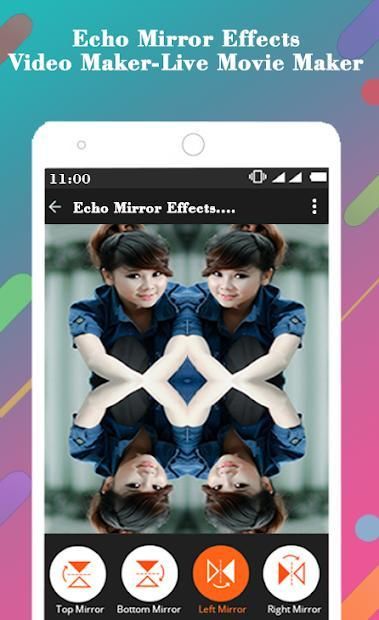
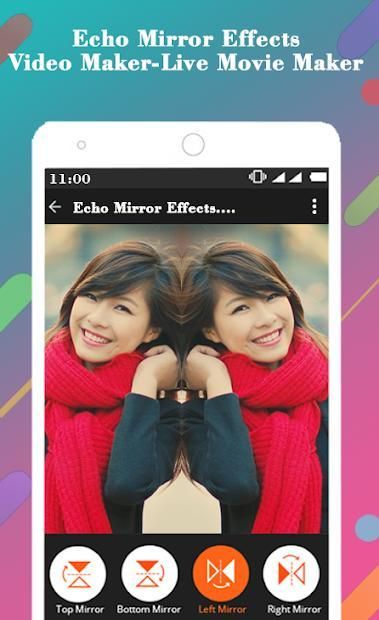
Download the official version of India apps from 9apps now. 30,000+ users downloaded Echo Mirror Effects Video Maker-Live Movie Maker latest version on 9Apps for free every week! In addition, the latest version of the app has updated a lot of features. This hot app was released on 2018-12-14. Besides, you can also select other popular apps you like here!
Record Live Video with Echo Mirror Effects Video Maker. Add Echo Mirror Effect to your live video shooting with effects like Heart Mirror, endless, Heart blend, Mirror render, Moving Mirror and so on.
3D Echo Mirror Effects Video Recorder is professional Video Mirror Effect Maker application to make mirror videos. Echo Mirror Effects Video Maker has many mirror video effects like Horizontal Video Mirror, Vertical Video Mirror Effect Editor or Flip, Floating, Moving Videos Mirrors.
Amazing mirror effects app that lets you record your live video with Original Mic- Voice, Various Mirror effects enabled with touch option to apply various mirror magic echo live movie maker.
Record your live video Live Movie Maker with amazing 3D Echo Mirror Magic Effects to see you in Dazzling and Unique Mirror Video FX Effects, Slow motion effects with live voice and so many other beautiful effects.
Echo Mirror Effects Video Maker-Live Movie Maker Features:
3D type mirror
Square Mirror effects
Heart Mirror effects
Endless Mirror effects
Heart Blend effects
Mirror render effects
Moving Mirror effects
Left and right mirror
Bottom and top mirror
Half left and right mirror effects
Half bottom and top mirror effects
Create up-down reflection mirror video
12 different types 3D Echo mirror effects
Live Voice Recorder with Video Maker
Touch Option to capture different Echo Mirror Effects
Both Camera enabled for live shooting of video
How to use Echo Mirror Effects Video Maker-Live Movie Maker App:
1. Click on start button.
2. Click on video button to record live video.
3. Click on Mic button to enable or disabled live voice recording.
4. Click on touch button to enable or disable Mirror Effects selection by touch.
5. Click on Camera button to enable front or rear camera for shooting.
6. Click on flashlight button to enable or disable for video shooting.
7. After recording video click on video button to save the video.
8.Visit My Video to see recorded video.
We would like to have your feedback on your experience about this Echo Mirror Effects Video Maker-Live Movie Maker app and we would be happy to serve you better with your suggestions or reviews for future development. Contact Us on Our Official Email Id – photovideomusicstudio@gmail.com
Thank You!!
Rekam Video Langsung dengan Echo Mirror Effects Video Maker. Tambahkan Efek Cermin Echo ke pengambilan gambar video langsung Anda dengan efek seperti Heart Mirror, tanpa akhir, Campuran hati, Mirror render, Moving Mirror, dan sebagainya.
Efek Cermin Echo 3D Perekam Video adalah aplikasi Pembuat Cermin Video Cermin profesional untuk membuat video cermin. Echo Mirror Effects Video Maker memiliki banyak efek video cermin seperti Horizontal Video Mirror, Vertical Video Mirror Effect Editor atau Flip, Floating, Moving Video Mirrors.
Aplikasi efek cermin luar biasa yang memungkinkan Anda merekam video langsung dengan Original Mic- Voice, Berbagai efek Cermin diaktifkan dengan opsi sentuh untuk menerapkan berbagai pembuat film gema cermin langsung.
Rekam video langsung Anda Live Movie Maker dengan Efek Cermin 3D Echo Cermin yang menakjubkan untuk melihat Anda dalam Efek Cermin Video FX Dazzling dan Cermin Unik, Efek gerakan lambat dengan suara langsung dan banyak efek indah lainnya.
Efek Cermin Gema Fitur Pembuat Video-Pembuat Film Langsung:
Cermin jenis 3D
Efek Cermin Persegi
Efek Cermin Jantung
Efek Cermin Tak Berujung
efek Heart Blend
Cermin membuat efek
Memindahkan efek Cermin
Cermin kiri dan kanan
Cermin bawah dan atas
Setengah efek cermin kiri dan kanan
Efek cermin bagian bawah dan atas setengah
Buat video cermin refleksi ke atas
12 jenis efek cermin 3D Echo yang berbeda
Perekam Suara Langsung dengan Pembuat Video
Opsi Sentuh untuk menangkap Efek Cermin Echo yang berbeda
Kedua Kamera diaktifkan untuk pemotretan langsung video
Cara menggunakan Aplikasi Echo Mirror Effects Video Maker-Live Movie Maker:
1. Klik tombol mulai.
2. Klik pada tombol video untuk merekam video langsung.
3. Klik pada tombol Mic untuk mengaktifkan atau menonaktifkan perekaman suara langsung.
4. Klik pada tombol sentuh untuk mengaktifkan atau menonaktifkan pilihan Cermin Efek dengan sentuhan.
5. Klik pada tombol Kamera untuk mengaktifkan kamera depan atau belakang untuk pengambilan gambar.
6. Klik pada tombol senter untuk mengaktifkan atau menonaktifkan untuk pengambilan gambar video.
7. Setelah merekam video, klik pada tombol video untuk menyimpan video.
8.Kunjungi Video Saya untuk melihat rekaman video.
Kami ingin mendapatkan tanggapan Anda tentang pengalaman Anda tentang aplikasi Echo Mirror Effects Video Maker-Live Movie Maker ini dan kami akan dengan senang hati melayani Anda lebih baik dengan saran atau ulasan Anda untuk pengembangan di masa mendatang. Hubungi Kami di Email Resmi Kami - photovideomusicstudio@gmail.com
Terima kasih!!
Live Echo Mirror Effects Video Maker,Live 3D Movie Maker,Echo Mirror Magic Video !!




9Apps 4.9










