
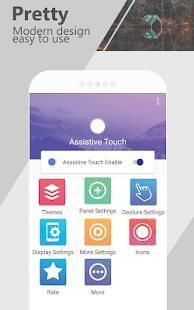
This article is about hot apps for android. 20,000+ users downloaded Easy Assistive Touch 2018 - Quick touch latest version on 9Apps for free every week! This app has been greatly welcomed in India. This hot app was released on 2018-05-16. It is available as a free download on 9Apps.
Assistive Touch 2018!
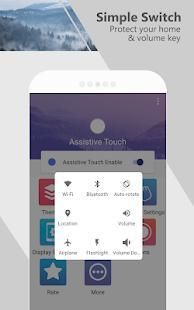
Supports touch screen similar to iPhone on android phone.
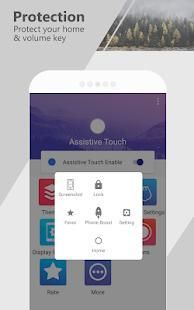
Protect your home keys as well as help you work fast
and more convenient with
Easy Assistive Touch
.
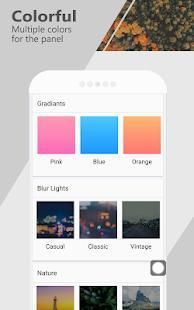
* Theme on Assistive Touch application
- You can easily select a color change theme on the Easy
Assistive touch
panel.
- Can change the background of the Easy touch panel or can create your own theme.
* Resize Assistive touch to suit your phone screen and preferences
- You can easily change the size of the Easy Touch icon to fit easily and conveniently.
* Change the type of interaction on
Assistive touch
.
- You can change the type of interaction by categories: one touch, two touches, long touch.
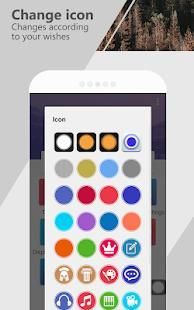
* Change the icon of Assistive touch you can customize the icon of
Easy touch
to suit
with the hobby.
* Change panel setting on easy touch, you can optionally add edit delete
the functions you want, or use the preferences for layout functions
on Assistive touch.
- This is the application support you easy touch the fastest and most convenient.
Bantu Sentuh 2018!
Mendukung layar sentuh yang mirip dengan iPhone pada ponsel android.
Melindungi kunci rumah Anda serta membantu Anda bekerja cepat
dan lebih nyaman dengan
Mudah Assistive Sentuh .
* Tema pada aplikasi Sentuh Assistive
- Anda dapat dengan mudah pilih tema perubahan warna pada Easy
sentuh Assistive panel.
- Dapat mengubah latar belakang dari panel sentuh Mudah atau dapat membuat tema sendiri.
* Resize sentuhan Assistive sesuai layar ponsel Anda dan preferensi
- Anda dapat dengan mudah mengubah ukuran ikon Sentuh Mudah untuk menyesuaikan dengan mudah dan nyaman.
* Mengubah jenis interaksi pada
sentuh Assistive .
- Anda dapat mengubah jenis interaksi dengan kategori: satu sentuhan, dua sentuhan, sentuhan yang panjang.
* Mengubah ikon sentuhan Assistive Anda dapat menyesuaikan ikon
Mudah sentuh sesuai
dengan hobi.
* Ganti panel pengaturan di mudah sentuh, anda dapat menambahkan mengedit menghapus
fungsi yang Anda inginkan, atau menggunakan preferensi untuk fungsi tata letak
pada sentuhan Assistive.
- ini adalah dukungan aplikasi yang mudah disentuh tercepat dan paling nyaman.



9Apps 4.9