
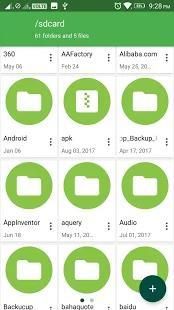
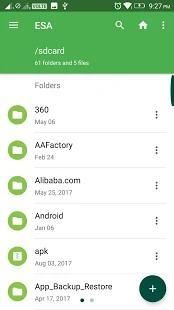
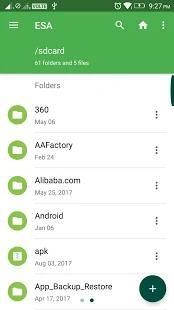
I would like to recommend you an application with large number of downloaders. 20,000+ users downloaded ESA File Manager - Explore Pro (Premium Free) latest version on 9Apps for free every week! This app has been greatly welcomed in India. This hot app was released on 2018-08-08. Enjoy playing with new, amazing features!
The ESA File Manager - Explore Pro has been designed to give android users a free, unlimited experience. File Manager categorizes files for you with its smart feature. Easily access photos, videos, music and other files on the phone.
- Searching Files,
-Apps management,
-duplicate files
-theme management
Media Analysis Tool
File Manager will analyze internal memory and sd card and find unused, repetitive and large files for you.
Easily Transfer with Wifi File Transfer:
Easily access your PC using WiFi with File Manager and transfer files from computer to phone or tablet. Support multi-file transfer cloud, sd card or internal memory of all your devices with Sandanywere.
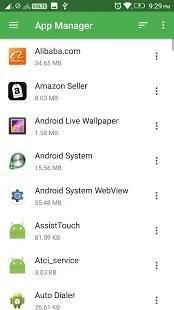
Application Manager:
View all applications installed on your device with File Manager and remove, backup or share them with friends.
Extra space With OTG-SD Card Support
Compress(zip) and decompress(zip, rar) files and folders with File Manager. Move compress files between sd card and internal storage. Enlarge space using OTG support.
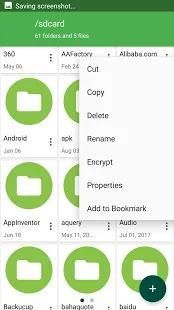
Basic File Operations
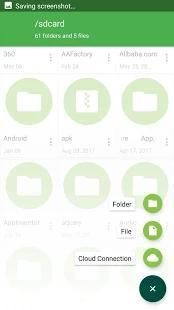
Easily do things like Cut, Copy, Paste, Rename, Delete, Move to Recycle, Hide and more in sd card, internal memory, and cloud.
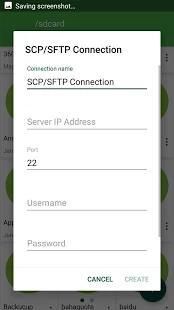
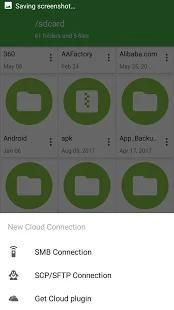
With FTP, SFTP, FTPS support, manage your files without needing a PC.
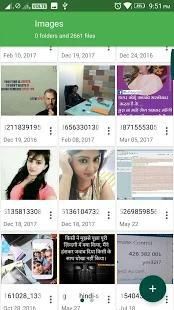
Internal Gallery Feature
There is an internal gallery in File Manager. That supports many file formats and play gif files.
Set photos as wallpaper or make a WhatsApp profile photo.
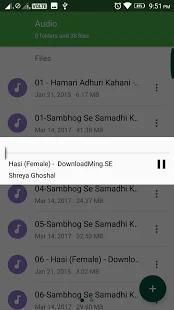
Set MP3s as ringtone and alarm sound.
User Friendly Interface:
Easy to use and 7 different theme features, choose the design that suits.
Recent: View the files you worked with recently without looking for them.
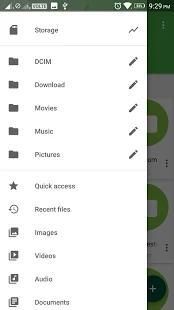
Categories: Files are organized into categories by their formats. From there, you can access to frequently used apps quickly.
Storage: View your storage stats and manage all folders on your device.
Cleaner: Free up storage space on your device by deleting cache and junk files.
Share files with friends who are nearby without connecting to the Internet.
Global search: Enter keywords to find files.
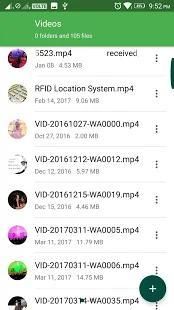
Multiple file formats support: Open videos, music, documents, APKs, and compressed files with one tap.
File compression: Compress and decompress ZIP/RAR archives.
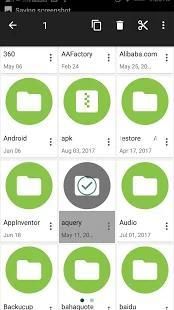
Manage multiple files: Select multiple files for the same operation.
ESA File Manager - Explore Pro telah dirancang untuk memberi pengguna Android pengalaman gratis tanpa batas. File Manager mengkategorikan file untuk Anda dengan fitur cerdasnya. Akses foto, video, musik, dan file lain dengan mudah di telepon.
- Mencari File,
- Pengelolaan aplikasi,
file-duplikat
manajemen -tema
Alat Analisis Media
File Manager akan menganalisis memori internal dan kartu sd dan menemukan file yang tidak terpakai, berulang dan besar untuk Anda.
Transfer Mudah dengan Transfer File Wifi:
Akses PC Anda dengan mudah menggunakan WiFi dengan Manajer File dan transfer file dari komputer ke ponsel atau tablet. Mendukung transfer cloud multi-file, kartu sd atau memori internal dari semua perangkat Anda dengan Sandanywere.
Manajer Aplikasi:
Lihat semua aplikasi yang diinstal di perangkat Anda dengan Manajer File dan hapus, cadangkan atau bagikan dengan teman.
Ruang ekstra Dengan Dukungan Kartu OTG-SD
Kompres (zip) dan dekompresi (zip, rar) file dan folder dengan Manajer File. Pindahkan file kompres antara kartu sd dan penyimpanan internal. Memperbesar ruang menggunakan dukungan OTG.
Operasi File Dasar
Mudah melakukan hal-hal seperti Potong, Salin, Tempel, Ganti Nama, Hapus, Pindah ke Daur Ulang, Sembunyikan, dan lainnya di kartu sd, memori internal, dan cloud.
Dengan FTP, SFTP, dukungan FTPS, kelola file Anda tanpa perlu PC.
Fitur Galeri Internal
Ada galeri internal di File Manager. Yang mendukung banyak format file dan memainkan file gif.
Setel foto sebagai wallpaper atau buat foto profil WhatsApp.
Setel MP3 sebagai nada dering dan suara alarm.
Antarmuka User Friendly:
Mudah digunakan dan 7 fitur tema yang berbeda, pilih desain yang sesuai.
Baru-baru ini: Lihat file yang Anda kerjakan baru-baru ini tanpa mencarinya.
Kategori: File disusun dalam kategori berdasarkan formatnya. Dari sana, Anda dapat mengakses aplikasi yang sering digunakan dengan cepat.
Penyimpanan: Lihat statistik penyimpanan Anda dan kelola semua folder di perangkat Anda.
Pembersih: Kosongkan ruang penyimpanan di perangkat Anda dengan menghapus file cache dan sampah.
Bagikan file dengan teman-teman yang ada di sekitar tanpa tersambung ke Internet.
Pencarian global: Masukkan kata kunci untuk menemukan file.
Mendukung banyak format file: Buka video, musik, dokumen, APK, dan file yang dikompresi dengan satu ketukan.
Kompresi file: Kompres dan dekompresi arsip ZIP / RAR.
Mengelola banyak file: Pilih beberapa file untuk operasi yang sama.
Improvement

9Apps 4.9