
Download the latest application of india here. 20,000+ users downloaded ES File Explorer latest version on 9Apps for free every week! You can find this multifunction app on 9Apps easily. This hot app was released on 2019-06-01. Be sure that you check your current app before you start a run.
Free, Safe, Simple, Manage your files efficiently and easily with ES File Explorer File Manager
ES File Explorer File Manager is a full-featured file (Images, Music, Movies, Documents, app)
File Manager and Folder Manager – Powerful tools put desktop-grade features in your pocket
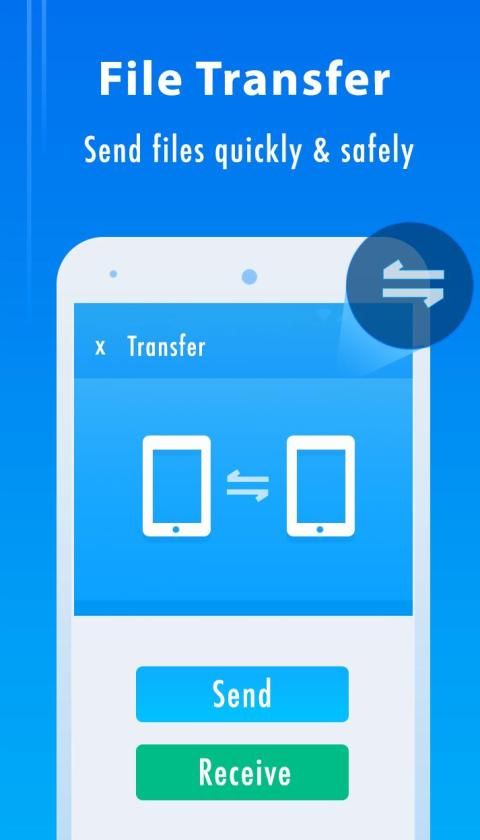
• Sender: Transfer apps, images, music, movies, documents, without using mobile data and cables. Support same Wi-Fi mode & auto-created hotspot.
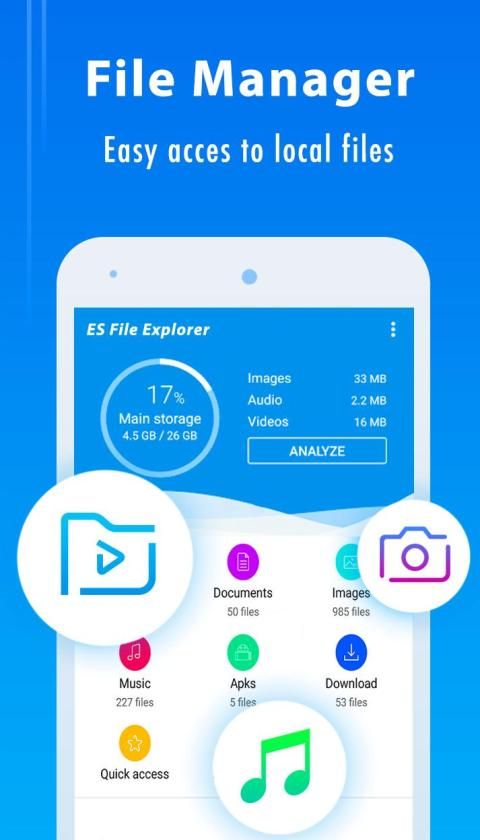
• File Manager: Manage your files with cut, copy, paste, rename, and compress operations
• Built-in ZIP and RAR support: allows you to compress and decompress ZIP files, unpack RAR files, and create encrypted (AES 256 bit) ZIP files
Remote File Access – Get to your files from anywhere
• Cloud Storage: Supports Dropbox, Box.net, Sugarsync, Google Drive, OneDrive(SkyDrive), Amazon S3, Yandex and more clouds platforms
• Remote File Manager: When this feature is enabled, you can manage files on your phone from your computer
• Functions as an FTP and WebDAV client: Manage files on FTP, FTPS, SFTP, and WebDAV servers just like you manage files on your SD card
• Access your home PC: Through your smartphone via WiFi with SMB
File transfer and File Explorer
• Root Explorer: The ultimate set of file management tools for root users. Provides access to the entire file system and all data directories, and allows the user to change permissions.
• Bluetooth file browser: You can copy and paste files between Bluetooth-ready devices. ES File Explorer (File Manager) supports OBEX FTP for browsing devices and transferring files between Bluetooth devices
• Wi-Fi File transfer: Use your PC to wirelessly edit your mobile files using FTP
Library and Other – Find any and every file in seconds
• App Manager: Categorize, uninstall, back up, and create shortcuts to your apps
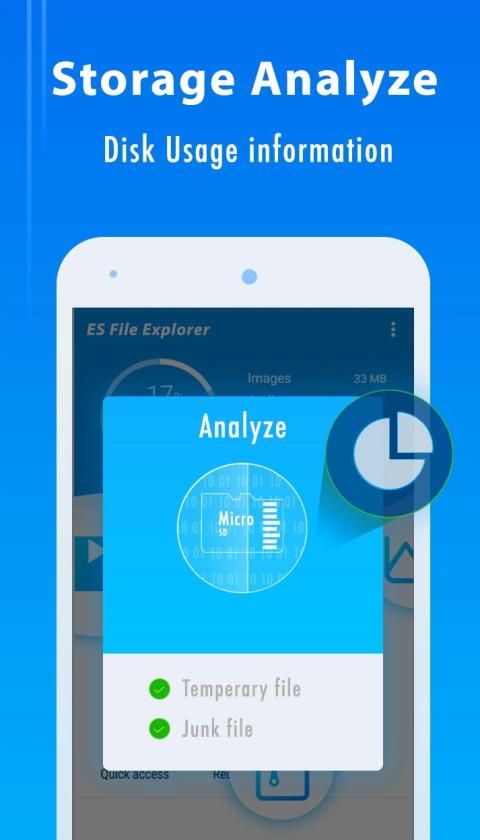
• SD Card Analyst: Analyze for App Associate Folder & Large Files & Recently Created Files & Redundancy Files & Duplicate Files to help save space; Detect Sensitive Permission & App Cache & Memory Usage to know your apps better
• Kill tasks with a single click, increase memory and speed up your device: Includes a simple widget that stays on your home screen to let you know your current RAM situation and automatically kill tasks, with an ignore list to ignore the applications you want to keep running. The Task Manager module is required for this feature.
• Cache Cleaner and Auto-start Manager: Delete junk files that take up valuable storage space. The Task Manager module is required for this feature.
Key features
Experience and enjoy these features that EX File Explorer has to offer:
- Your light and savvy file explorer: Search, access, save, move, delete, or share files that are stored in your smart device's internal storage to or from a microSD card, LAN, or Cloud storage accounts and vice-versa.
- More storage options via Cloud storages: Supports cloud storage accounts such as , Dropbox, Google Drive and Microsoft OneDrive
- Suave and smooth multimedia streamlining: Stream multimedia files such as music or videos or open documents, pictures, or photos stored in any of your Cloud storage accounts.
- Save disk space by packaging files: Compress files to save space of your storage and extract compressed files in Zip and RAR formats
- Easy file browsing: Browse files easily by category right from File Manager’s home screen: images, videos, music, applications, downloaded, and favorites.
- Disk tools: Storage analyzer, recycle bin and hidden cabinet let you manage your disk easily.
ES File Explorer (File Manager) helps you handle all your files whether they are stored in your device's memory, microSD card, local area network, and cloud storage accounts.By default, ES File Explorer (File Manager) allows you to copy, move, rename, delete or share files to and from any of your storages. It also lets you browse and access your files by category.
Gratis, Aman, Sederhana, Kelola file Anda secara efisien dan mudah dengan ES File Explorer File Manager
ES File Explorer File Manager adalah file berfitur lengkap (Gambar, Musik, Film, Dokumen, aplikasi)
Manajer File dan Manajer Folder - Alat canggih yang memasukkan fitur tingkat desktop di saku Anda
• Pengirim: Mentransfer aplikasi, gambar, musik, film, dokumen, tanpa menggunakan data seluler dan kabel. Mendukung mode Wi-Fi yang sama & hotspot yang dibuat secara otomatis.
• Manajer File: Kelola file Anda dengan operasi potong, salin, tempel, ganti nama, dan kompres
• Dukungan ZIP dan RAR bawaan: memungkinkan Anda untuk mengompres dan mendekompres file ZIP, membongkar file RAR, dan membuat file ZIP terenkripsi (AES 256 bit)
Akses File Jarak Jauh - Dapatkan file Anda dari mana saja
• Penyimpanan Awan: Mendukung Dropbox, Box.net, Sugarsync, Google Drive, OneDrive (SkyDrive), Amazon S3, Yandex dan lebih banyak platform cloud
• Remote File Manager: Ketika fitur ini diaktifkan, Anda dapat mengelola file di telepon dari komputer Anda
• Berfungsi sebagai klien FTP dan WebDAV: Mengelola file di server FTP, FTPS, SFTP, dan WebDAV sama seperti Anda mengelola file pada kartu SD Anda
• Akses PC rumah Anda: Melalui ponsel cerdas Anda melalui WiFi dengan SMB
Transfer file dan File Explorer
• Root Explorer: Kumpulan utama alat manajemen file untuk pengguna root. Menyediakan akses ke seluruh sistem file dan semua direktori data, dan memungkinkan pengguna untuk mengubah izin.
• Browser file Bluetooth: Anda dapat menyalin dan menempel file di antara perangkat yang siap-Bluetooth. ES File Explorer (File Manager) mendukung OBEX FTP untuk menjelajahi perangkat dan mentransfer file antara perangkat Bluetooth
• Transfer File Wi-Fi: Gunakan PC Anda untuk mengedit file seluler Anda secara nirkabel menggunakan FTP
Perpustakaan dan Lainnya - Temukan file apa saja dalam hitungan detik
• Manajer Aplikasi: Mengategorikan, mencopot, mencadangkan, dan membuat pintasan ke aplikasi Anda
• Analis Kartu SD: Analisis untuk Folder Rekanan Aplikasi & File Besar & File yang Baru Dibuat & File Redundansi & File Duplikat untuk membantu menghemat ruang; Deteksi Izin Sensitif & Cache Aplikasi & Penggunaan Memori untuk mengetahui aplikasi Anda dengan lebih baik
• Hentikan tugas dengan sekali klik, tambah memori, dan percepat perangkat Anda: Termasuk widget sederhana yang tetap di layar beranda untuk memberi tahu Anda situasi RAM saat ini dan secara otomatis menghentikan tugas, dengan daftar abaikan untuk mengabaikan aplikasi yang ingin Anda tetap berlari. Modul Task Manager diperlukan untuk fitur ini.
• Pembersih Cache dan Manajer mulai-otomatis: Menghapus file sampah yang memakan ruang penyimpanan yang berharga. Modul Task Manager diperlukan untuk fitur ini.
Fitur utama
Alami dan nikmati fitur-fitur ini yang ditawarkan EX File Explorer:
- Penjelajah file ringan dan cerdas Anda: Cari, akses, simpan, pindahkan, hapus, atau bagikan file yang disimpan di penyimpanan internal perangkat pintar Anda ke atau dari kartu microSD, LAN, atau akun penyimpanan Cloud dan sebaliknya.
- Lebih banyak opsi penyimpanan melalui penyimpanan Cloud: Mendukung akun penyimpanan cloud seperti, Dropbox, Google Drive dan Microsoft OneDrive
- Pelurusan multimedia yang ramah dan halus: Streaming file multimedia seperti musik atau video atau dokumen terbuka, gambar, atau foto yang disimpan di salah satu akun penyimpanan Cloud Anda.
- Menghemat ruang disk dengan mengemas file: Kompres file untuk menghemat ruang penyimpanan Anda dan mengekstrak file terkompresi dalam format Zip dan RAR
- Penjelajahan file yang mudah: Jelajahi file dengan mudah berdasarkan kategori langsung dari layar utama File Manager: gambar, video, musik, aplikasi, yang diunduh, dan favorit.
- Alat disk: Alat analisis penyimpanan, tempat sampah daur ulang, dan kabinet tersembunyi memungkinkan Anda mengelola disk dengan mudah.
ES File Explorer (File Manager) membantu Anda menangani semua file Anda apakah disimpan di memori perangkat Anda, kartu microSD, jaringan area lokal, dan akun penyimpanan cloud. Dengan default, ES File Explorer (File Manager) memungkinkan Anda untuk menyalin, memindahkan , ganti nama, hapus atau bagikan file ke dan dari penyimpanan Anda. Ini juga memungkinkan Anda menelusuri dan mengakses file Anda berdasarkan kategori.

9Apps 4.9

![Es File Explorer Premium Version [ No Ads] screenshot 1](https://i.ytimg.com/vi/uVD6RKaRID4/mqdefault.jpg)










