

Find most popular android apps here! 20,000+ users downloaded Video Editor latest version on 9Apps for free every week! You get various free apps from the store. This hot app was released on 2018-09-13. For more mobile apps information, you can go to our official website - 9Apps.
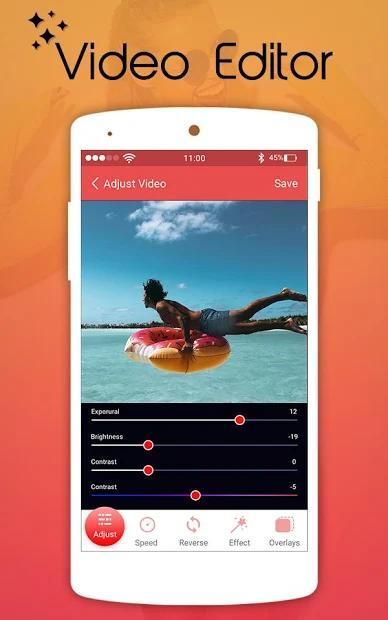
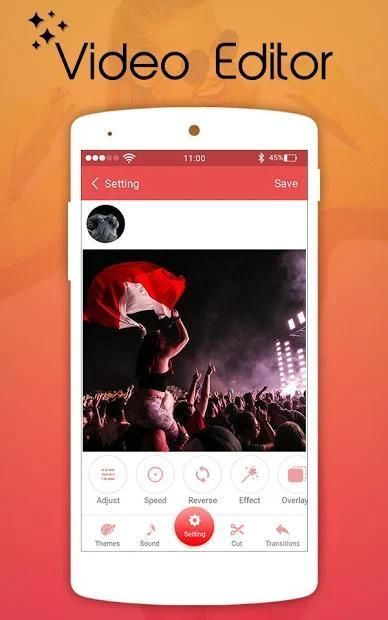
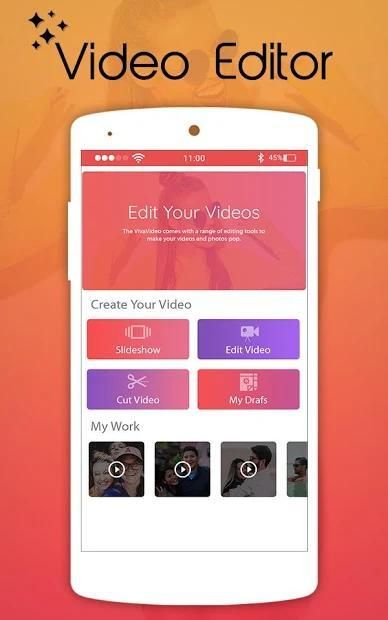
Download HD Video Editor excellent video editing features. In this movie maker and photo editor, creating a video or slideshow with photos, pictures, music, stickers, sound effects is easy and fun. Young filmmakers can even beautify your videos or music clips with texts, FX, effects, GIFs, multi-music, photo filters, transitions, sound effects or live dubbing, almost anything you want in a creative and personalized way.
Key Features of HD Video Editor Free:
● Video Edit: Video trim, video compress, mirror video, flip video.
● Add music to video: Add My Movie featured music or your own music to video.
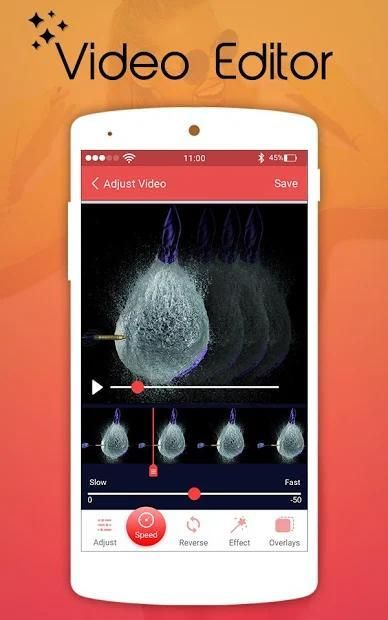
● Fast & Slow-Motion video editor: control the speed of every video clip.
● Reverse video editor: Playback videos in reverse.
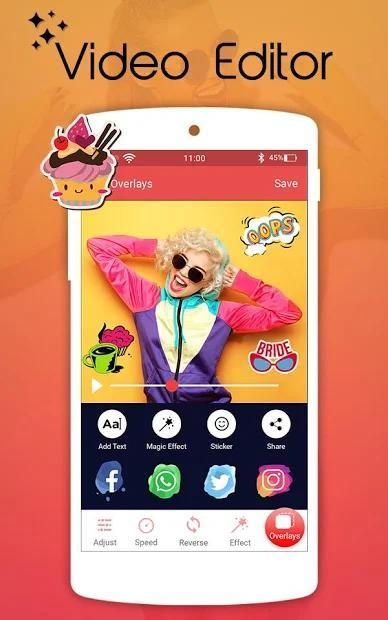
● Add sticker to video: Add animated emoji sticker and custom sticker for video editing to make video more vivid.
● Text on video editor: write text on video and edit font & color with text to video maker.
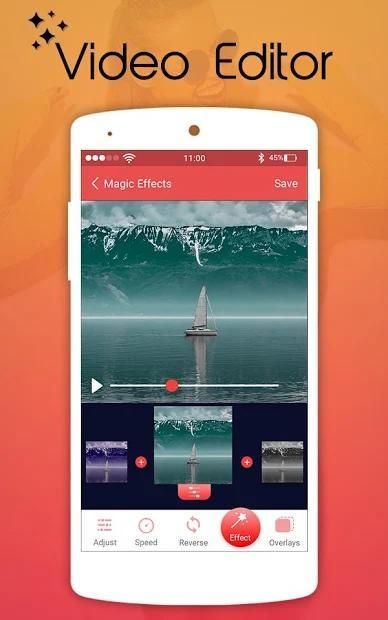
● Filter effects: Add stunning filter effects.
● My Studio: Store your edited video in MyMovie.
● Video editing free: No duration limits.
* Video Slideshow Editor is the easiest way to create, edit and share amazing photo music videos and stories
* Video Slideshow Editor is the best video editor, photo slideshow maker & movie editing app make a video photo slider
* With your photos, videos and tons of free licensed music, you can easily make fun, inspiring, or creative photo music videos.
Video Cutter: -
Easily trim any portion of your video with this video editor app. Also, you can remove music from the video.
Crop Video: -
Crop and Trim best part of video and remove unwanted logos and watermarks to share in social apps.
Video Converter: -
Convert your video to useful formats like mp4, mkv, mov, mpeg, mpg, avi, flv, wmv.
Slow Motion Video Maker: -
Create slow motion video of a particular part of video by using trim option or make the whole video slow. Choose any video and select speed like 1/2, 1/3, 1/4, up to 1/10.
Fast Motion Video Maker :-
Use fast motion video app to increase speed of the video using this video editor app. You can make whole video run in fast motion or particular portion of video using trim option. Supports speed like 1X, 2X, 3X, up to 10X.
Video Compressor: -
Compress video in different size and quality which is useful to save phone memory. Compress video of almost any format to different resolution by choosing desired percentage of compression.
Add Audio to Video :-
Change background music of a video by adding your favorite audio to specific portion of video by trim option or you can also change the audio of whole video.
Video Compressor :-
Compress video in different size and quality which is useful to save phone memory. Compress video of almost any format to different resolution by choosing desired percentage of compression.
Reverse Video: -
This application will reverse the video and literally you will see people walking backwards.
Video Merge: -
Merge multiple videos into one file which is just awesome.
Video to Photo: -
Grab particular and perfect moments from recorded videos and playable gallery videos in simple steps. Supports Quick Capture and Auto Snap between time interval.
Split Video: -
Split a single Video into Two Split Videos at a chosen point to split the video.
Rotate video: -
Did you record or saved your video in wrong direction or is the orientation wrong?
Video Merge: -
Merge multiple videos into one file which is just awesome.
Video to photo: -
Grab particular and perfect moments from recorded videos and playable gallery videos in simple steps. Supports Quick Capture and Auto Snap between time interval.
Split Video: -
Split a single Video into Two Split Videos at a chosen point to split the video.
Thanks For Using This Music Video Editor for Updated Version Coming Soon.....
Unduh fitur pengeditan video HD Video Editor yang luar biasa. Di pembuat film dan editor foto ini, membuat video atau tampilan slide dengan foto, gambar, musik, stiker, efek suara mudah dan menyenangkan. Para pembuat film muda bahkan dapat mempercantik video atau klip musik Anda dengan teks, FX, efek, GIF, multi-musik, filter foto, transisi, efek suara atau dubbing langsung, hampir semua hal yang Anda inginkan dengan cara yang kreatif dan personal.
Fitur Utama HD Video Editor Gratis:
● Video Edit: Video trim, kompres video, video cermin, video flip.
● Tambahkan musik ke video: Tambahkan Film saya fitur musik atau musik Anda sendiri ke video.
● Pengedit video Cepat & Slow-Motion: kontrol kecepatan setiap klip video.
● Editor video balik: Memutar video secara terbalik.
● Tambahkan stiker ke video: Tambahkan stiker emoji animasi dan stiker khusus untuk mengedit video untuk membuat video lebih jelas.
● Teks pada editor video: tulis teks di video dan edit font & warna dengan pembuat teks ke video.
● Efek filter: Tambahkan efek filter yang memukau.
● My Studio: Simpan video yang Anda edit di MyMovie.
● Pengeditan video gratis: Tidak ada batasan durasi.
* Video Slideshow Editor adalah cara termudah untuk membuat, mengedit, dan berbagi video dan kisah musik foto yang menakjubkan
* Video Slideshow Editor adalah editor video terbaik, pembuat slideshow foto & aplikasi editing film membuat slider foto video
* Dengan foto, video, dan banyak musik berlisensi gratis, Anda dapat dengan mudah membuat video musik foto yang menyenangkan, menginspirasi, atau kreatif.
Pemotong Video: -
Mudah memangkas bagian apa pun dari video Anda dengan aplikasi editor video ini. Juga, Anda dapat menghapus musik dari video.
Potong Video: -
Potong dan Potong bagian terbaik dari video dan hapus logo dan watermark yang tidak diinginkan untuk dibagikan di aplikasi sosial.
Konverter Video: -
Konversikan video Anda ke format yang bermanfaat seperti mp4, mkv, mov, mpeg, mpg, avi, flv, wmv.
Pengolah Video Gerak Lambat: -
Buat video gerakan lambat dari bagian tertentu dari video dengan menggunakan opsi trim atau membuat seluruh video menjadi lambat. Pilih video apa saja dan pilih kecepatan seperti 1/2, 1/3, 1/4, hingga 1/10.
Pembuat Video Gerak Cepat: -
Gunakan aplikasi video gerakan cepat untuk meningkatkan kecepatan video menggunakan aplikasi editor video ini. Anda dapat membuat seluruh video berjalan dalam gerakan cepat atau bagian tertentu dari video menggunakan opsi trim. Mendukung kecepatan seperti 1X, 2X, 3X, hingga 10X.
Kompresor Video: -
Kompres video dalam berbagai ukuran dan kualitas yang berguna untuk menghemat memori telepon. Kompres video dari hampir semua format untuk resolusi yang berbeda dengan memilih persentase kompresi yang diinginkan.
Tambahkan Audio ke Video: -
Ubah musik latar belakang video dengan menambahkan audio favorit Anda ke bagian tertentu dari video dengan pilihan trim atau Anda juga dapat mengubah audio seluruh video.
Kompresor Video: -
Kompres video dalam berbagai ukuran dan kualitas yang berguna untuk menghemat memori telepon. Kompres video dari hampir semua format untuk resolusi yang berbeda dengan memilih persentase kompresi yang diinginkan.
Membalikkan Video: -
Aplikasi ini akan membalikkan video dan secara harfiah Anda akan melihat orang berjalan mundur.
Penggabungan Video: -
Gabungkan beberapa video menjadi satu file yang luar biasa.
Video ke Foto: - Rebut momen-momen tertentu dan sempurna dari rekaman video dan video galeri yang dapat dimainkan dalam langkah-langkah sederhana. Mendukung Quick Capture dan Auto Snap antara interval waktu.
Video Terpisah: - Pisahkan satu Video menjadi Dua Video Terpisah pada titik yang dipilih untuk memisahkan video.
Putar video: - Apakah Anda merekam atau menyimpan video Anda ke arah yang salah atau apakah orientasi salah?
Penggabungan Video: - Gabungkan beberapa video ke dalam satu file yang luar biasa.
Video ke foto: - Rebut momen tertentu dan sempurna dari rekaman video dan video galeri yang dapat dimainkan dengan langkah sederhana. Mendukung Quick Capture dan Auto Snap antara interval waktu.
Video Terpisah: - Pisahkan satu Video menjadi Dua Video Terpisah pada titik yang dipilih untuk memisahkan video.
Terima Kasih Telah Menggunakan Video Editor Musik Ini untuk Versi Diperbarui Segera Hadir .....
Bug Fixed



9Apps 4.9










