
9Apps is your first choice to download apps. 20,000+ users downloaded DoubleTap To Lock latest version on 9Apps for free every week! The app has do enough to distinguish itself from its predecessor. This hot app was released on 2018-06-30. I believe that if you are an android apps lover, you would not miss it.
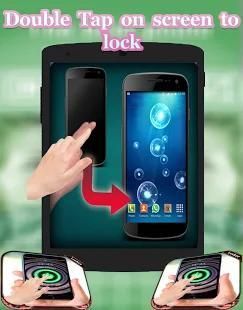
Double Tap on Screen to lock is an application help you double tap to Screen On/Screen Off Double Tap is an app that helps you protect the power button. Double Tap Off also help you turn off the screen quickly with just two times touching the home screen.
If your device does not have Always On Display, you can cover proximity sensor to turn on screen.We also provide super feature for Samsung device that's easily comeback home screen by touching fingerprint or swipe up bottom edge.
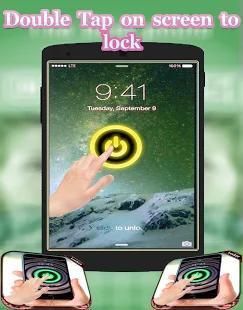
double tap home screen to turn off screen. Especially, we can double tap power icon on Always On Display to turn on screen without draining battery. If your device does not have Always On Display, you can cover proximity sensor to turn on screen.
●●● ●●● ●●● ●●● ●●● ●●● ●●● ●●● ●●● ●●● ●●● ●●●
[ Feature Double Tap On Screen to unlock - Double Click Lock ]
● Double tap to Screen On , home screen to turn off screen.
● Double tap to Screen only works on Off Home Screen and Lock Screen
● Double Tap power icon on Always On Display to turn on screen.
● Provide a lock screen shortcut on home screen.
● Comeback home by touching fingerprint for Samsung
● The sensor will automatically detect, and auto power on / off screen to help you.
● You can set separate delays when the screen on / off to avoid accidentally enabled.
● Auto screen off when put your phone into pocket.
●●● ●●● ●●● ●●● ●●● ●●● ●●● ●●● ●●● ●●● ●●● ●●●
Double Tap Screen On/Off is an easy to use application, by which you can double tap on Home Screen to on/off the screen instead of pressing power button. Double Tap Screen On/Off will help you to minimize the usage of power button.is simple utility to automatically On or Off screen using proximity sensor and double tap on Home Screen.
Instead of having to press the power button manually. Smart Screen On Off have a power head floating in a convenient location is also provided to quickly turn off the screen.
●●● ●●● ●●● ●●● ●●● ●●● ●●● ●●● ●●● ●●● ●●● ●●●
[Note]
+ This app uses the Device Administrator permission to you can use the feature Double tap screen off.
+ Default the app use Triple Tap to Screen Off that make avoid some error related touch but you can change a number of taps in the app to Double Tap.
+ When to use the keyboard you should disable app or pause app to avoid Screen Off when to type text.
To "PAUSE" app you can open notification and click icon "PLAY" with content "DoubleTap To Lock Is Playing" and
to use the app after you can click icon "PAUSE" with content "DoubleTap To Lock Is Pause" to can use continue use.
●●● ●●● ●●● ●●● ●●● ●●● ●●● ●●● ●●● ●●● ●●● ●●●
Sometimes difficult to press the power button, or you want to preserve the physical power button. Smart Screen On Off application and the power head floating can help you minimize the use of the power button anytime, anywhere. And Double Tap Off also help you turn off the screen quickly with just two times touching the home screen.
Double Tap Off is an app that helps you protect the power button.
Save your hard power key, you only double tap home screen to turn off screen. Especially, we can double tap power icon on Always On Display to turn on screen without draining battery.
●●● ●●● ●●● ●●● ●●● ●●● ●●● ●●● ●●● ●●● ●●● ●●●
Double Tap pada layar untuk mengunci adalah sebuah aplikasi bantuan Anda dua kali menekan ke Screen On / Off Layar Double Tap adalah sebuah aplikasi yang membantu Anda melindungi tombol power. Double Tap Off juga membantu Anda mematikan layar dengan cepat dengan hanya dua kali menyentuh layar awal.
Jika perangkat Anda tidak memiliki Always On Display, Anda dapat menutupi sensor jarak untuk menghidupkan screen.We juga menyediakan fitur super untuk Samsung perangkat yang mudah layar awal comeback dengan menyentuh sidik jari atau gesek ke atas tepi bawah.
ganda layar sentuh rumah untuk mematikan layar. Terutama, kita bisa melipatgandakan tap ikon daya pada Selalu On Display untuk menghidupkan layar tanpa menguras baterai. Jika perangkat Anda tidak memiliki Always On Display, Anda dapat menutupi sensor jarak untuk mengaktifkan layar.
●●● ●●● ●●● ●●● ●●● ●●● ●●● ●●● ●●● ●●● ●●● ●●●
[Fitur Double Tap On Screen untuk membuka - Double Klik Lock]
● Ketuk dua kali untuk Screen Pada, layar awal untuk mematikan layar.
● Ketuk dua kali untuk Screen hanya bekerja pada Off Home Screen dan Lock Screen
● ikon daya Tap ganda pada Selalu On Display untuk menghidupkan layar.
● Menyediakan shortcut layar kunci di layar awal.
● Comeback rumah dengan menyentuh sidik jari untuk Samsung
● Sensor secara otomatis akan mendeteksi, dan auto power on / off layar untuk membantu Anda.
● Anda dapat mengatur penundaan terpisah ketika layar on / off untuk menghindari sengaja diaktifkan.
● layar otomatis mati ketika meletakkan ponsel Anda ke dalam saku.
●●● ●●● ●●● ●●● ●●● ●●● ●●● ●●● ●●● ●●● ●●● ●●●
Tap Layar ganda On / Off adalah mudah untuk menggunakan aplikasi, dengan mana Anda dapat melipatgandakan tap pada Home Screen untuk on / off layar bukannya menekan tombol power. Double Tap Layar On / Off akan membantu Anda untuk meminimalkan penggunaan daya button.is utilitas sederhana untuk secara otomatis atau Mati layar menggunakan sensor jarak dan double tap pada Home Screen.
Daripada harus menekan tombol power secara manual. Pintar Layar Mati memiliki kekuasaan kepala mengambang di lokasi yang nyaman juga disediakan untuk cepat mematikan layar.
●●● ●●● ●●● ●●● ●●● ●●● ●●● ●●● ●●● ●●● ●●● ●●●
[Catatan]
+ Aplikasi ini menggunakan izin Perangkat Administrator untuk Anda dapat menggunakan fitur layar Ketuk dua kali off.
+ Default aplikasi menggunakan Tiga Tap ke Screen Off yang membuat menghindari beberapa kesalahan terkait sentuh tetapi Anda dapat mengubah sejumlah keran di aplikasi untuk Double Tap.
+ Kapan menggunakan keyboard Anda harus menonaktifkan aplikasi atau jeda aplikasi untuk menghindari Layar Off saat mengetik teks.
Untuk "PAUSE" aplikasi yang dapat membuka pemberitahuan dan klik ikon "PLAY" dengan konten "DoubleTap Untuk Mengunci Apakah Bermain" dan
untuk menggunakan aplikasi setelah Anda dapat mengklik ikon "PAUSE" dengan konten "DoubleTap Untuk Mengunci Is Pause" untuk dapat menggunakan terus digunakan.
●●● ●●● ●●● ●●● ●●● ●●● ●●● ●●● ●●● ●●● ●●● ●●●
Kadang-kadang sulit untuk menekan tombol power, atau Anda ingin melestarikan tombol daya fisik. Pintar Layar Pada aplikasi Off dan kepala listrik terapung dapat membantu Anda meminimalkan penggunaan tombol power kapan saja, di mana saja. Dan Double Tap Off juga membantu Anda mematikan layar dengan cepat dengan hanya dua kali menyentuh layar awal.
Double Tap Off adalah sebuah aplikasi yang membantu Anda melindungi tombol power.
Menyimpan kunci hard power Anda, Anda hanya dua layar sentuh rumah untuk mematikan layar. Terutama, kita bisa melipatgandakan tap ikon daya pada Selalu On Display untuk menghidupkan layar tanpa menguras baterai.
●●● ●●● ●●● ●●● ●●● ●●● ●●● ●●● ●●● ●●● ●●● ●●●




9Apps 4.9










