
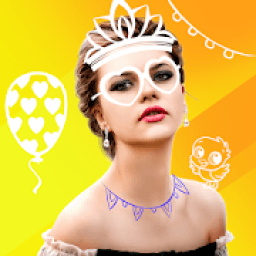
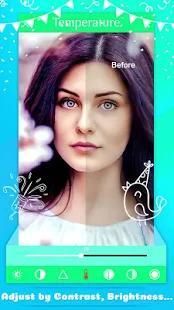
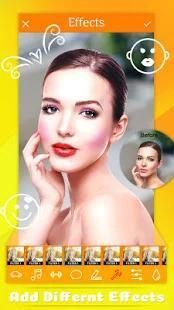
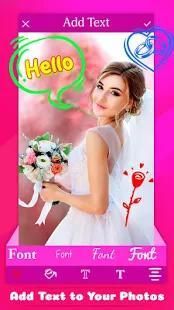
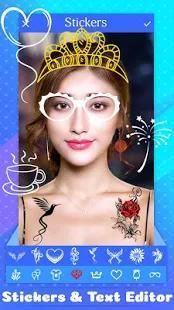
Here provides top Free Android Apps. 20,000+ users downloaded Doodle Photo Editor latest version on 9Apps for free every week! With unexpected, recently it has become very popular in India. This hot app was released on 2018-08-07. 9Apps has thousands of apps and updated daily!
♥
Doodle Photo Editor
is the better way to decorate your pics than by adding your own doodles, captions & stickers. This is by far the best way to personalize your pictures!
♥ If you enjoy photo manipulation apps that you can use to write text on image with stylish fonts, this pic editor will inspire you to create the coolest designs! Use it to learn how to draw doodles that will put a smile on anyone's face!
♥ Time to awaken your imagination! Add cute drawings, write sayings and quotes and beautify your pictures like never before! Decorating pictures will become your favorite thing to do.
♥ Create your very own custom greeting cards for that special someone. We also create custom holidays greetings cards in our Doodle Wish application which many of our users love. Doodle Photo Editor contains doodle alphabets, doodle animals, doodle birthdays, doodle christmas, doodle flowers, doodle crowns, doodle halloween and more.
Features
★ Take or choose a photo with your phone.
★ Over 500 original drawn doodles.
★ A lot of themes for different moments of your life.
★ Click sticker and choose the doodle stickers of your choice.
★ A huge variety of colors.
★ Shattering photo effects & layer editing
★ Adjust color, add effects, frame, clone and draw on your photos
★ Artwork effects & cartoon filters Picture editor
★ Add Overlay Texts, Stickers, Quotes on photo
★ Create custom typography using a wide variety of fonts and colors.
★ Easy rotation, crop or resize of photos
★ Use photos from your gallery and camera
★ View, edit, or delete your edited Image. Also re-edit that image
★ Save your final result to your gallery and on your SD card
★ Sharing with your friends, family and followers on Facebook, Twitter, Messenger, Instagram and more social apps.
How to use
Doodle Photo Editor
:
# Add & select doodle crown stickers, doodle to your pic
# Choose image from your gallery
# Select your favorite pics
# Drag to your Photo
# Resize and play with multitouch
# Touch next to preview mode
# Share your great Funny doodle crown sticker photo to your friends Or save to your device
Enjoy.
♥
Doodle Photo Editor adalah cara yang lebih baik untuk menghias foto Anda daripada dengan menambahkan corat-coret, teks & stiker Anda sendiri. Sejauh ini, ini adalah cara terbaik untuk mempersonalisasi gambar Anda!
♥ Jika Anda menikmati aplikasi manipulasi foto yang dapat Anda gunakan untuk menulis teks pada gambar dengan font bergaya, editor pic ini akan menginspirasi Anda untuk membuat desain paling keren! Gunakan ini untuk belajar cara menggambar orat-oret yang akan membuat seseorang tersenyum!
♥ Waktu untuk membangkitkan imajinasi Anda! Tambahkan gambar lucu, tulis ucapan dan kutipan dan percantik gambar Anda tidak seperti sebelumnya! Menghias foto akan menjadi hal favorit Anda.
♥ Buat kartu ucapan khusus Anda sendiri untuk seseorang yang spesial itu. Kami juga membuat kartu ucapan liburan khusus di aplikasi Doodle Wish yang disukai banyak pengguna kami. Doodle Photo Editor berisi abjad doodle, hewan doodle, ulang tahun orat-oret, orat-oret orat-oret, bunga orat-oret, doodle crown, doodle halloween dan banyak lagi.
Fitur
★ Ambil atau pilih foto dengan telepon Anda.
★ Lebih dari 500 orat-oret yang ditarik orisinal.
★ Banyak tema untuk berbagai momen dalam hidup Anda.
★ Klik stiker dan pilih stiker doodle pilihan Anda.
★ Berbagai macam warna.
★ Menghancurkan efek foto & pengeditan lapisan
★ Menyesuaikan warna, menambahkan efek, bingkai, mengkloning, dan menggambar pada foto Anda
★ Efek karya seni & filter kartun Editor gambar
★ Tambahkan Teks Overlay, Stiker, Quotes pada foto
★ Buat tipografi khusus menggunakan berbagai jenis font dan warna.
★ Rotasi yang mudah, memotong atau mengubah ukuran foto
★ Gunakan foto dari galeri dan kamera Anda
★ Lihat, edit, atau hapus Gambar yang diedit. Juga edit ulang gambar itu
★ Simpan hasil akhir Anda ke galeri Anda dan di kartu SD Anda
★ Berbagi dengan teman, keluarga, dan pengikut Anda di Facebook, Twitter, Messenger, Instagram, dan aplikasi sosial lainnya.
Cara menggunakan
Editor Foto Doodle :
# Tambahkan & pilih stiker doodle crown, doodle ke pic Anda
# Pilih gambar dari galeri Anda
# Pilih foto favorit Anda
# Seret ke Foto Anda
# Ubah ukuran dan mainkan dengan multitouch
# Sentuh di sebelah mode pratinjau
# Bagikan foto stiker mahkota doodle Anda yang lucu ke teman Anda Atau simpan ke perangkat Anda
Nikmati.




9Apps 4.9










