
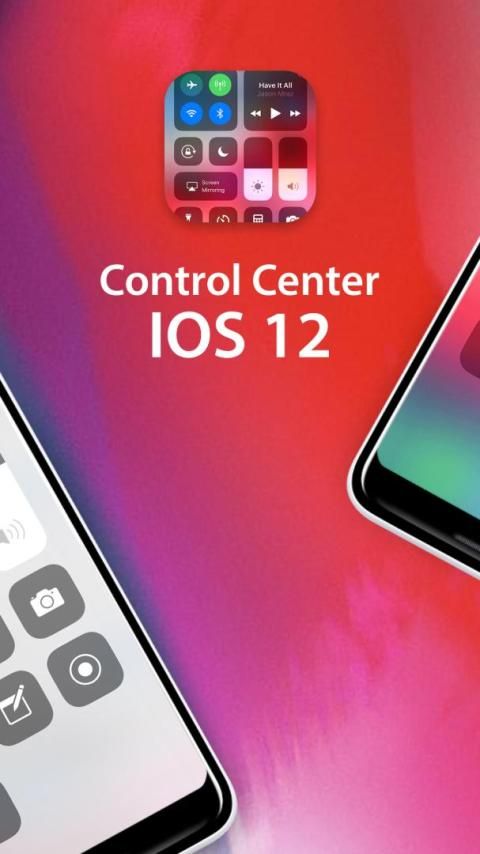
This article is about hot apps for android. 30,000+ users downloaded Control Center iOS 12 latest version on 9Apps for free every week! This app is intended for an adult audience. This hot app was released on 2019-03-29. Download in official websites like 9apps and you'll never miss it!
If you want to save time in controlling your phone, and connect faster to your settings. This app Control Panel allows you access to system settings right on your device Android.
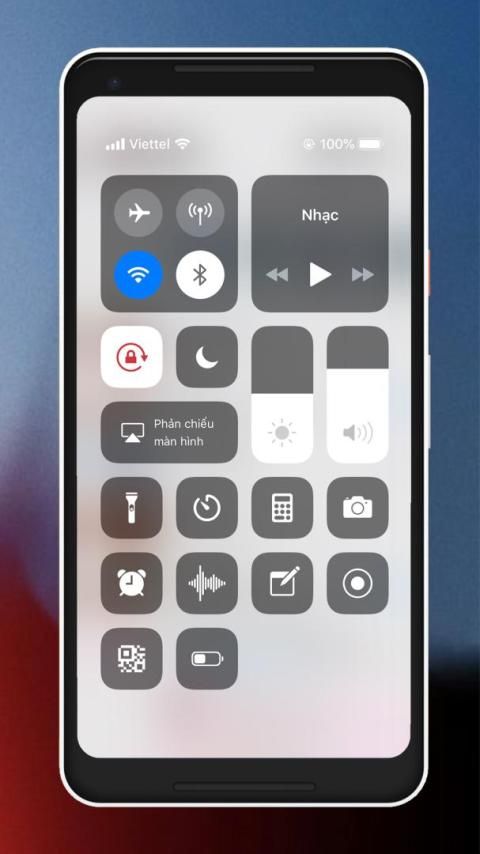
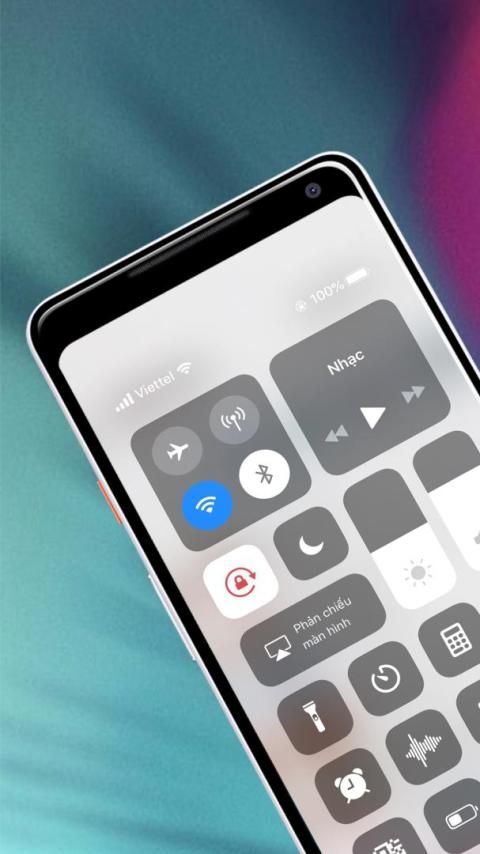
You can use all of the following features with just one touch like i.Phone. X. Let's find out the Smart toggle on this Control panel board:
Camera
: Quick access to your camera to take photos and don't miss any beautiful moments.
Bluetooth
: Connect to headphones, car kits and other Bluetooth-enabled devices.
Control audio/Music Player: In here you can quickly play or pause and control the volume of your favorite songs more.
Smart Toggle for Wi-Fi style
: Turn on / off connections to the internet on your phone via the smart control panel
Screenshot : Customize your own Control Center, tap to record your screen. Press deeply or press and hold Screen Recording and tap Microphone Audio to use your device's microphone to capture sound as you record.
Airplane Mode
: Instantly turn off cellular connections on your Android device.
Alarms and Timer
: Allow you Set an alarm, timer, or stopwatch, or check the time in another country or region.
Calculator
: Like a genuine computer, Use the standard calculator to quickly calculate numbers or rotate your device to use the scientific calculator for more advanced functions.
Do Not Disturb
: Silence / mute the calls, alerts and notifications of the phone applications you receive when you don't want to disturb. Press and hold to turn on for an hour or until the end of the day. Or turn it on just for an event or while you're at a location, and it automatically turns off when the event ends or you leave that location.
Adjust brightness
: Drag the brightness control up or down to adjust the brightness of your display. Adjust the brightness of your Android phone screen from any time, screen saver and light your eyes
Flashligh
: With the smart control , the LED flash on your camera is turned on / turned off as a flashlight, more light when you need
Portrait Orientation Lock
: Via smart control center - Keep your screen from rotating when device moved
Volume
: Drag the volume control up or down to adjust the volume for any audio playback.
AirDrop
: Instantly share your photos, videos, locations, and more with other Apple devices nearby
How to Open Control Center
:
Swipe up from the bottom edge of any screen. On i.Phone .X or later or i.Pad with i.OS 12 or later, swipe down from the upper-right corner of the screen.
How to Close Control Center
:
Tap the top of the screen or press the Home button. On i.Phone .X or later, swipe up from the bottom of the screen or tap the screen.
Our application is completely free, and with control panel i.OS 12 will give you a whole new experience on android devices .
If you find this app useful, you can download now and leave ★★★★★ for Your i.OS 12 Control Center: Smart Control Panel ip X app and comment your review below.
Jika Anda ingin menghemat waktu dalam mengendalikan ponsel Anda, dan hubungkan lebih cepat ke pengaturan Anda. Panel Kontrol aplikasi ini memungkinkan Anda mengakses pengaturan sistem langsung di perangkat Android Anda.
Anda dapat menggunakan semua fitur berikut hanya dengan satu sentuhan seperti i.Phone. X. Mari cari tahu sakelar Smart pada papan panel kontrol ini:
Kamera
: Akses cepat ke kamera Anda untuk mengambil foto dan jangan lewatkan momen indah apa pun.
Bluetooth
: Sambungkan ke headphone, car kit, dan perangkat lain yang mendukung Bluetooth.
Kontrol audio / Music Player: Di sini Anda dapat dengan cepat memutar atau menghentikan sementara dan mengontrol volume lagu favorit Anda lebih banyak.
Smart Toggle for Wi-Fi style
: Menghidupkan / mematikan koneksi ke internet di ponsel Anda melalui panel kontrol pintar
Screenshot : Sesuaikan Pusat Kontrol Anda sendiri, ketuk untuk merekam layar Anda. Tekan dalam-dalam atau tekan dan tahan Rekaman Layar dan ketuk Audio Mikrofon untuk menggunakan mikrofon perangkat Anda untuk menangkap suara saat Anda merekam.
Mode Pesawat
: Secara instan mematikan koneksi seluler di perangkat Android Anda.
Alarm dan Timer
: Memungkinkan Anda Mengatur alarm, timer, atau stopwatch, atau memeriksa waktu di negara atau wilayah lain.
Kalkulator
: Seperti komputer asli, Gunakan kalkulator standar untuk menghitung angka dengan cepat atau memutar perangkat Anda untuk menggunakan kalkulator ilmiah untuk fungsi yang lebih maju.
Jangan Ganggu
: Hening / nonaktifkan panggilan, peringatan, dan notifikasi aplikasi telepon yang Anda terima saat Anda tidak ingin mengganggu. Tekan dan tahan untuk menghidupkan selama satu jam atau sampai akhir hari. Atau nyalakan hanya untuk suatu acara atau saat Anda berada di suatu lokasi, dan secara otomatis mati ketika acara berakhir atau Anda meninggalkan lokasi itu.
Sesuaikan kecerahan
: Seret kontrol kecerahan ke atas atau ke bawah untuk menyesuaikan kecerahan tampilan Anda. Sesuaikan kecerahan layar ponsel Android Anda dari kapan saja, screen saver dan cahaya mata Anda
Flashligh
: Dengan kontrol cerdas, lampu kilat LED pada kamera Anda dinyalakan / dimatikan sebagai senter, lebih banyak cahaya saat Anda membutuhkan
Kunci Orientasi Potret
: Melalui pusat kendali pintar - Jaga agar layar Anda tidak berputar saat perangkat bergerak
Volume
: Seret kontrol volume ke atas atau ke bawah untuk menyesuaikan volume untuk setiap pemutaran audio.
AirDrop
: Bagikan foto, video, lokasi, dan lainnya secara instan dengan perangkat Apple lain di sekitarnya
Cara Membuka Pusat Kontrol
:
Geser ke atas dari tepi bawah layar apa pun. Pada i.Phone .X atau lebih baru atau i.Pad dengan i.OS 12 atau lebih baru, geser ke bawah dari sudut kanan atas layar.
Cara Menutup Pusat Kontrol
:
Ketuk bagian atas layar atau tekan tombol Rumah. Pada i.Phone .X atau yang lebih baru, geser ke atas dari bawah layar atau ketuk layar.
Aplikasi kami sepenuhnya gratis, dan dengan panel kontrol i.OS 12 akan memberi Anda pengalaman yang sama sekali baru pada perangkat android.
Jika Anda merasa aplikasi ini bermanfaat, Anda dapat mengunduh sekarang dan meninggalkan ★★★★★ untuk Pusat Kontrol i.OS 12 Anda: aplikasi ip X Panel Kontrol Cerdas dan komentar ulasan Anda di bawah ini.



9Apps 4.9










