Are you finding some interesting apps? 30,000+ users downloaded Control Center IOS 12 latest version on 9Apps for free every week! The world's most powerful app is here waiting for you. This hot app was released on 2018-06-22. Besides, you can also select other popular apps you like here!
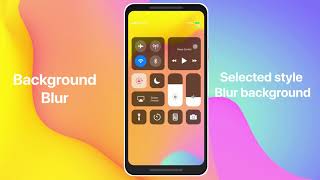
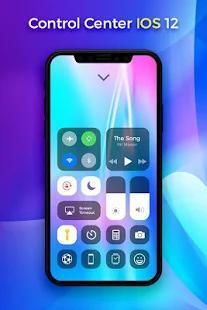
Control Center IOS 12 will bring you experience for Control Center as the style of IOS 12 like on Phone X. If you want how to access Control Center on your android device, open Control Center IOS 12.
Control Center IOS 12 allows you to quick access of the Airplane mode, Camera, Alarm, Flashlight, Music Player, Wi-Fi, Bluetooth, Adjust Brightness, Calculator and more settings or apps instantly you set. It can help you save time in changing Wifi settings, GPS, brightness and more all from one slide panel from Control Center IOS 12.
Control Center IOS 12 provides,
✔ Quick settings for Airplane Mode
✔ Quick settings for Wifi
✔ Control panel for Internet Settings
✔ Quick settings for Bluetooth
✔ Quick settings for network
✔ Quick settings for portrait mode
✔ Quick settings for Brightness
✔ Quick settings for Volume
Control Center IOS 12 Features :
✔ Camera : take a picture with quick access to your camera.
✔ Airplane Mode : Control Center IOS 12 use Airplane Mode to instantly turn off Bluetooth, Wi-Fi, and cellular connections on your android device.
✔ Bluetooth : Smart Control Center IOS 12 connect to headphones, car kits, wireless keyboards, and other Bluetooth-enabled devices, you can instantly access it.
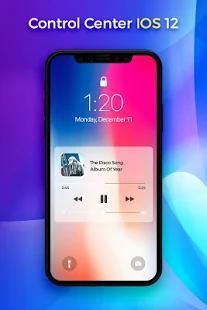
✔ Control audio : you can quickly play, pause, and control volume of your favorite song and more.
✔ Adjust brightness : app can adjust the brightness of your display from any screen just swip and manage.
✔ Wi-Fi : Control Center IOS 12, easy turn on Wi-Fi to browse the web, stream music, download movies, and more.
To Open Control Center
- Swipe up, swipe down, swipe left or swipe right from the edge of screen when you set your quick access tool.
To Close Control Center
- Swipe up, swipe down, swipe left, swipe right or tap the top of the screen, or press the Back, Home, Recent button.
Make your phone look cool by adding some amazing shortcut and customizable options in an unexpected area!
With Control Center app, you can customize more style, such as size, color, position, vibration and style.
Download and Install Control Center IOS 12 now and join us!
Control Center IOS 12 akan membawa pengalaman Anda untuk Control Center sebagai gaya IOS 12 seperti pada telepon X. Jika Anda ingin cara mengakses Control Center pada perangkat android Anda, buka Control Centre IOS 12.
Control Center IOS 12 memungkinkan Anda untuk akses cepat dari mode Airplane, Kamera, Alarm, Senter, Music Player, Wi-Fi, Bluetooth, Mengatur Kecerahan, Kalkulator dan pengaturan lebih atau aplikasi langsung Anda mengatur. Ini dapat membantu Anda menghemat waktu dalam mengubah pengaturan Wifi, GPS, kecerahan dan lebih semua dari satu panel slide dari Control Center IOS 12.
Control Center IOS 12 menyediakan,
✔ Setelan cepat untuk Mode Pesawat
✔ Setelan cepat untuk Wifi
✔ Panel kontrol untuk Setting Internet
✔ Setelan cepat untuk Bluetooth
✔ Setelan cepat untuk jaringan
✔ Setelan cepat untuk mode portrait
✔ Setelan cepat untuk Brightness
✔ Setelan cepat untuk Volume
Control Center IOS 12 Fitur:
✔ Kamera: mengambil gambar dengan akses cepat ke kamera Anda.
✔ Airplane Mode: Control Center IOS 12 penggunaan Mode Pesawat untuk langsung mematikan Bluetooth, Wi-Fi, dan koneksi seluler pada perangkat android Anda.
✔ Bluetooth: Cerdas Control Center IOS 12 terhubung ke headphone, car kit, keyboard nirkabel, dan perangkat berkemampuan Bluetooth lain, Anda dapat langsung mengaksesnya.
✔ Kontrol audio yang: Anda dapat dengan cepat bermain, pause, dan kontrol volume dari lagu favorit Anda dan banyak lagi.
✔ Atur kecerahan: aplikasi dapat menyesuaikan kecerahan layar Anda dari layar apapun hanya swip dan mengelola.
✔ Wi-Fi: Control Center IOS 12, mudah turn on Wi-Fi untuk menelusuri web, aliran musik, film download, dan banyak lagi.
Untuk Buka Control Center
- Geser ke atas, geser ke bawah, geser ke kiri atau geser ke kanan dari tepi layar ketika Anda mengatur perangkat akses cepat Anda.
Untuk Tutup Control Center
- Geser ke atas, geser ke bawah, geser ke kiri, geser ke kanan atau tekan bagian atas layar, atau tekan Back, Home, tombol Terbaru.
Membuat telepon Anda terlihat keren dengan menambahkan beberapa shortcut yang menakjubkan dan pilihan disesuaikan di daerah tak terduga!
Dengan aplikasi Control Center, Anda dapat menyesuaikan lebih gaya, seperti ukuran, warna, posisi, getaran dan gaya.
Download dan Instal Control Center IOS 12 sekarang dan bergabung dengan kami!

9Apps 4.9