
All high quality mobile apps are available for free download. 30,000+ users downloaded Launcher latest version on 9Apps for free every week! It's not only an app it also teaches you how to use it. This hot app was released on 2018-12-29. Besides, you can also select other popular apps you like here!
Are you looking for the computer Launcher 2019 style windows Launcher 2019 for your android phone? You love the new style of windows 10 Launcher 2019? Are you getting bored with Android's User Interface and want to enjoy Windows Launcher 2019 on your Android phone?
Computer Launcher 2019 for Windows 10 is here for you (Inspired by Windows 10®). Clean and energy efficient windows Launcher 2019. Customize your phone with unique look and feel with the smooth and fast. Surprise your friends with new look style windows 10 of your Android.
Computer Launcher 2019 Win 10 is an excellent app for you to experience the Computer Launcher 2019 Metro UI for Windows 10 PC Launcher 2019 on your Android devices. Computer Launcher 2019 will make your Android phone home screen looks like a Desktop Launcher 2019 style windows 10Custom Desktop Computer Design
Customize your phone with unique look and feel of the fastest Launcher 2019 win 10. Amaze your loved one with computer Launcher 2019 look of your Android and also share it with your loved ones.
Windows File manager style windows 10
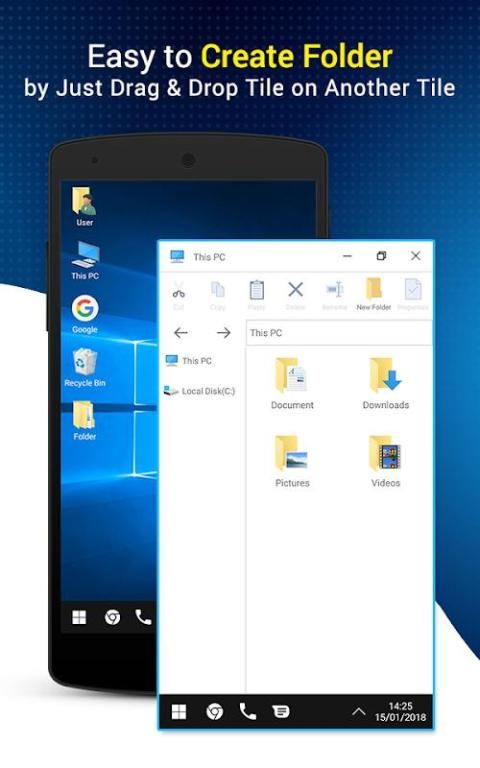
Support File Manager you can search and explore your files and Folders, Copy, Paste, Zip/Unzip, RAR, Delete Files, Share Files and can do lot more... with style windows Launcher 2019 10. You will be amazed at the interface that resembles my computer's windows directory. Windows 10 Launcher 2019 is awesome!
Windows Sharing files and folders
Share your files and folders with other users of computer Launcher 2019 over Wifi network. Access your files everywhere over FTP/LAN.
Windows 10 Recycle Bin
Recycle Bin of windows 10 has been brought to your phone, you can put the file in the recycle bin and completely delete the file at another time
Theme style Windows 10: Manage applications under window style
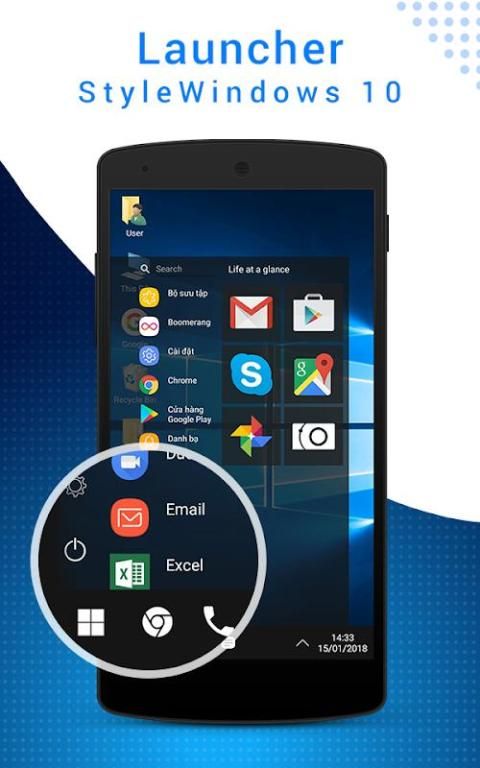
Start Menu for Windows 10 Launcher 2019: The special feature of the computer Launcher 2019 win 10 is that the start bar is designed similar to the start bar on windows 10
Taskbar for windows 10: Pin to taskbar your favorite application, recent application, quick access phone, mail, and default browser.
Action Center. Notifier Center: Like windows 10 Launcher 2019, the computer also has a action center bar. You can check the notice of application or system with Notification Center.
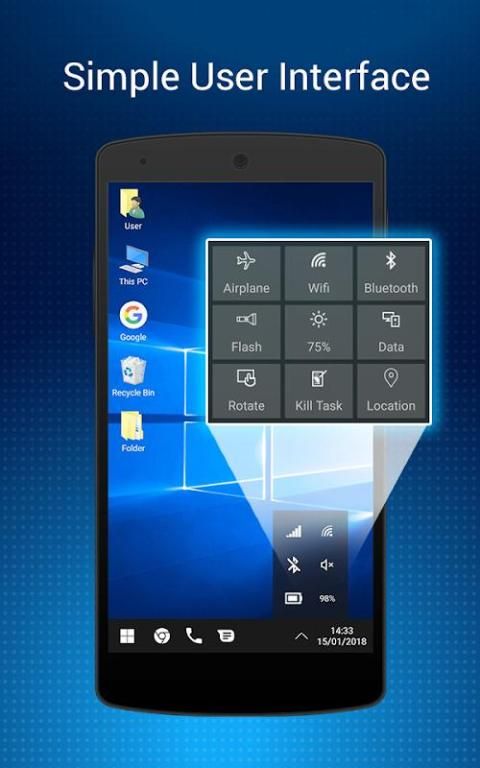
Windows Quick Setting: You can quickly toggle the basic settings such as: wifi, airplane mode, screen brightness, turn on the flash, Auto rotate, kill task to increase the speed of the phone
Features of computer Launcher 2019
- Android application in Stylish Tiles - In Start Menu
- Best application are available on One Click - Create Shortcuts of most used application on Desktop by press and Hold Feature.
- Easy Navigation to the Apps
- Built-In support of File Explorer in windows 10 theme
- Create Folders, Cut, Copy, Paste, Move, Share etc.
- Listing of all of your drives, SD Card, Storage, audio and video files and pictures in PC style.
- put the files to Recycle Bin and delete later in window Launcher 2019 style
- Built-in ZIP support allows you to decompress or extract ZIP/RAR files
Windows 10 Theme is specifically for computer Launcher 2019 also contains most fabulous wallpapers. Most types of themes you like, system, abstract, pets & animals, tech, cartoon, love, nature, sport, auto & vehicle, festival & holiday, landscape and so on. Anything you dream of can be put into your phone. This PC Launcher 2019 theme is the best computer Launcher 2019 style windows Launcher 2019 on Google play.
Enjoy the look of your computer on the telephone computer Launcher 2019 for windows 10. Use the utility that brings the Launcher 2019 computer style windows Launcher 2019 experience with your phone.
If this application gives you the comfort and convenience, make our 5 * rating. We will be very happy to receive your feedback. Thank you for using computer Launcher 2019 style windows Launcher 2019
Apakah Anda mencari peluncur komputer 2019 gaya windows Launcher 2019 untuk ponsel android Anda? Anda menyukai gaya baru dari windows 10 Launcher 2019? Apakah Anda mulai bosan dengan Antarmuka Pengguna Android dan ingin menikmati Windows Launcher 2019 di ponsel Android Anda?
Computer Launcher 2019 untuk Windows 10 hadir untuk Anda (Terinspirasi oleh Windows 10®). Jendela bersih dan hemat energi Peluncur 2019. Sesuaikan ponsel Anda dengan tampilan dan nuansa unik dengan halus dan cepat. Kejutkan teman-teman Anda dengan gaya tampilan baru windows 10 Android Anda.
Komputer Peluncur 2019 Menang 10 adalah aplikasi luar biasa untuk Anda mengalami UI Peluncur Komputer 2019 Metro untuk Peluncur PC Windows 10 2019 di perangkat Android Anda. Computer Launcher 2019 akan membuat layar awal ponsel Android Anda terlihat seperti Desktop Launcher 2019 gaya windows 10Custom Desktop Computer Design
Sesuaikan ponsel Anda dengan tampilan dan nuansa unik dari pemenang Launcher 2019 tercepat 10. Hibur kekasih Anda dengan tampilan peluncur komputer 2019 Android Anda dan juga bagikan dengan orang yang Anda cintai.
Windows File manager gaya windows 10
Dukungan File Manager Anda dapat mencari dan menjelajahi file Anda dan Folder, Salin, Tempel, Zip / Unzip, RAR, Hapus File, Bagikan File dan dapat melakukan lebih banyak lagi ... dengan jendela gaya Peluncur 2019 10. Anda akan kagum pada antarmuka yang menyerupai direktori windows komputer saya. Windows 10 Launcher 2019 luar biasa!
Windows Berbagi file dan folder
Bagikan file dan folder Anda dengan pengguna komputer lain Launcher 2019 melalui jaringan Wifi. Akses file Anda di mana saja melalui FTP / LAN.
Windows 10 Recycle Bin
Recycle Bin windows 10 telah dibawa ke ponsel Anda, Anda dapat meletakkan file di recycle bin dan sepenuhnya menghapus file di lain waktu
Gaya tema Windows 10: Kelola aplikasi di bawah gaya jendela
Start Menu untuk Windows 10 Launcher 2019: Fitur khusus dari komputer Launcher 2019 win 10 adalah start bar dirancang mirip dengan start bar pada windows 10
Taskbar untuk windows 10: Pin ke taskbar aplikasi favorit Anda, aplikasi terbaru, telepon akses cepat, email, dan browser default.
Pusat aksi. Notifier Center: Seperti windows 10 Launcher 2019, komputer juga memiliki bar pusat aksi. Anda dapat memeriksa pemberitahuan aplikasi atau sistem dengan Notification Center.
Pengaturan Cepat Windows: Anda dapat dengan cepat mengubah pengaturan dasar seperti: wifi, mode pesawat, kecerahan layar, menyalakan lampu kilat, Rotasi otomatis, membunuh tugas untuk meningkatkan kecepatan telepon
Fitur peluncur komputer 2019
- Aplikasi Android di Ubin Bergaya - Di Menu Start
- Aplikasi terbaik tersedia dalam Satu Klik - Membuat Pintasan dari sebagian besar aplikasi yang digunakan di Desktop dengan menekan dan Tahan Fitur.
- Navigasi Mudah ke Aplikasi
- Dukungan Built-In File Explorer di windows 10 tema
- Buat Folder, Potong, Salin, Tempel, Pindah, Bagikan, dll.
- Daftar semua drive Anda, SD Card, Penyimpanan, file audio dan video dan gambar dalam gaya PC.
- letakkan file ke Recycle Bin dan hapus kemudian di jendela Launcher 2019 style
- Dukungan ZIP built-in memungkinkan Anda untuk mendekompresi atau mengekstrak file ZIP / RAR
Windows 10 Theme secara khusus untuk komputer Launcher 2019 juga berisi wallpaper paling luar biasa. Kebanyakan jenis tema yang Anda sukai, sistem, abstrak, hewan peliharaan & hewan, teknologi, kartun, cinta, alam, olahraga, mobil & kendaraan, festival & liburan, lanskap, dan sebagainya. Apa pun yang Anda impikan dapat dimasukkan ke ponsel Anda. Tema PC Launcher 2019 ini adalah komputer terbaik Peluncur 2019 gaya windows Launcher 2019 di Google play.
Nikmati tampilan komputer Anda di komputer telepon Peluncur 2019 untuk windows 10. Gunakan utilitas yang menghadirkan peluncur gaya komputer Peluncur 2019 Launcher 2019 dengan ponsel Anda.
Jika aplikasi ini memberi Anda kenyamanan dan kemudahan, buat peringkat 5 * kami. Kami akan sangat senang menerima tanggapan Anda. Terima kasih telah menggunakan peluncur komputer 2019 gaya windows Launcher 2019



9Apps 4.9










