

Here are some news for you to learn more about one of the best android apps. 20,000+ users downloaded Call and SMS Tracker latest version on 9Apps for free every week! The app is superior that can be used with any of the mobile type. This hot app was released on 2018-05-29. You can free download it from 9Apps.
Remote Call and Message Tracker:
Track the calls made to and from your mobile and Message sent or received from your mobile along with the location where you received or sent/made the Call or Message using this app.
✔ No GPS required.
✔ Completely Free. No hidden charges
Use Call and Message Tracker app to keep track of the calls and sms in your mobile. Track all the calls made or received and also all the Message sent or received along with their locations. To check the Calls and Message, you have to launch the app and click on “View” buttons. No need to turn on the GPS. This application works even without GPS. When GPS is disabled, the application collects location info using GPRS/Wi-Fi and hence the impact on battery is minimal.
NOTE: The "Use Wireless Location" in Settings->Location should be enabled for obtaining the location of the device
There could be an error of around 100 metres in some areas.
How it works
- Install the app and register using Email ID and a PIN
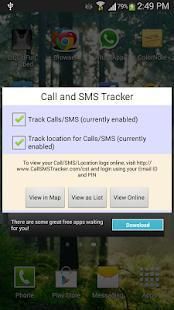
- Enable the check box to enable tracking of Calls and Message on your device. To collect location info select the check box below it as well.
- Now whenever a call is made or received or a Message is sent or received, wait for a while and then launch the app again.
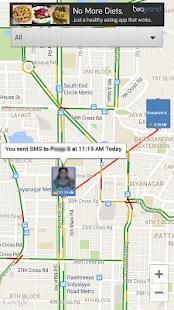
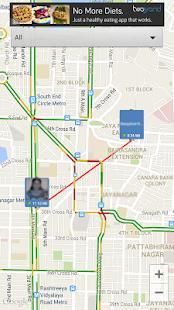
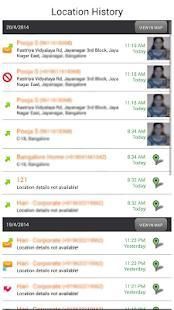
- Click on “View” buttons in the app and you will see the tracks of the last Call or Messages(locations visited) on Google Map view and list view.
- You can choose to disable collecting location info by un-checking the check box in the app's main view
- You can clear all the information stored by using “Clear data” option in the options menu
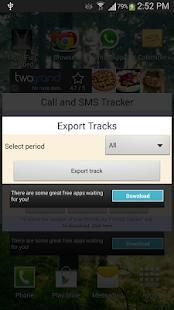
- You can export the tracks as text via Email
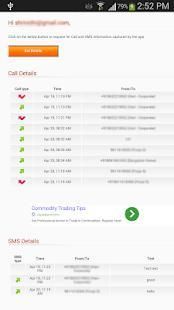
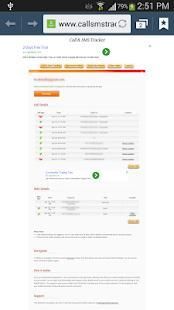
- You can see your mobile tracks by visiting our website http://callsmstracker.com/cst and entering your Email ID and PIN. You need to click on "Get Details" button to pull details from your mobile. Call and Message details will not be pushed to server automatically.
Compliance with Google Policy
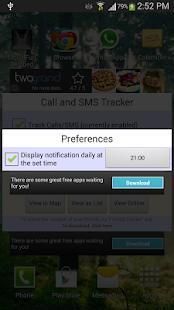
To be in compliance with Google Policy, the app will be displaying notification in notification bar whenever your Call/Messages/location is uploaded to website. Details will not be uploaded unless you request for pull by logging into the website. Details are stored securely in server located in US. Users can opt out anytime and clear the details from server either through mobile or from website. The app cannot be used as spy app as app icon cannot be hidden and notification cannot be disabled. Please read EULA carefully before accepting.
This app is in compliance with latest GDPR (General Data Protection Regulation). The list of data collected and how it is used is mentioned in the privacy policy, app's Terms of Use and also in the app's help section.
If you find any issues or the app doesn't meet your expectations, do mail us at srihari4android@gmail.com. We will try to address your grievances. Thank you!
Permissions Used:
Permission used are only for
1. Get the location of the device and to read the Call and Message log
2. Send the Call/Message/location information whenever you request from the server
3. Displaying ads
Terpencil panggilan dan pesan Tracker:
Melacak panggilan dilakukan ke dan dari ponsel Anda dan Pesan yang dikirim atau diterima dari ponsel Anda bersama dengan lokasi di mana Anda diterima atau dikirim / membuat panggilan atau pesan menggunakan aplikasi ini.
✔ Tidak ada GPS diperlukan.
✔ Sepenuhnya Gratis. Tidak ada biaya tersembunyi
Gunakan panggilan dan pesan Tracker aplikasi untuk melacak panggilan dan sms di ponsel Anda. Melacak semua panggilan yang dibuat atau diterima dan juga semua pesan yang dikirim atau diterima bersama dengan lokasi mereka. Untuk memeriksa Panggilan dan pesan, Anda harus meluncurkan aplikasi dan klik pada “View” tombol. Tidak perlu untuk mengaktifkan GPS. Aplikasi ini bekerja bahkan tanpa GPS. Ketika GPS dinonaktifkan, aplikasi mengumpulkan info lokasi menggunakan GPRS Wi-Fi / dan karenanya dampak pada baterai minimal.
CATATAN: "Gunakan Wireless Lokasi" di Settings-> Lokasi harus diaktifkan untuk memperoleh lokasi perangkat
Mungkin ada kesalahan dari sekitar 100 meter di beberapa daerah.
Bagaimana itu bekerja
- Install aplikasi dan mendaftar menggunakan Email ID dan PIN
- Aktifkan kotak centang untuk mengaktifkan pelacakan Panggilan dan pesan pada perangkat Anda. Untuk mengumpulkan info lokasi centang kotak di bawahnya juga.
- Sekarang setiap kali panggilan dilakukan atau diterima atau Pesan yang dikirim atau diterima, tunggu sebentar dan kemudian meluncurkan aplikasi lagi.
- Klik “View” tombol di app dan Anda akan melihat jejak Call terakhir atau Pesan (lokasi mengunjungi) pada Google Map melihat dan tampilan daftar.
- Anda dapat memilih untuk menonaktifkan mengumpulkan info lokasi dengan menghilangkan cek kotak centang di tampilan utama aplikasi
- Anda dapat menghapus semua informasi yang disimpan dengan menggunakan “Hapus data” pilihan dalam menu pilihan
- Anda dapat mengekspor trek sebagai teks via Email
- Anda dapat melihat trek ponsel Anda dengan mengunjungi website kami http://callsmstracker.com/cst dan memasukkan ID Email dan PIN. Anda perlu untuk mengklik tombol "Dapatkan Detail" untuk menarik rincian dari ponsel Anda. Menelepon dan Rincian pesan tidak akan mendorong ke server secara otomatis.
Kepatuhan dengan Kebijakan Google
Harus sesuai dengan Kebijakan Google, aplikasi akan menampilkan notifikasi di bar pemberitahuan setiap kali panggilan Anda / Pesan / lokasi diupload ke website. Rincian tidak akan di-upload kecuali jika Anda meminta untuk tarik dengan login ke website. Rincian disimpan dengan aman di server yang berlokasi di Amerika Serikat. Pengguna dapat memilih keluar kapan saja dan menghapus rincian dari server baik melalui ponsel atau dari website. Aplikasi ini tidak dapat digunakan sebagai aplikasi mata-mata sebagai ikon aplikasi tidak dapat disembunyikan dan notifikasi tidak dapat dinonaktifkan. Silakan baca EULA dengan hati-hati sebelum menerima.
Aplikasi ini sesuai dengan GDPR terbaru (Peraturan Perlindungan Data Umum). Daftar data yang dikumpulkan dan bagaimana ia digunakan disebutkan dalam kebijakan privasi, Syarat aplikasi Penggunaan dan juga di bagian bantuan aplikasi.
Jika Anda menemukan masalah atau aplikasi tidak memenuhi harapan Anda, lakukan mail kami di srihari4android@gmail.com. Kami akan mencoba untuk mengatasi keluhan Anda. Terima kasih!
Permissions Digunakan:
Izin yang digunakan hanya untuk
1. Dapatkan lokasi perangkat dan membaca Call dan Log pesan
2. Kirim Call / Pesan / informasi lokasi setiap kali Anda meminta dari server
3. iklan Menampilkan
To be compliant with the Google Developer Policy, the app show notifications every time it runs in background just so that the user is aware when the app is running in background.



9Apps 4.9











