
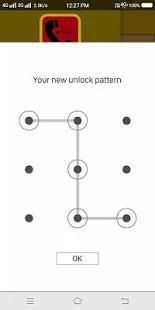
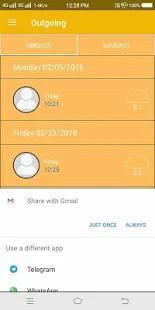
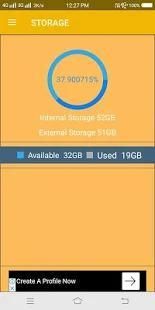
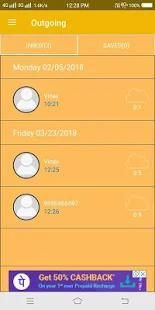
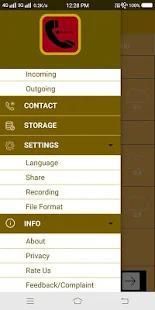
It has to be noticed that 20,000+ users downloaded Call Recorder latest version on 9Apps for free every week! It shouldn't be surprising to find a app popular faithfully This hot app was released on 2018-03-27. I will tell you how to use this app in the following page.
Call Recorder is a must have utility!!!!! It is very easy to use, You can set which calls are recorded to white list and which are ignored Call. Record any phone call you want, Choose which users or incoming\outgoing phone calls to record and choose which calls you want to save or share.
Need the best solution for phone call recording on your Android device? Take control of your phone calls and choose call recorder always the best call recorder app in 2018 with beautiful and modern design in latest version. New version for 2018 is available.
Share files on :
Dropbox
Google Drive
SMS
Key features are :
Supports Multiple Languages
Small App Size
Auto Call Delete
Record incoming call
Record Outgoing call
Notice:
Some third-party apps such as App Manager, Task Manager, Battery Optimizer, Privacy Guard prevent Call Recorder working, as a result some of your calls will not be recorded. Usually you need to add Call Recorder into their “White List”. Please close or delete all other recording apps.
Call Recorder adalah harus memiliki utilitas !!!!! Hal ini sangat mudah digunakan, Anda dapat mengatur panggilan yang dicatat ke daftar putih dan yang diabaikan Panggil. Merekam telepon apapun panggilan yang Anda inginkan, Pilih mana pengguna atau masuk \ panggilan telepon keluar untuk merekam dan memilih memanggil Anda ingin menyimpan atau berbagi.
Perlu solusi terbaik untuk merekam panggilan telepon pada perangkat Android Anda? Kendalikan panggilan telepon Anda dan pilih perekam panggilan selalu yang terbaik panggilan perekam aplikasi 2018 dengan desain yang indah dan modern di versi terbaru. Versi baru untuk 2018 tersedia.
Berbagi file pada:
Dropbox
Google Drive
SMS
Fitur utama adalah:
Mendukung beberapa bahasa
Ukuran App Kecil
Auto Panggilan Hapus
panggilan masuk Rekam
panggilan keluar Rekam
Melihat:
Beberapa aplikasi pihak ketiga seperti App Manager, Task Manager, Battery Optimizer, Privacy Guard mencegah Call Recorder bekerja, sebagai akibat beberapa panggilan Anda tidak akan disimpan. Biasanya Anda perlu menambahkan Call Recorder ke mereka “Daftar Putih”. Tutup atau menghapus semua aplikasi rekaman lainnya.



9Apps 4.9










