



ikon Call Forward : How To Call Forward

Call Forward : How To Call Forward

1.0 for Android
3.0 | 10,000+ Instal

Smart Tools App Studio

Penjabaran dari 9apps Call Forward : How To Call Forward

Call Forward : How To Call Forward
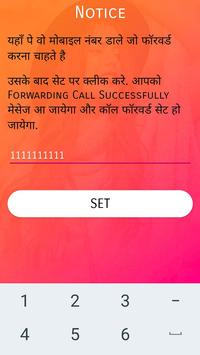
How to Use :
1) First enter your mobile number for active services.
2) Then press submit button and select sim whatever you want to forward.
3) You can see notification to starting call forwarding.
4) Stop service button you can stop your services.
If any question or problem, please contact us via toolsappstudio786@gmail.com

Informasi

  • Kategori:
    Alat
  • Versi Terbaru:
    1.0
  • Perbarui:
    2020-05-17
  • Ukuran File:
    1.9MB
  • Persyaratan:
    Android 4.1 or later
  • Diupdate:
    Smart Tools App Studio
  • ID:
    toolsappstudio.callforward








