
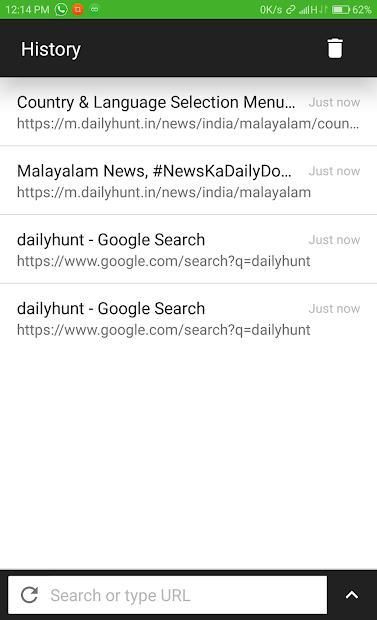
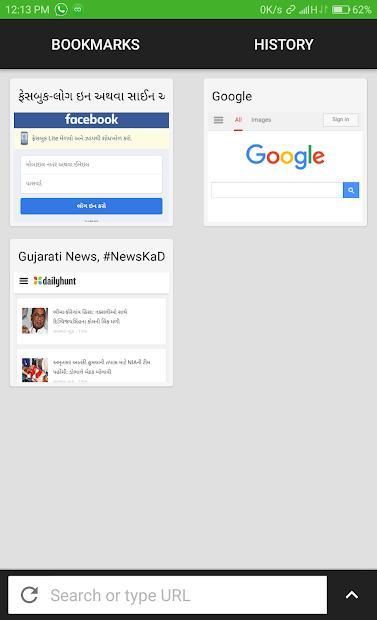
With the updating of mobile application, 30,000+ users downloaded OneBrowser latest version on 9Apps for free every week! It is the app that defined the best for a generation. This hot app was released on 2018-11-22. It get a lot of recognition after release.
Basically one Browser is a simple web browser like any other, but there are some different things you need to know:
Custom home:
On the applications first start, home page shows as about:blank.
Use the overflow menu's Add to home to pin webpages to Homepage.
Use the overflow menu's Relayout to customize your homepage layout.
Long press on a card on the homepage, and you can edit the title.
Switch tabs:
You can set tab switcher position to be at the screen top or screen bottom at Settings/Browser/Omnibox Position.
Press the address bar and drag it down or up, then the fashion tab switcher will display.
Swipe up/down to dimiss a page.
Or just swipe the omnibox left/right to swicth tabs :)
The Settings is located in the top or bottom left of tab switcher, the gear icon.
Remember that if the soft keyboard is shown the tab switcher would not display, it's our design :)
Load in background when you click links in other App:
Set one Browser as your default browser when the link is clicked.
Single tap will open the links in the background, and show a clickable notification in the statusbar.
Double tap will show a dialog that allows you to open links in foreground, etc.
Volume control:
In Settings/Browser/Volume control you can set the volume keys behavior to:
Switch tabs.
Scroll webpages.
System default.
AdBlock whitelist:
Since AdBlock maybe cause some websites display error, you can add those websites to the whitelist Settings/AdBlock/Whitelist.
Readability:
one Browser supports read mode but it needs Readability API Token.
To get the token you should go to Readability Developer APIs and set it in Settings/Readability/Token.
Screenshot:
one Browser can capture entire webpages!
But that does not mean you could screenshot a very long webpage which may cause the browser to go Out of Memory
Pada dasarnya satu Browser adalah browser web sederhana seperti yang lain, tetapi ada beberapa hal yang berbeda yang perlu Anda ketahui:
Rumah adat:
Pada permulaan aplikasi pertama, beranda tampil sebagai: kosong.
Gunakan menu tambahan Tambahkan ke beranda untuk menyematkan laman web ke Beranda.
Gunakan Relayout menu luapan untuk menyesuaikan tata letak beranda Anda.
Tekan lama pada kartu di beranda, dan Anda dapat mengedit judul.
Ganti tab:
Anda dapat mengatur posisi tab switcher berada di bagian atas layar atau bawah layar pada Pengaturan / Browser / Posisi Omnibox.
Tekan bilah alamat dan seret ke bawah atau ke atas, lalu pengalih tab mode akan ditampilkan.
Geser ke atas / bawah untuk meredupkan halaman.
Atau cukup gesekkan omnibox ke kiri / kanan ke tab swicth :)
Pengaturan ini terletak di bagian atas kiri atau kiri tab switcher, ikon roda gigi.
Ingat bahwa jika keyboard lunak diperlihatkan tab switcher tidak akan ditampilkan, itu desain kami :)
Muat di latar ketika Anda mengeklik tautan di Aplikasi lain:
Setel satu Browser sebagai browser default Anda saat tautan diklik.
Ketukan tunggal akan membuka tautan di latar belakang, dan menampilkan pemberitahuan yang dapat diklik di bilah status.
Ketuk dua kali akan menampilkan dialog yang memungkinkan Anda membuka tautan di latar depan, dll.
Pengatur suara:
Di Pengaturan / Browser / Kontrol volume Anda dapat mengatur perilaku tombol volume ke:
Ganti tab.
Gulir halaman web.
Default sistem.
Daftar putih AdBlock:
Karena AdBlock mungkin menyebabkan beberapa situs web menampilkan kesalahan, Anda dapat menambahkan situs web tersebut ke Daftar Putih / AdBlock / Whitelist.
Keterbacaan:
satu Browser mendukung mode baca tetapi perlu Readability API Token.
Untuk mendapatkan token, Anda harus pergi ke Readability Developer APIs dan mengaturnya di Settings / Readability / Token.
Screenshot:
satu Browser dapat menangkap seluruh halaman web!
Tapi itu tidak berarti Anda dapat men-screenshot halaman web yang sangat panjang yang dapat menyebabkan browser keluar dari Memori

9Apps 4.9