

It can be said with certainty that 20,000+ users downloaded Back Button Pro 2019 latest version on 9Apps for free every week! It is simply to learn how to use it. This hot app was released on 2019-06-13. If you wanna more apps besides this, turn to 9Apps.
If, for whatever reason, you can't go back on your Android Device, the Back Button + Navigation Control Bar app can be hugely helpful. With this simple but effective app, you add virtual buttons anywhere on the screen and enjoy having a back button once again.
When phone display or screen size is very large like tab or tablet, the back button assistive touch is useful for those people. Back button allows user to use back key function more easily.
One remarkable feature of this Back Button + Navigation Control Bar app that it doesn't require a rooted device to run. Simply configure each of the virtual buttons is if it were the lower control bar.
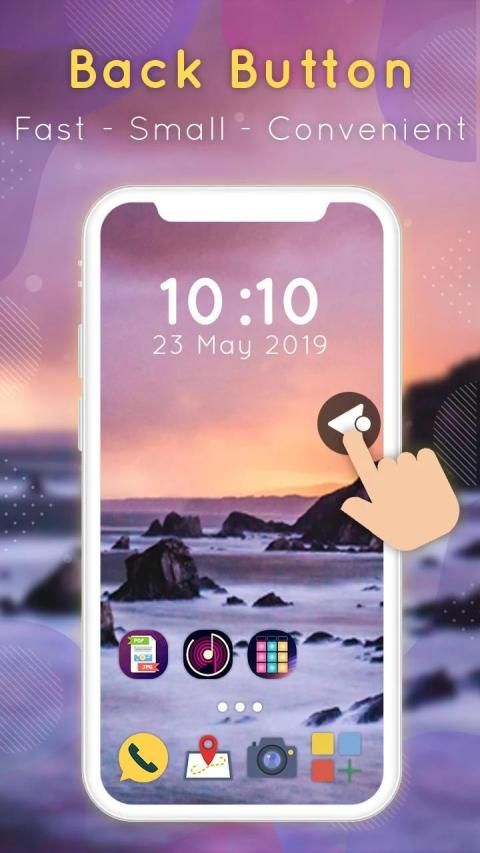
Back Button + Navigation Control Bar app is an interesting app that makes it possible to add a floating back button to your Android device. It’s a great option if your device’s physical back button has broken, if you have a device that still has this feature, that is.
Not only that, but with Back Button + Navigation Control Bar you can completely customize the button layout, and add other buttons as well as a back button. The bar is also easy to move: just long press on it to move it anywhere on the screen.
Many feature of Back Button + Navigation Control Bar
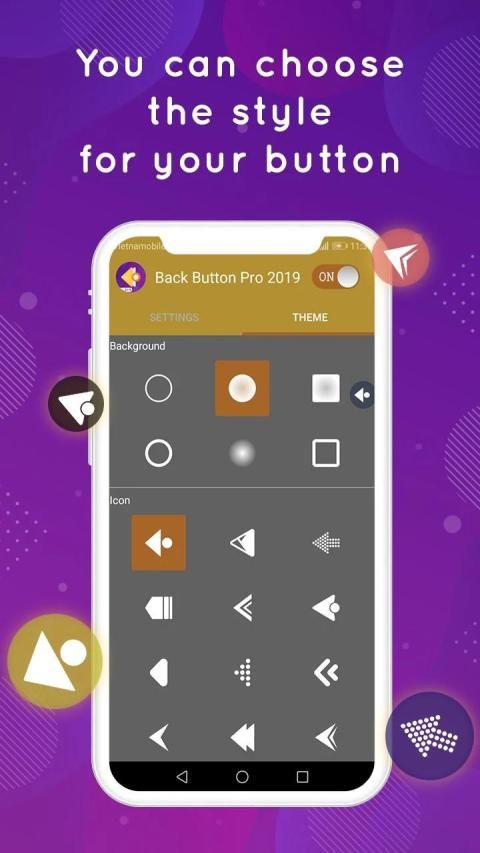
+ Ability to change icon of Back Button easily with many pretty theme
+ Ability to set vibrate on touch
+ Vertical and horizontal support
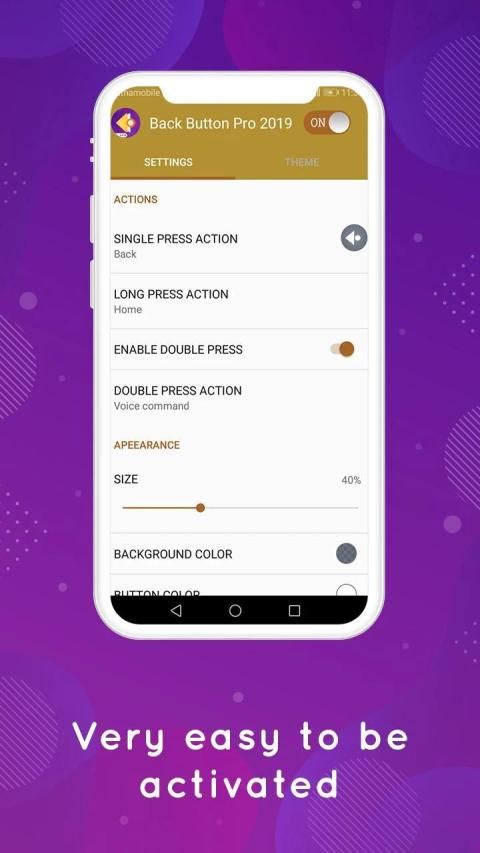
+ Ability to change color of background and icon
+ Gesture Setting for Floating Button (One click, Double click and Long click)
+ You can move the button to anywhere on screen
+ Several theme support
Thanks you for download and use this: Back Button + Navigation Control Bar app of us, if you have any question you can send feedback to email below. And don’t forget rate five star for: Back Button + Navigation Control Bar Assistive Touch
app if you love it!
Jika, karena alasan apa pun, Anda tidak dapat kembali ke Perangkat Android Anda, aplikasi Tombol Kembali + Navigasi Control Bar dapat sangat membantu. Dengan aplikasi sederhana namun efektif ini, Anda menambahkan tombol virtual di mana saja di layar dan menikmati sekali tombol kembali.
Ketika tampilan ponsel atau ukuran layar sangat besar seperti tab atau tablet, sentuh bantu tombol kembali berguna untuk orang-orang itu. Tombol kembali memungkinkan pengguna untuk menggunakan fungsi tombol kembali dengan lebih mudah.
Salah satu fitur luar biasa dari aplikasi Tombol Kembali + Navigasi Control Bar ini yang tidak memerlukan perangkat yang di-rooting untuk berjalan. Cukup konfigurasikan masing-masing tombol virtual jika itu adalah bilah kontrol yang lebih rendah.
Aplikasi Tombol Kembali + Navigasi Bar adalah aplikasi menarik yang memungkinkan untuk menambahkan tombol kembali mengambang ke perangkat Android Anda. Ini adalah opsi yang bagus jika tombol kembali fisik perangkat Anda rusak, jika Anda memiliki perangkat yang masih memiliki fitur ini, yaitu.
Tidak hanya itu, tetapi dengan Tombol Kembali + Bilah Kontrol Navigasi Anda dapat sepenuhnya menyesuaikan tata letak tombol, dan menambahkan tombol lain serta tombol kembali. Bilah juga mudah untuk dipindahkan: cukup tekan agak lama untuk memindahkannya ke mana saja di layar.
Banyak fitur dari Tombol Kembali + Bilah Kontrol Navigasi
+ Kemampuan untuk mengubah ikon Tombol Kembali dengan mudah dengan banyak tema cantik
+ Kemampuan untuk mengatur getar saat disentuh
+ Dukungan vertikal dan horizontal
+ Kemampuan untuk mengubah warna latar belakang dan ikon
+ Pengaturan Gerakan untuk Tombol Terapung (Satu klik, Klik dua kali dan Klik panjang)
+ Anda dapat memindahkan tombol ke mana saja di layar
+ Beberapa dukungan tema
Terima kasih telah mengunduh dan menggunakan ini: Tombol Kembali + Aplikasi Bilah Kontrol Navigasi kami, jika Anda memiliki pertanyaan, Anda dapat mengirim umpan balik ke email di bawah ini. Dan jangan lupa beri peringkat bintang lima untuk: Tombol Kembali + Navigasi Kontrol Bantu Sentuhan
aplikasi jika Anda menyukainya!
![How To Bring Back The Android Back Button [Back Button Missing] screenshot 1](https://i.ytimg.com/vi/XMl0AKeHIZ0/mqdefault.jpg)



9Apps 4.9











