


Note: The two way phone call recorder does not support call voice recording automatic when you make video calls on social networks.
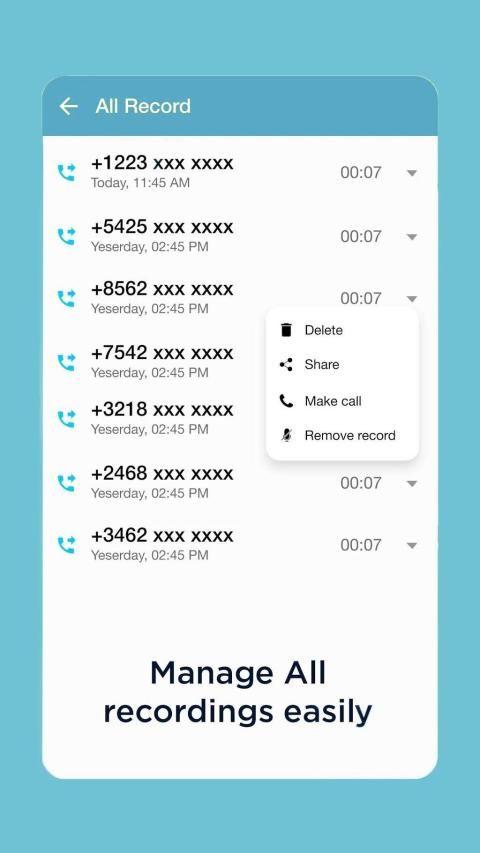
This application works as an automatic phone call recorder and voice recorder. Now you can record phone calls from both sides free, record phone conversation during a call, record call automatically, manage and share your recording files with ease.
Record phone calls while on phone fastest and simplest at any time. You can record voice while you're on a phone call instantly without fees, no sign-in required, no Wifi connection required. Auto record calls without minutes limitation. Do not hesitate to download this phone call recorder both sides free.
The Highlights of automatic phone recorder app
↪️ Free auto call recorder incoming and outgoing best sound quality
↪️ No internet connection required when call recording incoming and outgoing
↪️ Display a notification when the call is started
↪️ Sort the recording list by time and name
↪️ Automatic call recording high quality
↪️ Protect privacy with password
↪️ Unlimited call recording automatic
☆☆ More than a regular 2 way call recorder, we offer a free phone recorder automatic with the following useful features:
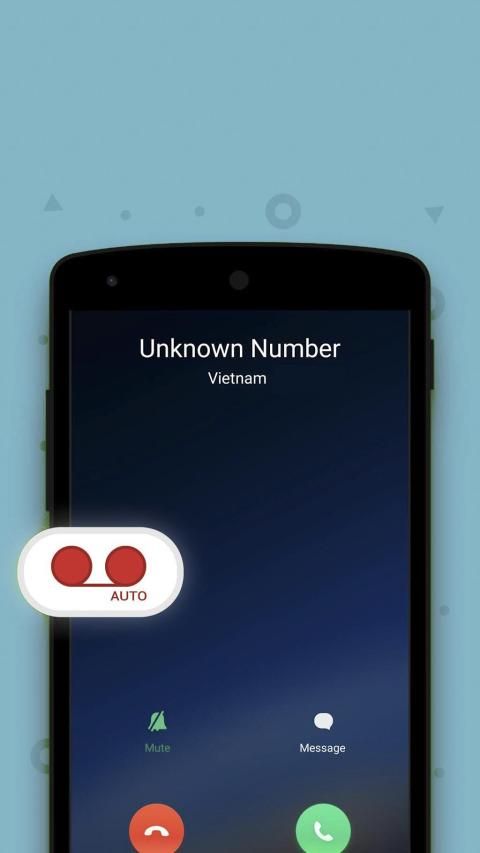
1. Automatic two side call recorder
+ Recording mechanism: record all, record the numbers in contacts/outside the contacts, create a limited list
+ Auto incoming outgoing call recorder
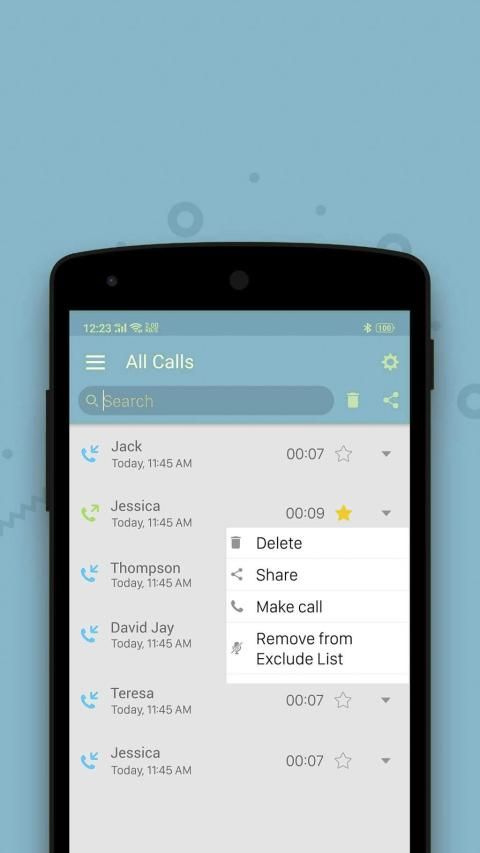
+ Create an excluded numbers list with the call recorder automatic
+ Record a phone call conversation unlimited time and unlimited calls
+ Show notification with phone recorder both sides of the conversation during calls
+ Easy review with the phone call recorder while on phone
2. Easily manage and edit your recording files
+ View detailed information: phone number, call date, call time, location to save the file
+ Sort recordings by: all calls, incoming calls, outgoing calls, favorite
+ Sort recordings by chronological order
3. Share and save recording files
+ Save file formats: mp3, m4a, ogg
+ Share recordings with friends via social networks or email
Catatan: Perekam panggilan telepon dua arah tidak mendukung perekaman suara panggilan secara otomatis saat Anda membuat panggilan video di jejaring sosial.
Aplikasi ini berfungsi sebagai perekam panggilan telepon otomatis dan perekam suara. Sekarang Anda dapat merekam panggilan telepon dari kedua sisi secara gratis, merekam percakapan telepon selama panggilan, merekam panggilan secara otomatis, mengelola dan berbagi file rekaman Anda dengan mudah.
Rekam panggilan telepon saat di telepon tercepat dan paling sederhana setiap saat. Anda dapat merekam suara saat Anda sedang melakukan panggilan telepon secara instan tanpa biaya, tidak perlu masuk, tidak perlu koneksi Wifi. Rekam panggilan secara otomatis tanpa batasan menit. Jangan ragu untuk mengunduh perekam panggilan telepon ini secara gratis.
Sorotan aplikasi perekam telepon otomatis
↪️ Perekam panggilan otomatis masuk dan keluar kualitas suara terbaik
↪️ Tidak perlu koneksi internet saat merekam panggilan masuk dan keluar
↪️ Tampilkan pemberitahuan saat panggilan dimulai
↪️ Urutkan daftar rekaman berdasarkan waktu dan nama
↪️ Rekaman panggilan otomatis berkualitas tinggi
↪️ Lindungi privasi dengan kata sandi
↪️ Rekaman panggilan tanpa batas otomatis
☆☆ Lebih dari sekadar perekam panggilan 2 arah, kami menawarkan perekam telepon gratis secara otomatis dengan fitur-fitur bermanfaat berikut:
1. Otomatis perekam panggilan dua sisi
+ Mekanisme perekaman: merekam semua, mencatat angka dalam kontak / di luar kontak, membuat daftar terbatas
+ Perekam panggilan keluar masuk otomatis
+ Buat daftar nomor yang dikecualikan dengan perekam panggilan otomatis
+ Rekam percakapan panggilan telepon waktu tidak terbatas dan panggilan tidak terbatas
+ Tampilkan pemberitahuan dengan perekam telepon kedua sisi percakapan selama panggilan
+ Mudah ditinjau dengan perekam panggilan telepon saat di telepon
2. Mudah mengelola dan mengedit file rekaman Anda
+ Lihat informasi terperinci: nomor telepon, tanggal panggilan, waktu panggilan, lokasi untuk menyimpan file
+ Urutkan rekaman dengan: semua panggilan, panggilan masuk, panggilan keluar, favorit
+ Urutkan rekaman berdasarkan urutan kronologis
3. Bagikan dan simpan file rekaman
+ Simpan format file: mp3, m4a, ogg
+ Bagikan rekaman dengan teman-teman melalui jejaring sosial atau email





9Apps 4.9









