Welcome to our app recommend. 20,000+ users downloaded Auto Liker for Tinder latest version on 9Apps for free every week! The application is severely widely use. This hot app was released on 2018-04-05. Don’t wait any longer– the application will shock you.
Tired of Swiping or Liking profiles on dating apps. Or maybe suffering from some disability that prevent swiping/liking smoothly?
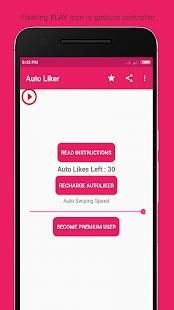
Auto Liker is the perfect solution to automatically swipe right or auto like profiles.
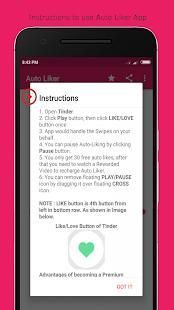
Instructions for using the app :
1. Give all the required permissions.
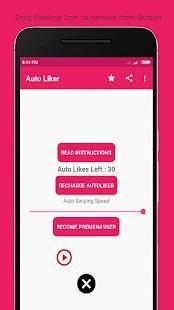
2. You would see floating "PLAY" icon on screen.
3. Open Tinder App.
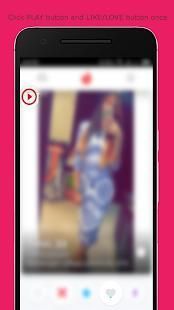
4. Click "PLAY" icon.
5. Then click "LIKE/LOVE" button to Auto Like or "DISLIKE" button to Auto-Dislike.
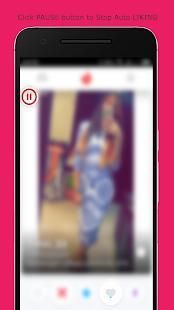
6. Click "PAUSE" button to stop Auto-Liking/Disliking.
Note : Play/Pause Icon is gesture controller, This App copies the first click you do after clicking "PLAY" button. So you can Like/Dislike profiles by clicking PLAY button first and then LIKE/DISLIKE button once.
Watch Demo Video of this App : https://youtu.be/roEs6eApXkI
Features of this App :
* Small App Size
* Supports both Liking and Dis-Liking Profiles
* Extremely Simple User Interface
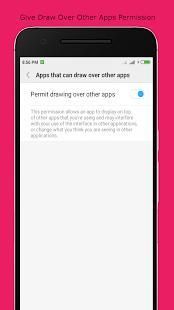
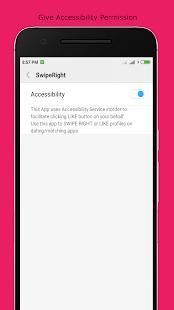
* Only two permissions are required - Accessibility permission and Draw over other Apps permission
Permissions that app asks :
* Accessibility Permission - This permission is required to swipe/like on your behalf.
* Draw over other apps - This permission is required to create a stop button over other apps, which you can click to stop the auto-liking/swiping.
In case of any question/query/suggestion, please write to us at vbplayapps@gmail.com
Lelah Menggesekkan atau Menyukai profil pada aplikasi kencan. Atau mungkin menderita beberapa cacat yang mencegah menggesekkan / menyukai lancar?
Auto Liker adalah solusi sempurna untuk secara otomatis geser ke kanan atau auto seperti profil.
Petunjuk untuk menggunakan aplikasi:
1. Berikan semua izin yang diperlukan.
2. Anda akan melihat mengambang "PLAY" ikon di layar.
3. Buka Tinder App.
4. Klik "PLAY" ikon.
5. Kemudian klik "LIKE / LOVE" tombol untuk Auto Like atau tombol "TIDAK SUKA" untuk Auto-Dislike.
6. Klik "PAUSE" tombol untuk menghentikan Auto-Menyukai / Tidak Suka.
Catatan: Play / Pause Icon adalah isyarat controller, App salinan ini pertama klik Anda setelah mengklik "BERMAIN" tombol. Sehingga Anda dapat Suka / profil Dislike dengan mengklik tombol PLAY pertama dan kemudian seperti tombol / TIDAK SUKA sekali.
Tonton Video Demo dari App ini: https://youtu.be/roEs6eApXkI
Fitur App ini:
* App Ukuran Kecil
* Mendukung Menyukai dan Dis-Menyukai Profiles
* User Interface Sangat Sederhana
* Hanya dua izin yang diperlukan - izin Aksesibilitas dan Menggambar lebih Apps izin lainnya
Izin bahwa aplikasi bertanya:
* Izin Aksesibilitas - Izin ini diperlukan untuk menggesek / seperti atas nama Anda.
* Menggambar di atas aplikasi lain - Izin ini diperlukan untuk membuat tombol berhenti atas aplikasi lain, yang dapat Anda klik untuk menghentikan auto-keinginan / swiping.
Dalam kasus pertanyaan / permintaan / saran, silahkan menulis kepada kami di vbplayapps@gmail.com
* Bug Fixes

9Apps 4.9