
Here provides top Free Android Apps. 20,000+ users downloaded AppLock - Best App Locker latest version on 9Apps for free every week! And now, this app adds more functions. This hot app was released on 2018-05-22. It is available as a free download on 9Apps.
AppLocker is a privacy protector app for Android. It can keep your phone safe from annoying snoopers and prying eyes.
Features:
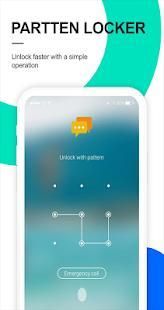
AppLock protects your privacy with your own AppLock pattern:
★ Lock social apps - Protect apps such as Facebook, WhatsApp, Messenger, Vine, Twitter, Instagram, Snapchat, WeChat. No one can peep at your private chat any more.
★ Lock system settings – Prevent malicious use of your settings such as Contacts, SMS, Gallery, Videos, Email and etc.
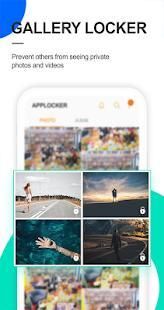
★ Lock your privacy - AppLock can lock any third-party apps, including Youtube, games, gallery (Gallery Vault), videos, photos, files and etc.
AppLock hides the draw path to make pattern invisible, securing your password to the greatest extent.
AppLock generates dynamically colorful lock screen according to the principal hues of the app being protected.
AppLock is a small but powerfull protection toolkit:
★ small APK package for faster installation and update.
★ easy to operate with One-Tap to Enable/Disable locking service.
AppLock provides the muti lock options. You can select a suitable mode for you.
★ Lock your app at the device screen off
★ Lock your app after exiting the app for 30 secs or 2 mins
★ Lock your app after you minimize it immediately
AppLock provides the uninstall protection which prevents avoiding the uninstallation of the protected apps by others.
AppLock is free, which provides you with the ultimate simplicity and user experience.
How to use:
★ Start app, set the password and the answer of Security Question.
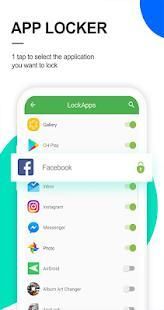
★ Select the app you want to lock in AppLock's app list.
★ Enter the password to unlock the app your choosing locked when you start that.
★ If you forgot the password, it is convenient for you to reset new password by answering the security question you set before.
Note:
For android 5.0+, please allow Applock to use usage access permission.
You can first find AppLock and then allow usage access.
Try following methods:
Enter settings--app application, find AppLock and enable the floating window for our AppLock.
AppLocker adalah pelindung aplikasi privasi untuk Android. Hal ini dapat menjaga ponsel Anda aman dari snoopers mengganggu dan mencongkel mata.
Fitur:
AppLock melindungi privasi Anda dengan pola AppLock Anda sendiri:
★ Lock aplikasi sosial - Melindungi aplikasi seperti Facebook, WhatsApp, Messenger, Vine, Twitter, Instagram, Snapchat, WeChat. Tidak ada yang bisa mengintip obrolan pribadi Anda lagi.
★ pengaturan sistem Lock - Mencegah penggunaan sembarangan pengaturan Anda seperti Kontak, SMS, Galeri, Video, Email dan lain-lain
★ Kunci privasi Anda - AppLock dapat mengunci setiap aplikasi pihak ketiga, termasuk Youtube, game, galeri (Galeri Vault), video, foto, file dan lain-lain
AppLock menyembunyikan jalur imbang untuk membuat pola tak terlihat, mengamankan kata sandi Anda untuk semaksimal.
AppLock menghasilkan layar kunci dinamis warna-warni sesuai dengan warna utama aplikasi dilindungi.
AppLock adalah toolkit perlindungan kecil tapi kuat:
★ paket APK kecil untuk instalasi lebih cepat dan update.
★ mudah dioperasikan dengan One-Tap Aktifkan / layanan penguncian Disable.
AppLock menyediakan opsi kunci muti. Anda dapat memilih mode yang cocok untuk Anda.
★ Mengunci aplikasi di layar perangkat off
★ Mengunci aplikasi Anda setelah keluar aplikasi selama 30 detik atau 2 menit
★ Mengunci aplikasi Anda setelah Anda meminimalkan segera
AppLock memberikan perlindungan uninstall yang mencegah menghindari instalasi dari aplikasi dilindungi oleh orang lain.
AppLock gratis, yang menyediakan Anda dengan yang paling kesederhanaan dan pengalaman pengguna.
Bagaimana cara menggunakan:
★ Mulai aplikasi, mengatur password dan jawaban dari Pertanyaan Keamanan.
★ Pilih aplikasi yang ingin mengunci dalam daftar aplikasi AppLock ini.
★ Masukkan password untuk membuka aplikasi yang Anda pilih terkunci ketika Anda mulai itu.
★ Jika Anda lupa password, akan lebih mudah bagi Anda untuk mereset password baru dengan menjawab pertanyaan keamanan Anda diatur sebelumnya.
catatan:
Untuk 5.0+ android, perkenankan AppLock untuk menggunakan penggunaan izin akses.
Anda pertama dapat menemukan AppLock dan kemudian memungkinkan akses penggunaan.
Cobalah metode berikut:
Masukkan pengaturan - aplikasi aplikasi, menemukan AppLock dan memungkinkan jendela mengambang untuk AppLock kami.
If AppLock do not work, please make sure you enable floating window on your android devices .




9Apps 4.9










