


9Apps is your first choice to download apps. 20,000+ users downloaded Anniversary Video Maker latest version on 9Apps for free every week! More functions were added in this app. This hot app was released on 2019-12-27. It is available as a free download on 9Apps.
Make anniversary video from Adding Music,New Photos,Frames.
Anniversary Video Maker app is useful to convert your photos into video. Create Video from your photos and music.
Arrange photos in order with the perfect background, music and animation to create a Beautiful video of your own Photos with music. Also add music of your choice to your videos creation.
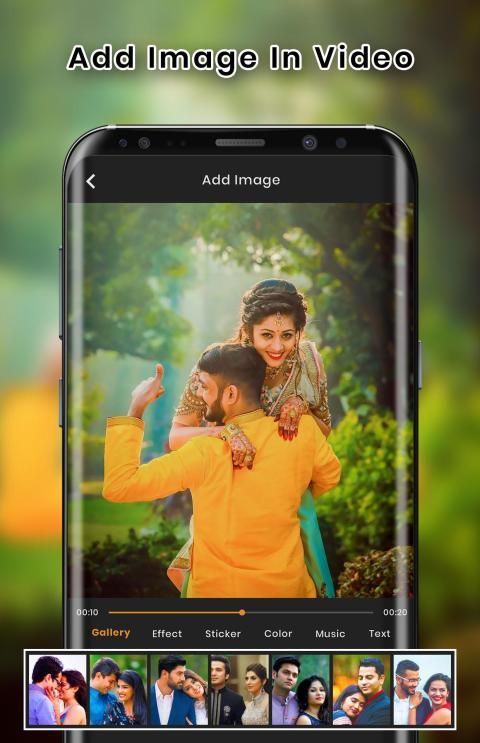
You can create videos using photos, add music to video, edit photos used for the video, add anniversary frames to video.
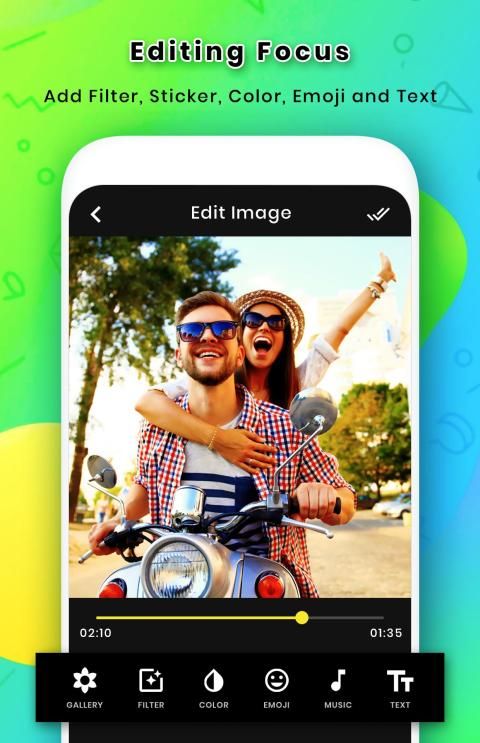
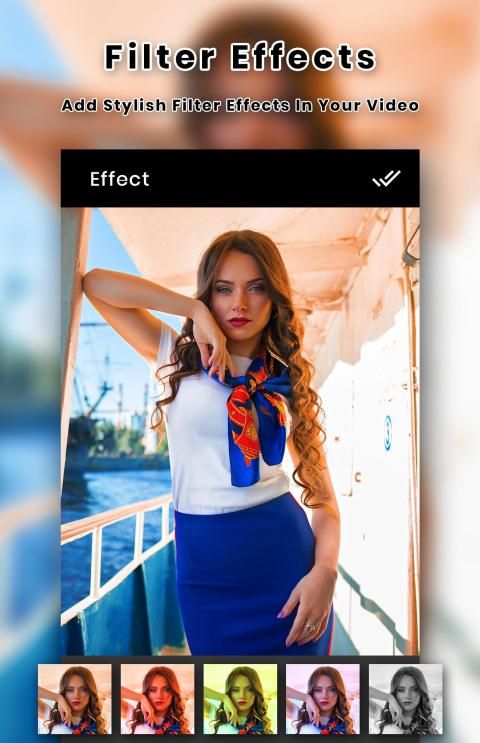
Anniversary Video Maker with several steps, selecting photos, adding filters, text and music, instantly finish your own video.
App Features
- Select each and every picture individually and edit selected picture as your wish.
- You can Set filter, Add text, Add sticker and rotate your selected photos.
- Now your video is ready. You can Add music to your slideshow video. Select music from your SD card.
- Select multiple photos from your album to create video. Add Pictures from gallery as many as you can
- Create high quality videos with your photos instantly on your mobile or tablet device.
- Set your desire frame rate to your creation video according your style.
- Save your video to our App Gallery of your phone.
- Now you play your video in our default app player.
- Share your final creative video to any social media.
Buat video hari jadi dari Menambahkan Musik, Foto Baru, Bingkai.
Aplikasi Anniversary Video Maker berguna untuk mengubah foto Anda menjadi video. Buat Video dari foto dan musik Anda.
Atur foto dengan latar belakang, musik, dan animasi yang sempurna untuk membuat video indah dari Foto Anda sendiri dengan musik. Tambahkan juga musik pilihan Anda ke kreasi video Anda.
Anda dapat membuat video menggunakan foto, menambahkan musik ke video, mengedit foto yang digunakan untuk video, menambahkan bingkai ulang tahun ke video.
Anniversary Video Maker dengan beberapa langkah, memilih foto, menambahkan filter, teks dan musik, langsung menyelesaikan video Anda sendiri.
Fitur Aplikasi
- Pilih masing-masing dan setiap gambar secara individual dan edit gambar yang dipilih sesuai keinginan Anda.
- Anda dapat mengatur filter, menambahkan teks, menambahkan stiker dan memutar foto yang Anda pilih.
- Sekarang videomu sudah siap. Anda dapat Menambahkan musik ke video tayangan slide Anda. Pilih musik dari kartu SD Anda.
- Pilih beberapa foto dari album Anda untuk membuat video. Tambahkan Gambar dari galeri sebanyak yang Anda bisa
- Buat video berkualitas tinggi dengan foto Anda langsung di perangkat seluler atau tablet Anda.
- Tetapkan frame rate keinginan Anda untuk video kreasi Anda sesuai gaya Anda.
- Simpan video Anda ke Galeri Aplikasi ponsel Anda.
- Sekarang Anda memutar video di pemutar aplikasi default kami.
- Bagikan video kreatif terakhir Anda ke media sosial apa pun.

9Apps 4.9











