
I would like to recommend you an application with large number of downloaders. 20,000+ users downloaded AirPlay for Android latest version on 9Apps for free every week! More apps are free download here! This hot app was released on 2019-04-13. I believe that if you are an android apps lover, you would not miss it.
AirPlay Screen Mirroring & Mirror Phone To TV is the most advanced multiple wireless transmission protocol (Airplay/Chromecast/Miracast/DLNA/Receiver) receiver for Android. It allows you to use the local network connection (Wi-Fi/Ethernet) with your family and friends to experience the new fun of sharing screen from android to Ios .Airplay Mirroring application . Airplay Receiver
★ Multiple wireless transmission protocol: AirPlay Receiver supports a variety of wireless transmission protocol Airplay / Chromecast / Miracast / DLNA , so you do not need any cables wireless display to your screen.
★ Compatible with multiple operating systems: iOS 8/9/10/11 / macOS / Windows 7 8 10 / Android, AirPlay Receiver can be compatible with mainstream operating systems, you can experience the fun of different platforms.
★ This App will assist you to scan and mirror your android phone or tab's screen on smart TV/Display (miracast enabled ) or Wireless dongles or adapters.
★ Screen Mirroring Able to play videos, music, photos, etc in my smartphone with any devices (smartphone, smartTV, laptop, tablet, etc) at anywhere.
★ Support for multiple applications: iTunes / Youtube / Safari / Chrome / More, Mean AirPlay Receiver can support more excellent client application, which gets more media resources.
★ More advantages: Video hardware acceleration (improve the efficiency of 40% shows), high resolution images (4K), background background service mode, set personalization features such as device names.
★ Watching videos on your TV or tablet is great. Streaming those movies for your big screen TV? Better yet. This’s the best Mirror Screen to TV app to view your phone through your TV. If you are searching for How to Connect Phone to TV Without Hdmi then this is the best Mirror Cast app, you will find.
★ Little smartphone and tablet screens are good on the run, but when you’re in your family area then why not use your TV’s much larger screen instead? Sharing your screen out of your phone or supplement for your Television is easy with this Mirror Phone to TV App.
★ If your eyes are drained from looking at your small cellular phone, you will get a great big screen phone experience by connecting your phone to a TV screen via This Wireless Screen Mirroring app.
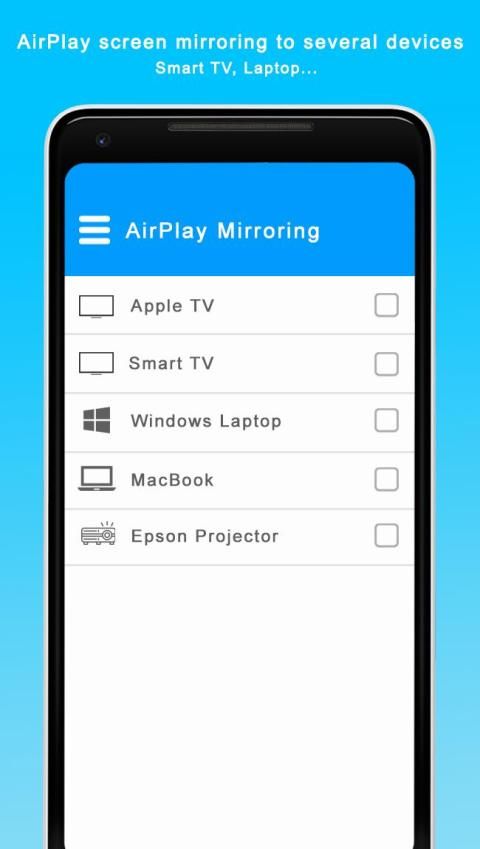
★ This application brings you to the Settings screen for casting to the following products and more:
* Google Chromecast
* Netgear Push2TV
* Various Smart TVs
* Asus Miracast Wireless Display Dongle
* Fire TV Stick
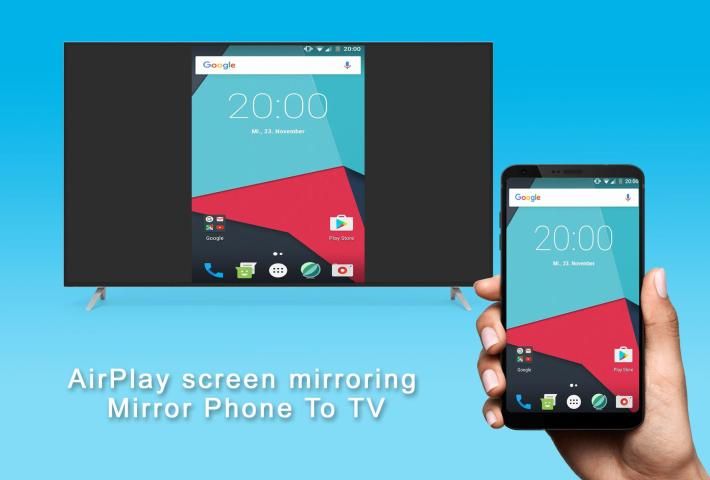
★ Screen Mirroring is a technique, which allows you to mirror your smartphone on TV screen. You can easily access all of your games, photos, videos and other application on a big screen using Mirror Screen to TV App.
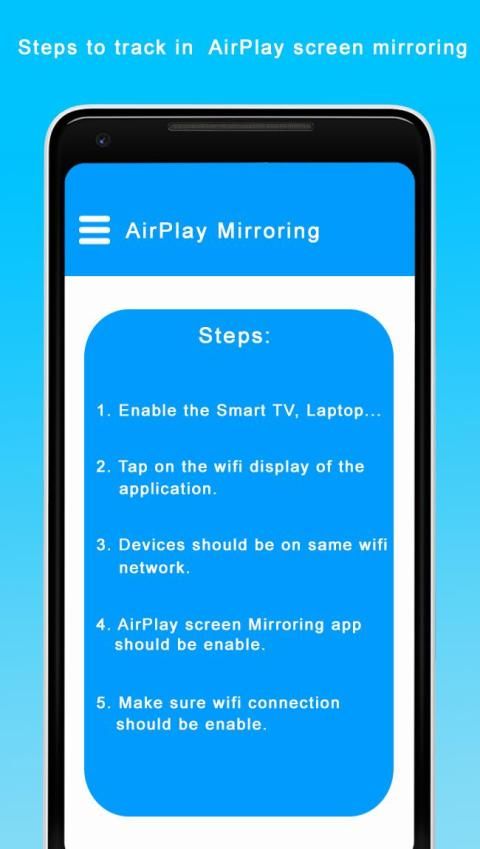
★ You will need to open the connection for Mirror Cast App on both your smartphone/tablet and your TV in order for the connection to work successfully.
★ Wireless Screen Mirroring is one of the best screen mirroring apps for android users. Screen Mirroring allows you to easily connect your device and your TV. Mirror Screen to TV is simple, easy to use and free app. This Mirror Cast app provides you a secure connection to protect your data, files and applications.
★ With Mirror Phone to TV, you can stream to tv from phone without limitation. It helps you instantly stream movies, music and photos to your Smart TV!
★ Wireless Screen Mirroring is useful for stream movies, videos, access photos and apps on TV screen. You can easily connect your smartphone with your TV wirelessly. You can easily search your favorite TV shows and series and easily stream them anytime on your TV screen.
★ Mirroring your Android device's display on your TV can be useful when you're showing off photos from a recent trip, playing a game or giving a demonstration. With this Screen Mirroring App, you'll be able to duplicate your Android phone's screen on TV screen.
AirPlay Screen Mirroring & Mirror Phone To TV adalah penerima beberapa protokol transmisi nirkabel (Airplay / Chromecast / Miracast / DLNA / Receiver) paling canggih untuk Android. Ini memungkinkan Anda untuk menggunakan koneksi jaringan lokal (Wi-Fi / Ethernet) dengan keluarga dan teman-teman Anda untuk merasakan kesenangan baru berbagi layar dari android ke Ios. Aplikasi Mirror Mirror. Penerima Airplay
★ Beberapa protokol transmisi nirkabel: AirPlay Receiver mendukung berbagai protokol transmisi nirkabel Airplay / Chromecast / Miracast / DLNA, sehingga Anda tidak perlu kabel display nirkabel ke layar Anda.
★ Kompatibel dengan beberapa sistem operasi: iOS 8/9/10/11 / macOS / Windows 7 8 10 / Android, AirPlay Receiver dapat kompatibel dengan sistem operasi utama, Anda dapat merasakan kesenangan dari berbagai platform.
★ Aplikasi ini akan membantu Anda untuk memindai dan mencerminkan ponsel Android Anda atau layar tab di TV pintar / Layar (miracast diaktifkan) atau dongle atau adaptor Nirkabel.
★ Screen Mirroring Mampu memutar video, musik, foto, dll di ponsel cerdas saya dengan perangkat apa pun (ponsel cerdas, smartTV, laptop, tablet, dll) di mana saja.
★ Dukungan untuk beberapa aplikasi: iTunes / Youtube / Safari / Chrome / More, Mean AirPlay Receiver dapat mendukung aplikasi klien yang lebih baik, yang mendapatkan lebih banyak sumber daya media.
★ Lebih banyak keuntungan: Akselerasi perangkat keras video (meningkatkan efisiensi acara 40%), gambar resolusi tinggi (4K), mode layanan latar belakang, mengatur fitur personalisasi seperti nama perangkat.
★ Menonton video di TV atau tablet Anda sangat bagus. Streaming film-film itu untuk TV layar lebar Anda? Lebih baik. Ini aplikasi Cermin Layar ke TV terbaik untuk melihat telepon Anda melalui TV Anda. Jika Anda mencari Cara Menghubungkan Ponsel ke TV Tanpa Hdmi maka ini adalah aplikasi Mirror Cast terbaik, Anda akan menemukannya.
★ Layar smartphone dan tablet kecil bagus untuk digunakan, tetapi ketika Anda berada di area keluarga Anda, mengapa tidak menggunakan layar TV Anda yang jauh lebih besar? Berbagi layar Anda dari ponsel atau suplemen untuk TV Anda dengan mudah dengan Mirror Phone to TV App ini.
★ Jika mata Anda terkuras karena melihat ponsel kecil Anda, Anda akan mendapatkan pengalaman ponsel layar besar dengan menghubungkan ponsel Anda ke layar TV melalui aplikasi Mirroring Layar Nirkabel ini.
★ Aplikasi ini membawa Anda ke layar Pengaturan untuk melakukan casting ke produk berikut dan lainnya:
* Google Chromecast
* Netgear Push2TV
* Berbagai Smart TV
* Asus Miracast Wireless Display Dongle
* Tongkat TV Api
★ Screen Mirroring adalah suatu teknik, yang memungkinkan Anda untuk mencerminkan smartphone Anda di layar TV. Anda dapat dengan mudah mengakses semua game, foto, video, dan aplikasi lain di layar lebar menggunakan Layar Cermin ke Aplikasi TV.
★ Anda harus membuka koneksi untuk Aplikasi Mirror Cast di smartphone / tablet dan TV Anda agar koneksi berhasil.
★ Pencerminan Layar Nirkabel adalah salah satu aplikasi pencerminan layar terbaik untuk pengguna android. Screen Mirroring memungkinkan Anda untuk dengan mudah menghubungkan perangkat Anda dan TV Anda. Layar Cermin ke TV adalah aplikasi sederhana, mudah digunakan dan gratis. Aplikasi Mirror Cast ini memberi Anda koneksi aman untuk melindungi data, file, dan aplikasi Anda.
★ Dengan Mirror Phone ke TV, Anda dapat streaming ke tv dari ponsel tanpa batasan. Ini membantu Anda langsung memutar film, musik dan foto ke Smart TV Anda!
★ Wireless Screen Mirroring berguna untuk streaming film, video, mengakses foto dan aplikasi di layar TV. Anda dapat dengan mudah menghubungkan ponsel cerdas Anda dengan TV Anda secara nirkabel. Anda dapat dengan mudah mencari acara dan serial TV favorit Anda dan dengan mudah mengalirkannya kapan saja di layar TV Anda.
★ Mencerminkan tampilan perangkat Android Anda di TV dapat berguna saat Anda memamerkan foto dari perjalanan baru-baru ini, bermain game atau memberikan demonstrasi. Dengan Aplikasi Pencerminan Layar ini, Anda akan dapat menduplikasi layar ponsel Android Anda di layar TV.




9Apps 4.9











