


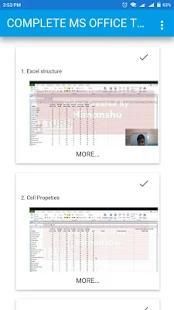

With the updating of mobile application, 20,000+ users downloaded Complete MS Office Training latest version on 9Apps for free every week! This will give an informative for the other crazy players. This hot app was released on 2018-08-11. More similar hot applications can be found here too.
Excel Content:
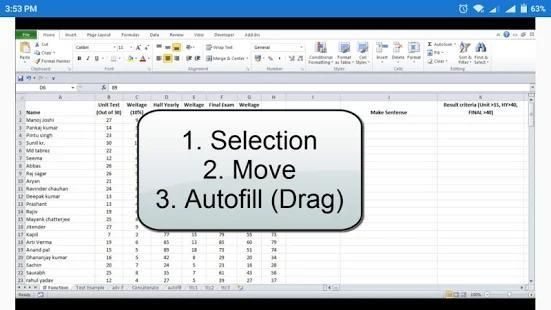
Excel structure, Cell properties, autofill value, text and date, Operators based and Math Equation, Text Function - Upper, Lower, Proper, Trim, Right, Left, Find and task, MID, Concatenate, Replace, Substitute, Len, Rept, Excat, Search, text to column,workbook protect, protect sheet, Hide Formulas and unlocked Cell, Protect File with password, If Function and Nested If, AND , OR Function, Pivot Table, goal seek, scenario manager, EMI calculator, Create Loan Table, Print option, share book, Chart Preperation, Conditional Formatting, Data Validation, Using of Wild Card in Math Function, Vlookup Function and nested if, Vlookup with Iferror, Hlookup, Match, Index and match nested, Vlookup array, Macro Recording.
Access Content:
access intro, Create table in MS Access, How to Import and Export in Access, create form from table, Create Blank Form in Access, Creating Report in Access, Query in access
MS Word Content:
MS Word Introduction, Ms word Font Formatting, Paragraph options, bullets and numbering, sorting option, Page , Cover page, page break, Creating Table in Word, pictures , Shapes , SmartArt , Chart and Screenshot, Bookmark and Cross Reference, Hyperlink, Header and Footer and Page no, Text box, wordart, Drop Cap and symbols, Quick Parts , Print related option, Watermark , Page color and page border, Table of Content, Biblography and Citation, Caption , Footnate and Endnote, Mark Entry , Mail merge,language and proof, Track Changes
Powerpoint Content:
Powerpoint Presentation Intro - Layout and section, Formatting and manage Video, Text box, Header and Footer, Slide show options, Design in Powerpoint, Transition effect in Powerpoint, Animation in Powerpoint
Video: 10.5 hours
Lectures: 118
One of the most successful MS office training now in the form of App.
Konten Excel:
Struktur Excel, properti Sel, nilai isiotomatis, teks dan tanggal, Operator berbasis dan Persamaan Matematika, Fungsi Teks - Atas, Bawah, Tepat, Potong, Kanan, Kiri, Cari dan tugas, MID, Gabungkan, Ganti, Pengganti, Len, Rept, Excat, Cari, teks ke kolom, buku kerja lindungi, lindungi lembar, Sembunyikan Rumus dan Buka kunci Sel, Lindungi File dengan kata sandi, Jika Berfungsi dan Bersarang Jika, DAN, ATAU Fungsi, Tabel Pivot, pencari sasaran, manajer skenario, kalkulator EMI, Buat Pinjaman Tabel, Opsi cetak, buku saham, Chart Preperation, Pemformatan Bersyarat, Validasi Data, Penggunaan Wild Card di Fungsi Matematika, Fungsi Vlookup dan disarangkan jika, Vlookup dengan Iferror, Hlookup, Match, Index dan pertandingan bersarang, Vlookup array, Rekaman Makro.
Konten Akses:
akses intro, Buat tabel di MS Access, Cara Mengimpor dan Ekspor dalam Akses, buat formulir dari tabel, Buat Formulir Kosong di Access, Membuat Laporan di Akses, Kueri dalam akses
Konten MS Word:
Pengenalan Kata MS, Ms kata Pemformatan Huruf, Pilihan paragraf, bullet dan penomoran, pilihan penyortiran, Halaman, halaman Sampul, jeda halaman, Membuat Tabel di Word, gambar, Bentuk, SmartArt, Bagan dan Screenshot, Bookmark dan Referensi Silang, Hyperlink, Header dan Footer dan Page no, Text box, wordart, Drop Cap dan simbol, Quick Parts, Print related option, Watermark, Warna halaman dan batas halaman, Daftar Isi, Biblografi dan Citation, Caption, Footnate dan Endnote, Mark Entry, Mail merge , bahasa dan bukti, Lacak Perubahan
Konten Powerpoint:
Presentasi Powerpoint Intro - Tata letak dan bagian, Memformat dan mengelola Video, kotak teks, Header dan Footer, pilihan pertunjukan Slide, Desain dalam Powerpoint, efek Transisi di Powerpoint, Animasi di Powerpoint
Video: 10,5 jam
Kuliah: 118
Salah satu pelatihan kantor MS paling sukses sekarang dalam bentuk Aplikasi.




9Apps 4.9










