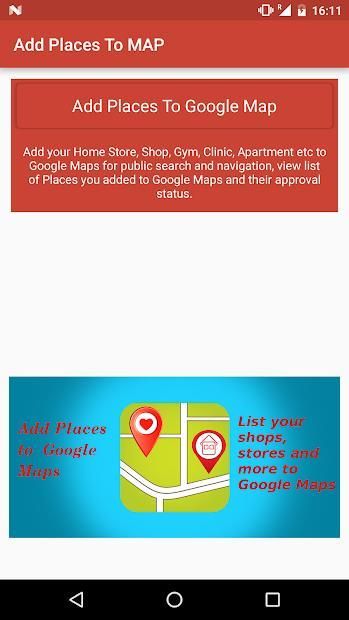
Now add your book store, gym, store or any other gps location to Google Maps easily with 'Add GPS Places to Google Maps'.
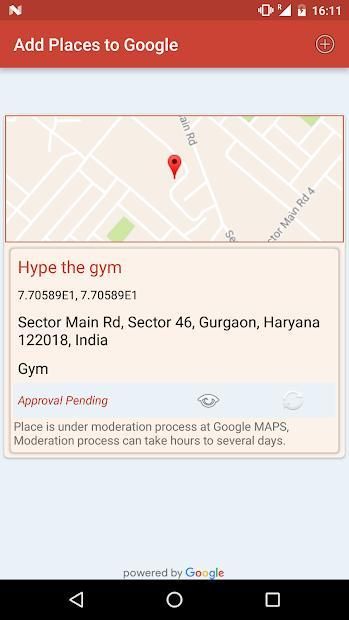
Select the location on Google Maps and provide the details like name, address, phone and website for the respective place and add it to Google Maps for public search so other people can search them on Google Maps.
Once you submit a request to Google Maps to add a place, the request will go through moderation process and you can track the approval status within application.
Once the place is approved as Google Maps place/location, people will be able to search it in Google Maps in Google.
You can reach to more people by placing your store or shop to Google Maps.
People can easily find place of your store or shop using Google Maps.
What you can do with "Add GPS Location to Google Maps"
1. Add Your Shop, Store, Gym to Google Maps for public search.
2. Couldn't search a public place like Bus Stop, Fuel station etc, just add it to Google Maps so next time you and other public can search it.
3. Add Hospital, Diary, Company location to Google Maps for easy search.
4. Add Temple, Mosque to Maps for public.
5. Set categories for place so people can search the place for respective category in your locality.
Sekarang tambahkan toko Anda buku, gym, toko atau lokasi gps lain untuk Google Maps dengan mudah dengan Tambahkan GPS Tempat untuk Google Maps '.
Pilih lokasi di Google Maps dan memberikan rincian seperti nama, alamat, telepon dan website untuk tempat masing-masing dan menambahkannya ke Google Maps untuk pencarian umum sehingga orang lain dapat mencari di Google Maps.
Setelah Anda mengirimkan permintaan ke Google Maps untuk menambahkan tempat, permintaan akan melalui proses moderasi dan Anda dapat melacak status persetujuan dalam aplikasi.
Setelah tempat disetujui sebagai Google Maps tempat / lokasi, orang akan dapat mencari di Google Maps di Google.
Anda dapat mencapai lebih banyak orang dengan menempatkan toko atau toko untuk Google Maps.
Orang dapat dengan mudah menemukan tempat toko Anda atau toko menggunakan Google Maps.
Apa yang dapat Anda lakukan dengan "Add Lokasi GPS ke Google Maps"
1. Tambahkan Toko Anda, Store, Gym ke Google Maps untuk pencarian publik.
2. Tidak bisa mencari tempat umum seperti Bus Stop, stasiun bahan bakar dll, hanya menambahkannya ke Google Maps sehingga waktu berikutnya Anda dan publik lainnya dapat mencari itu.
3. Tambahkan lokasi Rumah Sakit, Diary, Perusahaan ke Google Maps untuk pencarian mudah.
4. Tambahkan Temple, Masjid untuk Maps untuk umum.
5. kategori Set untuk tempat sehingga orang dapat mencari tempat untuk kategori masing-masing di wilayah Anda.
Minor Improvements and bug fixing

9Apps 4.9