
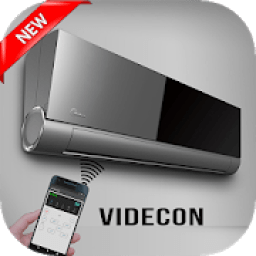
Download and enjoy our service, 30,000+ users downloaded AC Remote For Videocon latest version on 9Apps for free every week! This is a wonderful app which is unique in android apps. This hot app was released on 2018-05-11. Don’t be hesitate, download and install it on your mobile phone now!
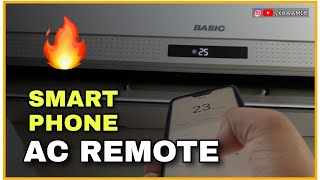
videocon AC Remote, Best Smart Remote for your Air Conditioners. One of the best remote for the Air conditioners ever ,you can download this app and operate your videocon AC using your smart phone, you can forgot about the old conventional remote forever, turn your smart phone to a smart videocon AC remote.
Whenever you can’t find your videocon remote, air conditioner Remote control will be there to help.
You can control your videocon Air Conditioner with videocon AC Remote Control. Whenever you can’t find your remote, ac remote control will be there to help. you can set the temperature and control various air conditioning modes such as auto, cool, heat, fan and dry with this ac remote.
The functionality of this videocon AC Remote controller is similar to the real AC Remote controller on your mobile screen but actually it’s a simulator based app. Using this videocon AC Remote controller app you can make your children learn how to use a AC remote controller.
Amazing Feature:
? Control up to 20 indoor AC units;
? Change AC operation mode; auto, cool, fan, dry, heat
? Change fan speed: auto, very low - very high
? Set the room temperature
? Toggle swing option
? Toggle plasma air cleaning function (function availability depends on indoor unit model)
? Turn on/off the air conditioner
? Set the schedules for all of your air conditioners
? Unit error codes display
? FQDN (Fully Qualified Domain Name) support for remote access settings
How does it work ??
- Select your videocon air conditioner in the AC list.
- Wait a moment until your connection is successful.
- enter your phone number and you will receive a confirmation code.
- Rate the application and start to control your machine.
Remote control features for videocon AC:
- Activate / deactivate the air conditioner
- Up / Down temperature control
- Change the AC operation mode: cool, fan, dry, heat
- Change the fan speed: low – high
- Change Temperature
- Change Mode of the AC
- Set switch On and Off timer of the AC
- Set the swing of the AC
- Switch On or Off the turbo mode of the AC
- Get to know the time left for the AC to get switched On or Off
Using this videocon ac remote you can fool your friends that you can control the temperature of air conditions and other functionalities.
videocon AC, Remote Cerdas terbaik untuk Anda Air Conditioners. Salah satu remote terbaik untuk AC pernah, Anda dapat men-download aplikasi ini dan beroperasi videocon Anda AC menggunakan ponsel pintar Anda, Anda dapat lupa tentang remote konvensional tua selamanya, putar ponsel pintar Anda untuk remote AC videocon pintar.
Setiap kali Anda tidak dapat menemukan jauh videocon Anda, AC Remote control akan berada di sana untuk membantu.
Anda dapat mengontrol videocon Anda Air Conditioner dengan videocon AC Remote Control. Setiap kali Anda tidak dapat menemukan remote, ac remote control akan berada di sana untuk membantu. Anda dapat mengatur suhu dan mengendalikan berbagai mode AC seperti auto, dingin, panas, kipas dan kering dengan ac terpencil ini.
Fungsi videocon AC Remote controller ini mirip dengan nyata AC Remote controller pada layar ponsel Anda, tetapi sebenarnya itu adalah aplikasi berbasis simulator. Menggunakan videocon ini AC Remote controller aplikasi yang dapat membuat anak-anak Anda belajar bagaimana menggunakan AC remote kontrol.
Menakjubkan Fitur:
? Kontrol hingga 20 unit AC dalam ruangan;
? Mengubah modus operasi AC; auto, keren, penggemar, kering, panas
? Mengubah kecepatan kipas: auto, sangat rendah - sangat tinggi
? Mengatur suhu kamar
? Opsi ayunan beralih
? Beralih plasma fungsi membersihkan udara (ketersediaan fungsi tergantung pada model unit indoor)
? Mengaktifkan / menonaktifkan AC
? Mengatur jadwal untuk semua AC Anda
? Unit display kode kesalahan
? FQDN (Fully Qualified Domain Name) dukungan untuk pengaturan akses remote
Bagaimana cara kerjanya ??
- Pilih AC videocon Anda dalam daftar AC.
- Tunggu beberapa saat sampai koneksi Anda berhasil.
- masukkan nomor telepon Anda dan Anda akan menerima kode konfirmasi.
- Beri aplikasi dan mulai untuk mengendalikan mesin Anda.
fitur remote control untuk videocon AC:
- Mengaktifkan / menonaktifkan AC
- Atas / Bawah kontrol suhu
- Mengubah modus operasi AC: dingin, fan, kering, panas
- Mengubah kecepatan kipas: rendah - tinggi
- Perubahan Suhu
- Perubahan Mode dari AC
- Set saklar On dan Off timer AC
- Mengatur ayunan AC
- Switch On atau Off mode turbo dari AC
- Kenali waktu yang tersisa untuk AC untuk mendapatkan beralih On atau Off
Menggunakan videocon ac ini jauh Anda bisa menipu teman Anda bahwa Anda dapat mengontrol suhu kondisi udara dan fungsi lainnya.



9Apps 4.9










