



Thousands of top best android apps on 9Apps! 20,000+ users downloaded Windows 10 Launcher latest version on 9Apps for free every week! Players who wants to play both because this app is good and because the app are response quickly at any time. This hot app was released on 2020-04-01. Besides, you can also select other popular apps you like here!
Internity Labs is proud to present you the simplified Windows 10 Launcher which takes the best of windows and android world, and packages it in the best way possible with the goal to make you more productive.
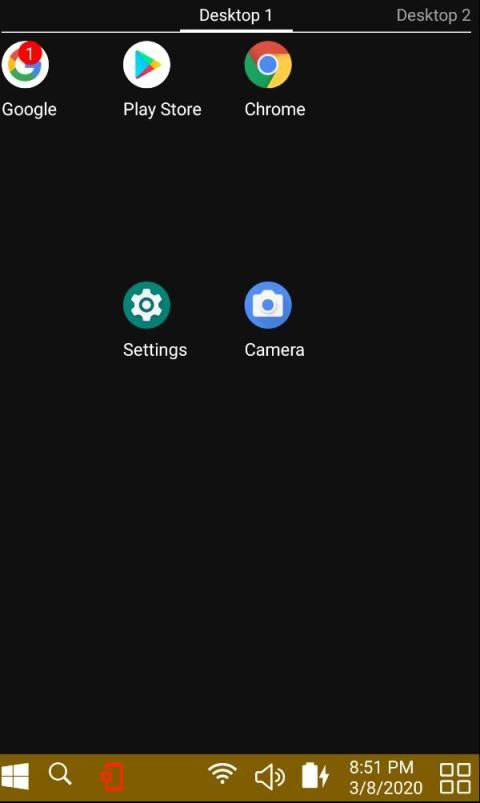
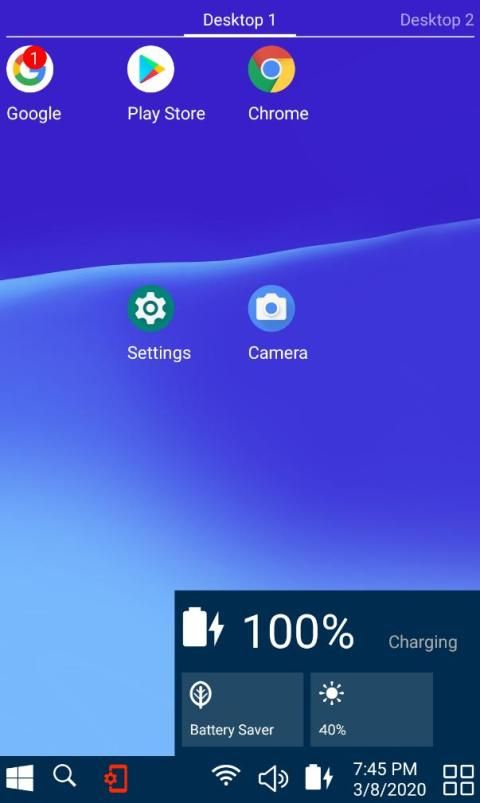
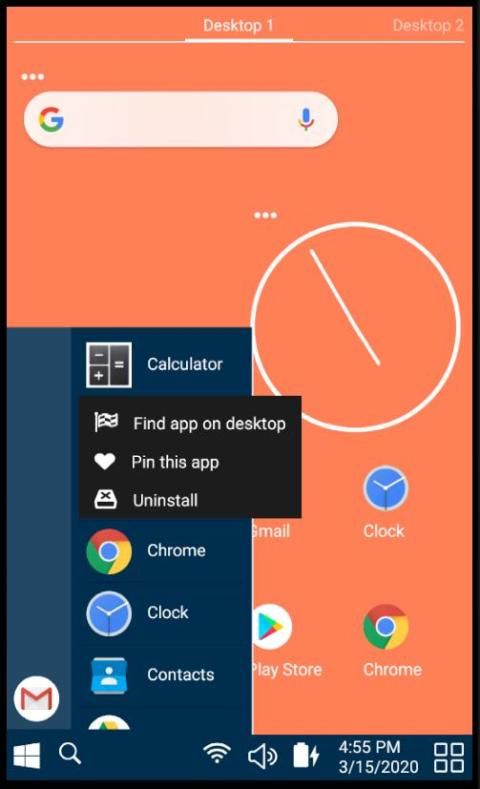
This launcher is available for android phones, as well as for tablets. When you open it for the first time, it will ask you for the permissions it needs to operate. Once launched, you will see a familiar windows user interface.
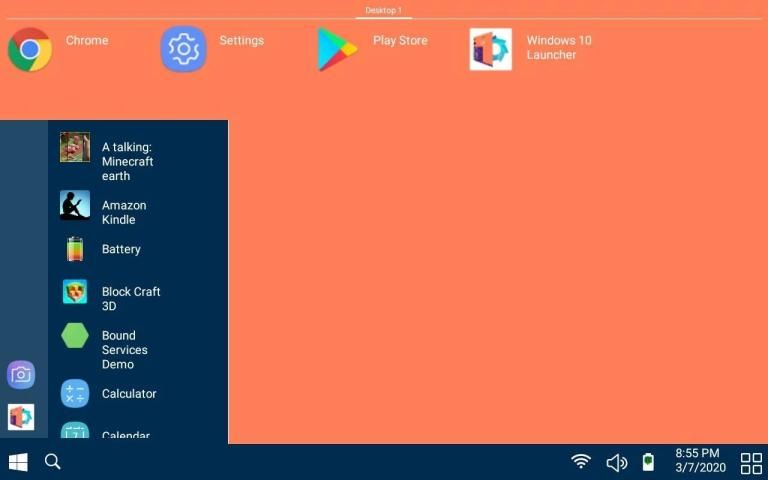
When you press the windows start button, you will see the list of currently installed apps. By touching and holding an app, additional menu will show up, which will enable you to move the app to desktop. If you touch and hold an app which is already on the desktop, you can move the app around to your favorite place. It is also possible to move an app to a new desktop through the menu that will pop up when you hold an app on the desktop.
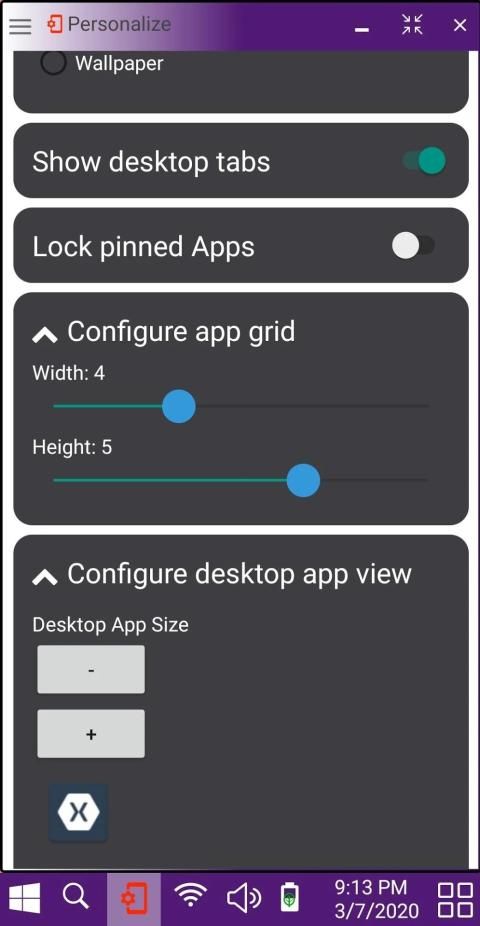
For a very few chosen critical apps, such as phone, messages, camera, you can pin it right at the start panel, which will provide you a quick access to these apps, which we find very useful. Once you are done configuring your pinned apps, this feature can be locked via the personalize menu preventing accidental unpinning of the critical apps.
The search button enables you to search for any app. You could also search the web, or the play store from the same place. Once you find an app that you were looking for, you can locate that app on the desktop using the popup menu.
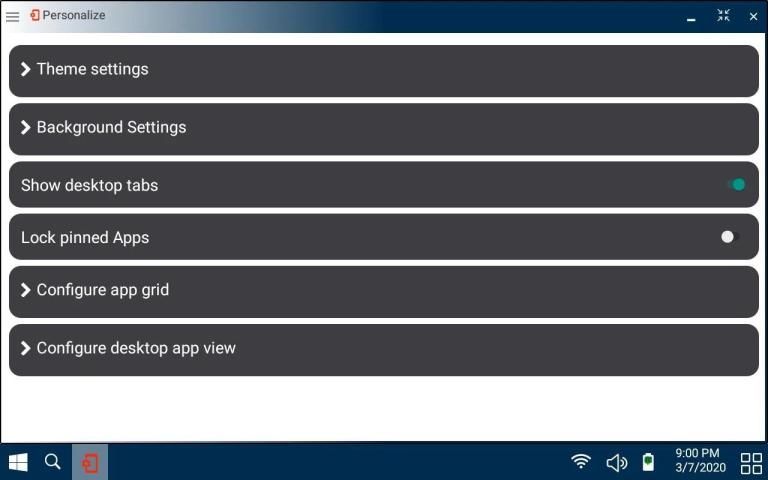
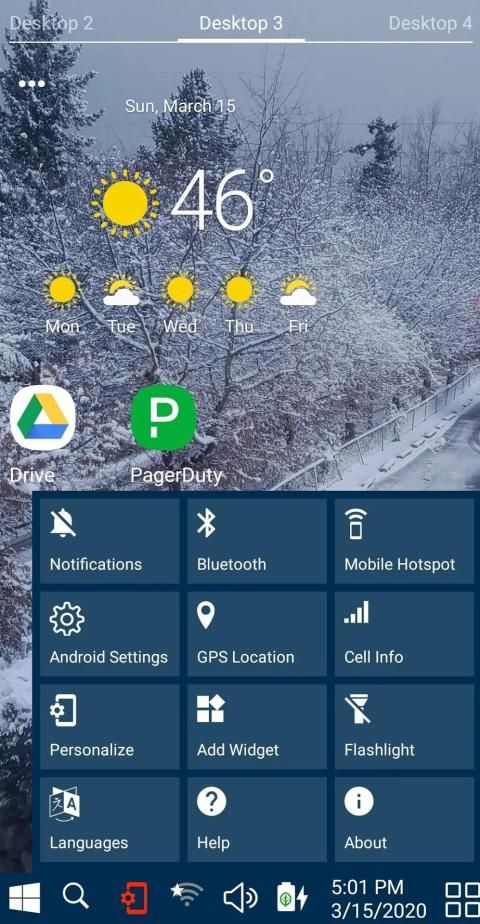
You can further personalize your view by changing the grid size to provide more space for apps or increase the size of apps on the desktop. You could also change the background color, or switch to a wall paper of your choice.
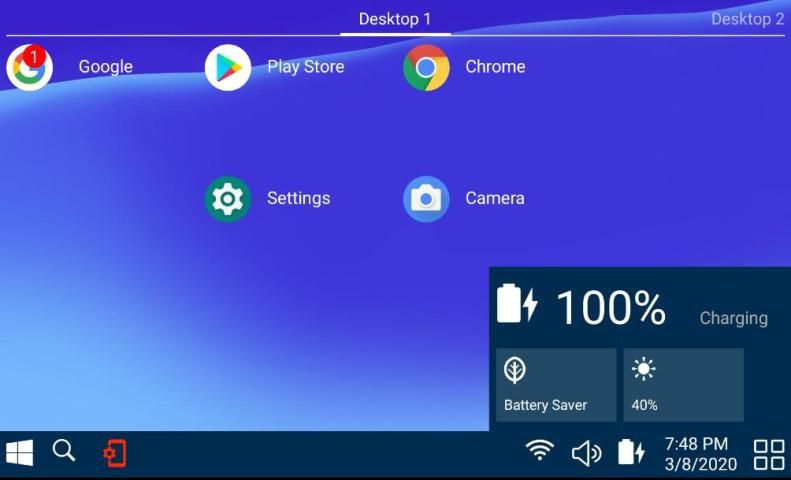
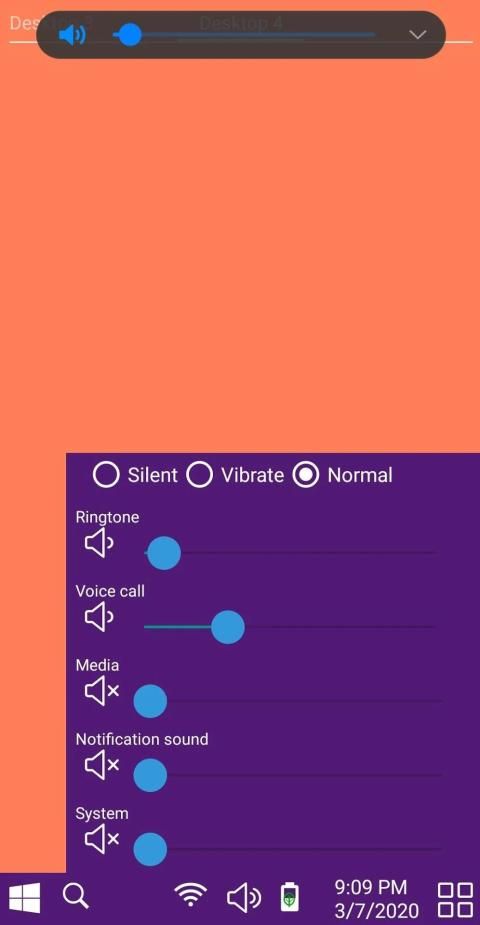
The system tray also has familiar windows controls for wifi, volume, battery status, date and time.
Unlike some other launchers, we have worked hard to integrate notification support into the launcher by providing app badges. It can be turned on from Notifications control panel under ‘More Options’.
Don’t forget to rate and leave great comments. If you feel that you need some other feature, please feel free to write us an email. The details are in ‘about page’.
इंटर्निटी लैब्स आपको सरलीकृत विंडोज 10 लॉन्चर पेश करने में गर्व महसूस करता है जो विंडोज़ और एंड्रॉइड की दुनिया में सबसे अच्छा लेता है, और इसे आपको अधिक उत्पादक बनाने के लिए लक्ष्य के साथ सर्वोत्तम तरीके से पैकेज करता है।
यह लॉन्चर एंड्रॉइड फोन के साथ-साथ टैबलेट के लिए भी उपलब्ध है। जब आप इसे पहली बार खोलते हैं, तो यह आपसे उन अनुमतियों के लिए पूछेगा जिन्हें इसे संचालित करने की आवश्यकता है। एक बार लॉन्च होने के बाद, आपको एक परिचित विंडोज़ यूज़र इंटरफ़ेस दिखाई देगा।
जब आप विंडोज़ स्टार्ट बटन दबाते हैं, तो आप वर्तमान में स्थापित ऐप्स की सूची देखेंगे। ऐप को छूने और रखने से, अतिरिक्त मेनू दिखाई देगा, जो आपको ऐप को डेस्कटॉप पर ले जाने में सक्षम करेगा। यदि आप किसी ऐसे ऐप को टच और होल्ड करते हैं जो पहले से ही डेस्कटॉप पर है, तो आप ऐप को अपनी पसंदीदा जगह पर ले जा सकते हैं। मेनू के माध्यम से एक नए डेस्कटॉप पर एक ऐप को स्थानांतरित करना भी संभव है जो डेस्कटॉप पर ऐप रखने पर पॉप अप होगा।
बहुत कम चुने हुए महत्वपूर्ण ऐप्स के लिए, जैसे कि फ़ोन, संदेश, कैमरा, आप इसे प्रारंभ पैनल पर सही पिन कर सकते हैं, जो आपको इन ऐप्स तक त्वरित पहुँच प्रदान करेगा, जो हमें बहुत उपयोगी लगते हैं। एक बार जब आप अपने पिन किए गए एप्लिकेशन को कॉन्फ़िगर कर रहे हैं, तो इस सुविधा को वैयक्तिकृत मेनू के माध्यम से लॉक किया जा सकता है जिससे महत्वपूर्ण ऐप्स के आकस्मिक अनपिनिंग को रोका जा सके।
खोज बटन आपको किसी भी ऐप को खोजने में सक्षम बनाता है। आप वेब या प्ले स्टोर को भी उसी स्थान से खोज सकते हैं। एक बार जब आप एक ऐप ढूंढ लेते हैं जिसे आप ढूंढ रहे थे, तो आप पॉपअप मेनू का उपयोग करके डेस्कटॉप पर उस ऐप का पता लगा सकते हैं।
आप ऐप्स के लिए अधिक स्थान प्रदान करने या डेस्कटॉप पर ऐप्स के आकार को बढ़ाने के लिए ग्रिड आकार को बदलकर अपने विचार को आगे बढ़ा सकते हैं। आप पृष्ठभूमि का रंग भी बदल सकते हैं, या अपनी पसंद के वॉल पेपर में बदल सकते हैं।
सिस्टम ट्रे में वाईफाई, वॉल्यूम, बैटरी की स्थिति, दिनांक और समय के लिए परिचित विंडोज़ नियंत्रण भी हैं।
कुछ अन्य लॉन्चरों के विपरीत, हमने ऐप बैज प्रदान करके लांचर में सूचना समर्थन को एकीकृत करने के लिए कड़ी मेहनत की है। इसे 'अधिक विकल्प' के तहत सूचना नियंत्रण कक्ष से चालू किया जा सकता है।
महान टिप्पणियों को रेट और छोड़ने के लिए मत भूलना। यदि आपको लगता है कि आपको किसी अन्य सुविधा की आवश्यकता है, तो कृपया हमें एक ईमेल लिखने के लिए स्वतंत्र महसूस करें। विवरण 'पृष्ठ के बारे में' में हैं।
1. Improved the personalize view UI.
2. Providing better messages for missing permissions.
3. Clicking on empty space does not trigger the app open




9Apps 4.9














