

Big event coming! 20,000+ users downloaded WhatsDeleted latest version on 9Apps for free every week! And now, this app adds more functions. This hot app was released on 2019-01-23. To know more information, read the paragraph below.
WhatsDeleted (View Delete Messages)
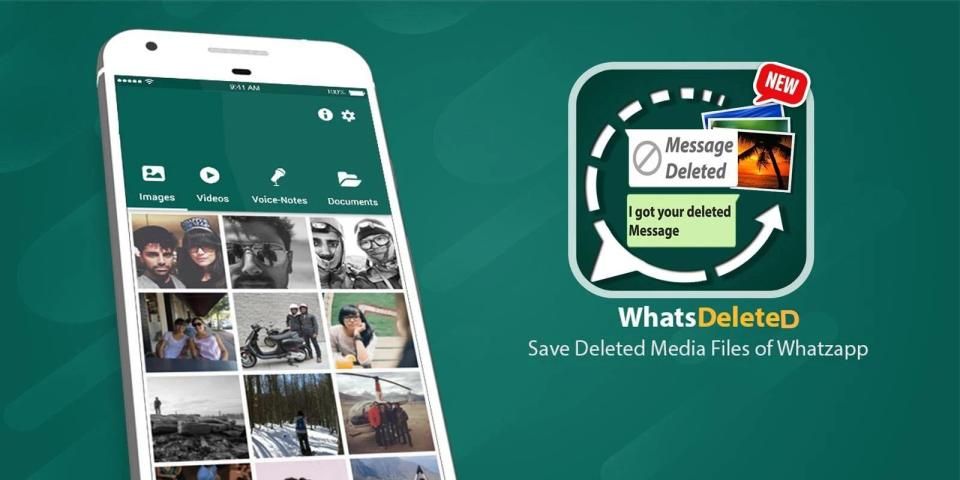
whatsdeleted is an application that allows you to monitor notifications and folders in the pursuit of changes and deleted.
Have your friend deleted whatsup messages (image, video, voice message, music or any type of file and even status) that he sends you? Do you want to Check deleted messages for whatsup? It is just like whatsup delete for everyone app that allows you to view deleted whatsup messages and whatsup deleted media files. You can download or save whatsup video status as well as any other media files like videos, audios, voice notes etc.
According to latest whatsup policy if sender deletes message or any media file from his end then it will be removed from your side and also from your gallery or whatsup media folder. Rescuer for whatsup detect delete messages from whatsup and save whatsup deleted messages for everyone. You can view deleted media files for whatsup even after they are deleted from sender side.
Try this light app to view and save whatsup video status, Status images, voice notes and documents in managed order at one place. It works as data saver for whatsup that allows you to save and view whatsup deleted messages from sender side. You can backup whatsup messages, Save whatsup deleted messages for everyone, save whatsup data media files, save whatsup video status and view or use it later on.
whatsup Data Saver or Rescuer app Secure whatsup data. Once you download the data or media files of whatsup then Rescue whatsup allows you to view whatsup chats or media files if sender deletes them after sending. WhatsDelete doesn’t allow you to recover old whatsup messages or data but it helps you to select which content (images, status, videos, voice notes, audios etc) you want to save or create backup for your whatsup chat.
Whatsdelete also works as whatsup cleaner to clean whatsup media files or whatsup duplicate finder or whatsup duplicate data remover and " whatsup Data Saver" like Whats Remove because it allows you to avoid whatsup data duplication. You can save your WA data in a single whatsup Rescuer app and can view all whatsup media files at one place. That's why it can be called as whatsup data saver app and cleaner for whatsup.
"WhatsDelete" is capable to save deleted whatsup messages or media files but it can also work as whatsup video status downloader, whatsup cleaner, whatsup status saver, whatsup duplicate media finder or whatsup duplicate remover, whatsup delete for everyone, whatsup data saver, whatsup Rescue, whatsup status downloader, Create whatsup backup, Restore whatsup old messages.
Top Features of whatsup Cleaner:
Cool UI design and easy to use.
View whatsup deleted messages media files even after deleting from sender side.
Also works as cleaner for whatsup by avoiding duplication.
You can download whatsup video status easily.
View all whatsup media files at a single place.
Save whatsup voices notes or document files separately.
Light weighted app to secure your all whatsup data in just one app.
How it works?
1) Open the orignal " whatsup ".
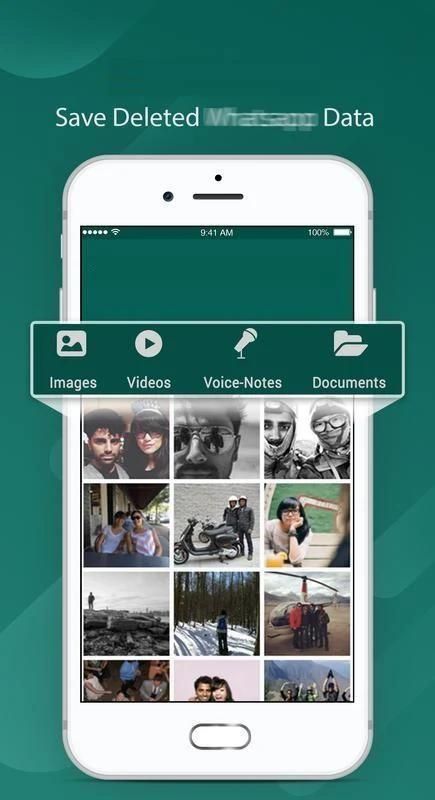
2) Save whatsup media files (Images, Videos, Voice Notes, Status, Audios, Documents etc).
3) To check deleted whatsup messages or media files just open the "WhatsDelete" app and check them out.
4) Turn ON/OFF duplication in order to save storage.
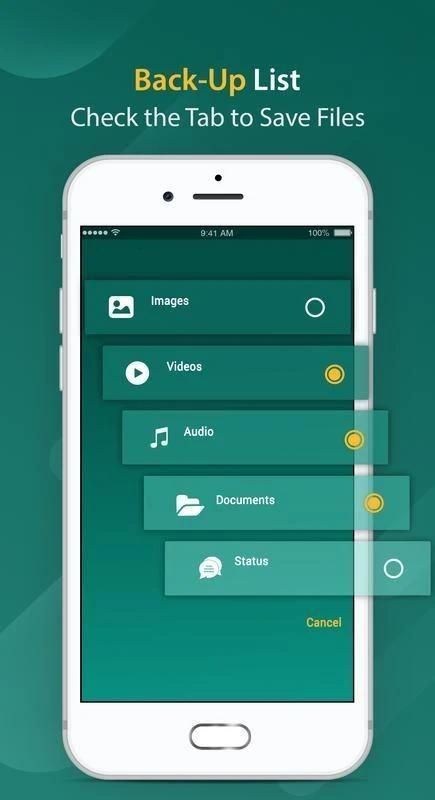
5) Check or uncheck Tabs from settings to select which media file you want to save after deletion.
Tags
Save #Status #Media # whatsup #Deleted #Messages, Clean #Duplicate #files #Data #Rescuer #Status Saver
Disclaimer
whatsup ™ is a trademark of whatsup Inc.
WhatsDelete is not affiliated with, or sponsored or endorsed by, whatsup Inc.
WhatsDeleted (संदेश हटाएं देखें)
whatsdeleted एक ऐसा एप्लिकेशन है जो आपको परिवर्तनों की खोज में सूचनाओं और फ़ोल्डरों की निगरानी करने और हटाने की अनुमति देता है।
क्या आपके दोस्त ने व्हाट्सअप मैसेजेस (इमेज, वीडियो, वॉयस मैसेज, म्यूजिक या किसी भी तरह की फाइल और यहां तक कि स्टेटस) डिलीट कर दिए हैं जो वह आपको भेजता है? क्या आप व्हाट्सअप के लिए हटाए गए संदेशों की जांच करना चाहते हैं? यह वैसा ही है जैसे व्हाट्सअप डिलीट फॉर एवरीवन एप जो आपको डिलीट किए गए व्हाट्सअप मैसेज और व्हाट्सअप डिलीट मीडिया फाइल्स को देखने की सुविधा देता है। आप व्हाट्सअप वीडियो स्टेटस के साथ-साथ किसी अन्य मीडिया फाइल जैसे वीडियो, ऑडियो, वॉयस नोट्स आदि को डाउनलोड या सेव कर सकते हैं।
नवीनतम व्हाट्सअप नीति के अनुसार यदि प्रेषक संदेश या किसी मीडिया फाइल को अपने अंत से हटाता है तो उसे आपकी ओर से हटा दिया जाएगा और आपकी गैलरी या व्हाट्सअप मीडिया फ़ोल्डर से भी। व्हाट्सअप के लिए बचावकर्ता व्हाट्सअप से संदेशों को हटाएं और सभी के लिए व्हाट्सअप हटाए गए संदेशों को बचाएं। आप प्रेषक पक्ष से हटाए जाने के बाद भी व्हाट्सअप के लिए हटाए गए मीडिया फ़ाइलों को देख सकते हैं।
एक स्थान पर प्रबंधित क्रम में व्हाट्सअप वीडियो स्टेटस, स्टेटस इमेज, वॉयस नोट्स और दस्तावेजों को देखने और सहेजने के लिए इस लाइट ऐप को आज़माएं। यह व्हाट्सअप के लिए डेटा सेवर के रूप में काम करता है जो आपको प्रेषक की ओर से व्हाट्सअप हटाए गए संदेशों को सहेजने और देखने की अनुमति देता है। आप व्हाट्सअप संदेशों का बैकअप ले सकते हैं, सभी के लिए व्हाट्सअप हटाए गए संदेशों को बचा सकते हैं, व्हाट्सअप डेटा मीडिया फ़ाइलों को बचा सकते हैं, व्हाट्सअप वीडियो की स्थिति को बचा सकते हैं और बाद में इसे देख सकते हैं या इसका उपयोग कर सकते हैं।
whatsup Data Saver या Rescuer ऐप सिक्योर व्हाट्सअप डाटा। एक बार जब आप व्हाट्सअप के डेटा या मीडिया फाइल्स को डाउनलोड कर लेते हैं तो व्हाट्सअप रेस्क्यू करने के बाद व्हाट्सअप चैट या मीडिया फाइल्स को देख सकते हैं। व्हाट्सएप आपको पुराने व्हाट्सअप संदेशों या डेटा को पुनर्प्राप्त करने की अनुमति नहीं देता है लेकिन यह आपको यह चुनने में मदद करता है कि आप किस सामग्री (चित्र, स्थिति, वीडियो, वॉइस नोट्स, ऑडिओस आदि) का चयन करते हैं या आप अपने व्हाट्सअप चैट के लिए बैकअप बनाना या बनाना चाहते हैं।
व्हाट्सअप व्हाट्सअप मीडिया फ़ाइलों को साफ करने के लिए व्हाट्सअप क्लीनर के रूप में भी काम करता है या व्हाट्सअप डुप्लिकेट खोजक या व्हाट्सअप डुप्लिकेट डेटा रिमूवर और व्हाट्सअप डाटा सेवर जैसे व्हाट्सअप को हटाता है क्योंकि यह आपको व्हाट्सअप डेटा दोहराव से बचने की अनुमति देता है। आप अपने WA डेटा को एक सिंगल व्हाट्सअप रिसक्योर ऐप में सेव कर सकते हैं और एक जगह पर सभी व्हाट्सअप मीडिया फ़ाइलों को देख सकते हैं। इसलिए इसे व्हाट्सअप डेटा सेवर ऐप और व्हाट्सअप के लिए क्लीनर कहा जा सकता है।
"व्हाट्सएप" डिलीट किए गए व्हाट्सअप मैसेज या मीडिया फाइल्स को सेव करने में सक्षम है लेकिन यह व्हाट्सअप वीडियो स्टेटस डाउनलोडर, व्हाट्सअप क्लीनर, व्हाट्सअप स्टेटस सेवर, व्हाट्सअप डुप्लिकेट मीडिया फाइंडर या व्हाट्सअप डुप्लिकेट रिमूवर, व्हाट्सअप डिलीट फॉर एवरीवन, व्हाट्सअप डाटा सेवर, व्हाट्सअप के रूप में भी काम कर सकता है बचाव, व्हाट्सअप स्टेटस डाउनलोडर, व्हाट्सअप बैकअप बनाएं, व्हाट्सअप पुराने संदेशों को पुनर्स्थापित करें।
व्हाट्सअप क्लीनर की शीर्ष विशेषताएं:
कूल यूआई डिजाइन और उपयोग करने में आसान।
प्रेषक की ओर से हटाए जाने के बाद भी व्हाट्सअप ने संदेशों को हटा दिया।
साथ ही नकल से बचकर व्हाट्सअप के लिए क्लीनर का काम करता है।
आप व्हाट्सअप वीडियो स्टेटस आसानी से डाउनलोड कर सकते हैं।
सभी व्हाट्सअप मीडिया फ़ाइलों को एक ही स्थान पर देखें।
व्हाट्सअप वॉयस नोट्स या डॉक्यूमेंट फाइलों को अलग से सेव करें।
लाइट वेटेड ऐप सिर्फ एक ऐप में अपने सभी व्हाट्सअप डेटा को सुरक्षित करने के लिए।
यह काम किस प्रकार करता है?
1) ओरिगनल "व्हाट्सअप" खोलें।
2) व्हाट्सअप मीडिया फाइल्स (इमेज, वीडियो, वॉयस नोट्स, स्टेटस, ऑडियो, डॉक्यूमेंट आदि) को सेव करें।
3) डिलीट किए गए व्हाट्सअप मैसेज या मीडिया फाइल्स को चेक करने के लिए "व्हाट्सएप" ऐप खोलें और उन्हें देखें।
4) भंडारण को बचाने के लिए चालू / बंद दोहराव।
5) डिलीट होने के बाद आप जिस मीडिया फाइल को सेव करना चाहते हैं उसे सिलेक्ट करने के लिए सेटिंग्स से टैब्स चेक या अनचेक करें।
टैग
#Status #Media # व्हाट्सअप # डिलीट किए गए # संदेश, स्वच्छ #Duplicate #files #Data #Rescuer #Status सेवर सहेजें
अस्वीकरण
व्हाट्सअप ™, व्हाट्सअप इंक का एक ट्रेडमार्क है।
व्हाट्सअप, व्हाट्सअप इंक। के साथ संबद्ध या प्रायोजित या समर्थित नहीं है।





9Apps 4.9














