


9Apps services for free Android apps. 20,000+ users downloaded Whats Web latest version on 9Apps for free every week! Although you probably won't notice it at first. This hot app was released on 2018-08-01. More similar hot applications can be found here too.
Would you like to open two account in same device or same account in multiple devices then this app for you. Now you can use same account in multiple device.
Whats Web is the easiest and fastest application that you can open chat messenger application on your mobile and Control another account with the same device!!!
Whats Web Features-
-Messages Read/answer and Send
- Profile Picture and Status Changes
- Images/Videos Downloads and Forward
- Send Images from Gallery or through the mobile phone camera
-Slide view of Images
-You can play video in web
How to Use -
1. Open Whats Web on your main phone (the account you want to clone)
--Click on setting and select whatsapp web.
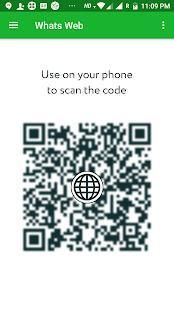
2. After clicking "whatsapp web", you should see a camera QR scanning screen.
3. Now scan the QR code displayed on Second Account app.
4. Done! Sync complete! Now you can access the same account on both devices!
Why I Need Whats Web ?
- To open more than one account in the same mobile.
- To control your "Children, Wife, Friend And Man"
Disclaimer: Whats web is created by us, and it not an official WhatsApp application and not associated with WhatsApp Inc.
आप तो कई उपकरणों के लिए इस ऐप्लिकेशन में एक ही डिवाइस या एक ही खाते में दो खाता खोलने के लिए चाहते हैं। अब आप एक से अधिक डिवाइस में उसी खाते का उपयोग कर सकते हैं।
क्या वेब सबसे आसान और तेज़ आवेदन है कि आप अपने मोबाइल पर चैट दूत एप्लिकेशन खोलें और एक ही डिवाइस के साथ किसी अन्य खाते को नियंत्रित कर सकते है !!!
क्या वेब सुविधाएँ
-Messages पढ़ें / जवाब और भेजें
- प्रोफ़ाइल चित्र और स्थिति परिवर्तन
- छवियों / वीडियो डाउनलोड और फॉरवर्ड
- गैलरी से या मोबाइल फोन के कैमरे के माध्यम से छवियाँ भेजें
छवियाँ की -Slide दृश्य
-आप वेब में वीडियो खेल सकते हैं
कैसे इस्तेमाल करे -
आपके मुख्य फोन (आप जिस खाते का क्लोन करने के लिए चाहते हैं) पर 1. क्या वेब
की स्थापना पर --Click और वेब whatsapp का चयन करें।
2. "whatsapp वेब" पर क्लिक करने के बाद आप एक कैमरा QR स्कैनिंग स्क्रीन दिखाई देगी।
3. अब दूसरा खाता एप्लिकेशन पर प्रदर्शित QR कोड स्कैन।
4. हो गया! समन्वयन पूर्ण! अब आप दोनों उपकरणों पर एक ही खाते का उपयोग कर सकते हैं!
क्यों मैं क्या वेब की आवश्यकता है?
- एक ही मोबाइल में एक से अधिक खाते खोलने के लिए।
- अपने "बच्चों, पत्नी, दोस्त और मैन" को नियंत्रित करने के
अस्वीकरण: क्या वेब हमारे द्वारा नहीं एक अधिकारी WhatsApp आवेदन बनाई गई है, और यह और WhatsApp इंक के साथ संबद्ध नहीं
Bug Fixes





9Apps 4.9














