
This article is about hot apps for android. 30,000+ users downloaded Volume Control Widget latest version on 9Apps for free every week! Although you probably won't notice it at first. This hot app was released on 2018-06-27. However, has been a fashionable app for a long time.
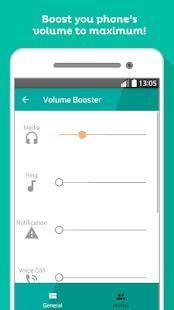
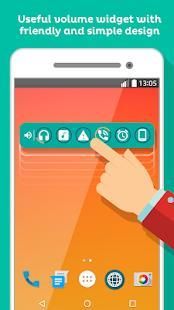
"Volume Control Widget" is a tool app that allows you instantly see on your desktop and quickly adjust the current volume levels of alarm, voice call, media player, ringer and system notifications.
You could choose between two types of widgets with different sizes : 1x1 or 4x1.
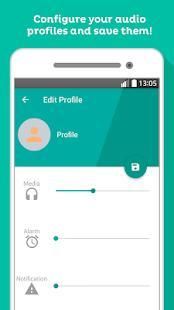
Make and customize your own volume profiles. You can have several volume profiles created and quickly select them when you need them, for example: night, office ...
Install manually the widget to the desired location of the desktop for your device in an easy way:
1. Go to home screen
2. Perform a long click on an empty side from desktop or press menu and choose "add"
3. Choose "widgets"
4. Scroll down and choose "Volume Control Widget"
FEATURES:
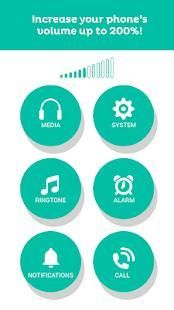
- Control and modify volumes of ringtone, media, notification, alarm, system and voice call.
-Make and customize your own volume profiles.
- Two widgets sizes.
- Position of the slider can be changed.
-Quick open, set and close.
- Vibrate mode setting supported.
Download now for free and click on the widget to set the volume level of any channel(s) in one touch!
"वॉल्यूम नियंत्रण विजेट" है कि आप तुरंत अपने डेस्कटॉप पर देख सकते हैं और जल्दी से अलार्म, ध्वनि कॉल मीडिया प्लेयर, रिंगर और सिस्टम सूचनाओं की वर्तमान मात्रा स्तर समायोजित की अनुमति देता है एक उपकरण एप्लिकेशन है।
1x1 या 4x1: आप अलग अलग आकार के साथ विजेट के दो प्रकार के बीच चयन कर सकते हैं।
बनाने के लिए और अपने स्वयं के मात्रा प्रोफाइल को अनुकूलित। आपके द्वारा बनाए गए कई मात्रा प्रोफ़ाइल है और जल्दी से उनका चयन जब आप उन्हें जरूरत उदाहरण के लिए कर सकते हैं: रात, कार्यालय ...
एक आसान तरीका में अपनी डिवाइस के लिए डेस्कटॉप की इच्छित स्थान पर मैन्युअल रूप विजेट स्थापित करें:
1. होम स्क्रीन पर जाएं
2. डेस्कटॉप या प्रेस मेनू से एक खाली पक्ष पर एक लंबे क्लिक प्रदर्शन और चुनें "जोड़ें"
3. "विजेट" का चयन करें
4. नीचे स्क्रॉल करें और "वॉल्यूम नियंत्रण विजेट"
विशेषताएं:
- नियंत्रण और रिंगटोन, मीडिया, अधिसूचना, अलार्म, प्रणाली और वॉयस कॉल की मात्रा को संशोधित।
बनाओ और अपने खुद के मात्रा प्रोफाइल को अनुकूलित।
- दो विजेट आकार।
- स्लाइडर की स्थिति को बदला जा सकता है।
खुला, सेट और करीब -त्वरित।
- कंपन मोड सेटिंग का समर्थन किया।
मुक्त करने के लिए अब डाउनलोड करें और एक संपर्क में किसी भी चैनल (रों) की ध्वनि के स्तर सेट करने के लिए विजेट पर क्लिक करें!





9Apps 4.9













