

Get the best free apps for your android phones. 20,000+ users downloaded Video Screen Recorder - Screenshot latest version on 9Apps for free every week! In addition, the latest version of the app has updated a lot of features. This hot app was released on 2018-08-09. It is one of the popular Android apps in 2015.
Get the new Amazing Video Screen Recorder - Screenshot App, Its the best App on Appstore for Screen Video Recording and catching the activities of your phones and keeps it as memories for you.
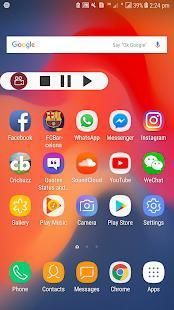
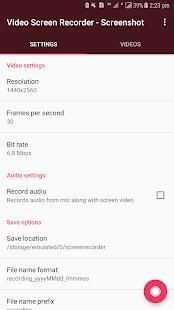
Everybody can easily use it and its very firendly (user easy to use). It doesn't require root and also it doesn't have any watermark logo for it. It will have the floating control buttons which will appear after pressing the record button, through which you can play/pause/stop video recordings from there.
How to use?
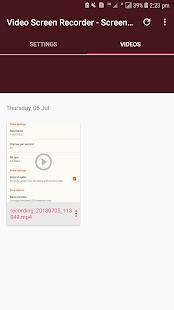
Install the App and open it. Then allow its permissions which are required for running the app to work perfectly. Then press the record button, after completing the task then press the stop button and save the video.
Features:
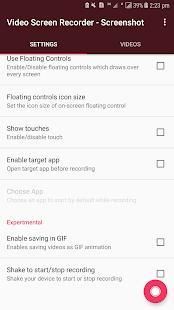
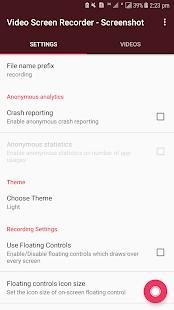
1, Choose the resolution quality of recording.
2, Set frames per seconds of your choice and aslo bit rate.
3, Turn on/off mic for recording audio.
4, Floating control buttons visbilty and size changes.
5, Show finger touches on screen and many more
Kindly rate us with five stars if this app works perfectly for you and aslo leave your review for the App. Thanks!
नया कमाल वीडियो स्क्रीन रिकॉर्डर प्राप्त करें - स्क्रीनशॉट ऐप, स्क्रीन वीडियो रिकॉर्डिंग के लिए ऐपस्टोर पर यह सबसे अच्छा ऐप है और आपके फोन की गतिविधियों को पकड़ रहा है और इसे आपके लिए यादों के रूप में रखता है।
हर कोई आसानी से इसका उपयोग कर सकता है और इसकी बहुत ही आग लग सकती है (उपयोग करने में आसान उपयोगकर्ता)। इसे रूट की आवश्यकता नहीं है और इसके लिए इसके लिए कोई वॉटरमार्क लोगो नहीं है। इसमें फ़्लोटिंग कंट्रोल बटन होंगे जो रिकॉर्ड बटन दबाए जाने के बाद दिखाई देंगे, जिसके माध्यम से आप वहां से वीडियो रिकॉर्डिंग को चला / रोक / रोक सकते हैं।
कैसे उपयोग करें?
ऐप इंस्टॉल करें और इसे खोलें। फिर ऐप को पूरी तरह से काम करने के लिए आवश्यक अनुमतियों की अनुमति दें। फिर कार्य को पूरा करने के बाद, रिकॉर्ड बटन दबाएं, फिर स्टॉप बटन दबाएं और वीडियो को सहेजें।
विशेषताएं:
1, रिकॉर्डिंग की संकल्प गुणवत्ता चुनें।
2, अपनी पसंद के प्रति सेकेंड फ्रेम और बिट दर के रूप में सेट करें।
3, ऑडियो रिकॉर्डिंग के लिए माइक चालू / बंद करें।
4, फ़्लोटिंग कंट्रोल बटन visbilty और आकार में परिवर्तन।
5, स्क्रीन पर उंगली छूएं और कई और दिखाएं
अगर यह ऐप आपके लिए पूरी तरह से काम करता है और ऐप के लिए अपनी समीक्षा छोड़ देता है तो कृपया हमें पांच सितारों के साथ रेट करें। धन्यवाद!



9Apps 4.9













