

Discover apps for Android here, 20,000+ users downloaded VideoDownloader2018 latest version on 9Apps for free every week! One thing you need to know that this app is unique. This hot app was released on 2018-04-16. You can free download it from 9Apps.
Video Downloader is an app to download videos directly onto your mobile phone, thanks to which you can have all your favorite videos saved within your SD card memory or internal memory and watch whenever you want.
This video downloader app does not support youtube due to their terms of service.
App capabilities :
----------------
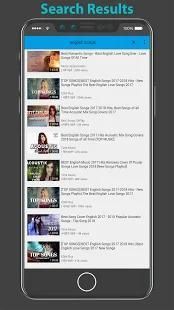
- Search or enter url in address bar to start browsing videos.
- Play videos directly from the application
- Automatically detects video links from browser after playing video.
- Preview video before downloading.
- Full feature download manager with pause/resume/remove and connection lost handling capabilities.
- Awesome download manager and smart video detection feature.
- Single tap downloads, play the video and press the download icon that pops up on the screen.
- Super fast downloading
- Download all videos in background.
- Live download progress bar for each download.
- Notify when the download is started or completed.
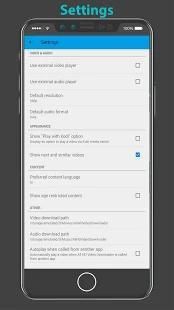
- Support all video formats such as MPK,MPG, AVI, MP4, MKV, FLV, WMV.
- Support for large files download.
- Support for HD Video download
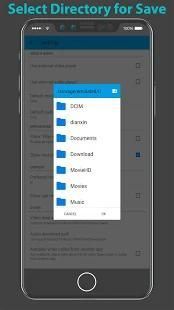
- Change download directory on android devices having version lower than KitKat
- View your favorite videos in Landscape or portrait mode.
- Fastest video downloader from all available video downloaders.
Downloading Steps:
--------------------
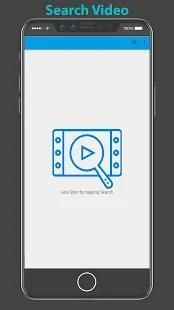
- Search Video on search bar.
- Wait for the video load and tap on download icon to pop up at bottom right of the screen.
- click the button to download video or audio.
By use this app is as simple as accessing the video of interest through the browser that comes integrated within the app itself. From there, simply press the black download button located at the top of the screen.
At that moment you can choose what quality you want to download your video in, normally having many different resolution options adapted to the various terminals Android compatible with this app. Depending on the download format you choose, you might need an extra app to play your files.
वीडियो डाउनलोडर वीडियो सीधे अपने मोबाइल फोन पर है, धन्यवाद जो करने के लिए आप अपने एसडी कार्ड स्मृति या आंतरिक स्मृति में सहेज अपने सभी पसंदीदा वीडियो है और देख सकते हैं कि जब भी आप चाहते हैं डाउनलोड करने के लिए एक एप्लिकेशन है।
यह वीडियो डाउनलोडर एप्लिकेशन उनकी सेवा की शर्तों की वजह से यूट्यूब का समर्थन नहीं करता।
अनुप्रयोग क्षमताओं:
----------------
- खोज या वीडियो ब्राउज़ करना प्रारंभ करने एड्रेस बार में URL दर्ज करें।
- आवेदन से सीधे वीडियो प्ले
- स्वचालित रूप से वीडियो खेलने के बाद ब्राउज़र से वीडियो लिंक का पता लगाता है।
- डाउनलोड करने से पहले पूर्वावलोकन वीडियो।
- रोकें / फिर से शुरू के साथ पूर्ण सुविधा डाउनलोड प्रबंधक / हटाने और कनेक्शन से निपटने क्षमताओं को खो दिया।
- बहुत बढ़िया डाउनलोड प्रबंधक और स्मार्ट वीडियो का पता लगाने की सुविधा।
- डाउनलोड एकल नल, वीडियो खेलते हैं और डाउनलोड आइकन पर कि स्क्रीन पर पॉप अप होता है दबाएँ।
- सुपर तेजी से डाउनलोड
- पृष्ठभूमि में सभी वीडियो को डाउनलोड करें।
- प्रत्येक डाउनलोड के लिए लाइव डाउनलोड प्रगति बार।
- सूचित करें डाउनलोड प्रारंभ हो या पूरा हो गया है।
- इस तरह के MPK, MPG, AVI, MP4, MKV, FLV, WMV के रूप में समर्थन सभी वीडियो प्रारूपों।
- बड़ी फ़ाइलों को डाउनलोड के लिए समर्थन।
- के लिए HD वीडियो डाउनलोड समर्थन
- संस्करण किटकैट की तुलना में कम होने के एंड्रॉयड उपकरणों पर डाउनलोड बदलें निर्देशिका
- लैंडस्केप या पोर्ट्रेट मोड में अपने पसंदीदा वीडियो देखें।
- सभी उपलब्ध वीडियो डाउनलोडर से सबसे तेजी से वीडियो डाउनलोडर।
डाउनलोड कर रहा है कदम:
--------------------
- खोज पट्टी पर खोजें वीडियो।
- वीडियो लोड के लिए प्रतीक्षा करें और स्क्रीन के नीचे सही पर पॉप अप करने के डाउनलोड आइकन पर क्लिक करें।
- वीडियो या ऑडियो डाउनलोड करने के लिए बटन क्लिक करें।
उपयोग करके इस एप्लिकेशन को ब्राउज़र कि कि एप्लिकेशन में एकीकृत आता है के माध्यम से ब्याज की वीडियो तक पहुँचने के रूप में सरल है। वहां से, काला डाउनलोड स्क्रीन के शीर्ष पर स्थित बटन दबाएँ।
उस पल में आप क्या गुणवत्ता में अपने वीडियो डाउनलोड करने के लिए चुन सकते हैं, आम तौर पर कई अलग अलग संकल्प विकल्प एंड्रॉयड विभिन्न टर्मिनलों इस एप्लिकेशन के साथ संगत के लिए अनुकूलित कर रहे हैं। डाउनलोड प्रारूप आप चुनते हैं पर निर्भर करता है, आप अपनी फ़ाइलों को खेलने के लिए एक अतिरिक्त एप्लिकेशन आवश्यकता हो सकती है।
video downloader 2018 app , hd video downloader , all video downloder



9Apps 4.9














