Most of the times you come across files you download from the internet compressed in rar, zip & other file formats and you often wonder how to open these compressed files in android smartphones.
When you download these files, you need some tools to open and extract those files(zip file extractor). Also, if you wish to save some space on your android device by squeezing that extra space from compressing large files, you can use these compression and zip file extractor apps in Android that can open zip files, rar, 7 zip and other formats, you can create and mail files using these zip file extractor apps, open zip files and create password generated files, use file browser to easily find files on your SD card or internal storage.
If you’ve got some of these files that you need to deal with, here is the best zip, rar file opener and unzip app for you!
Unzip files - Zip file extractor is an advanced compression and extraction program and basic file explorer on android. The Unzip files – Rar file opener app features creation of RAR, ZIP files, open zip files and unzip any file. You can also unpack or extract
RAR, ZIP, TAR, GZ, BZ2, XZ, 7z, ISO, ARJ archives. Unzip files - Zip file extractor also features repair command for ZIP and RAR files.
The Unzip files - Zip file extractor app has inbuilt file browser which you can use to find the file you want to compress or extract. Some of the advanced features include simple zip compression, multi part compression and AES encryption.
You can view system information, do task killing actions, transfer files between phone using wifi, photo gallery and manage default launcher with this Zip file opener - Open zip files app.
List of functions include repair command for damaged ZIP and RAR files, benchmark function compatible with RARLAB's WinRAR benchmark, recovery record, usual and recovery volumes, encryption, solid archives, utilizing multiple CPU cores to compress data.
Key features of Unzip files - Zip file extractor app:
-
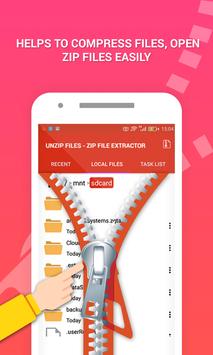
Zip file opener - Zip file extractor helps to compress files, open zip files easily
-
Zip file opener - Open zip files allows you to create Zip, Zipx and Rar files easily
-
Set a password when compressing files for security: create and protect Zip and Zipx files with 128- and 256-bit AES encryption
-
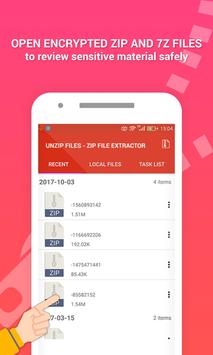
The Zip file opener - Zip file extractor lets you open encrypted Zip and 7z files (including AES 128- and 256-bit) to review sensitive material safely while on the go
-
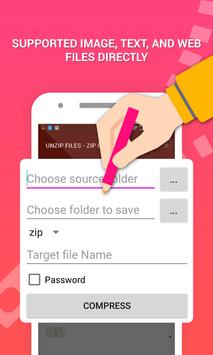
Open Zip files that include supported image, text, and Web files directly in the Unzip files – Rar file opener app
-
Zip file opener - Zip file extractor extracts most of the popular formats
-
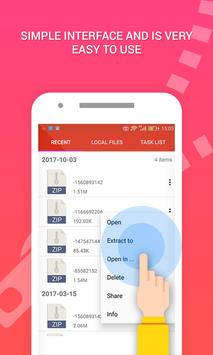
Unzip files – Rar file opener has simple interface and is very easy to use
-
Free unrar, open zip files
-
Open other popular file formats with third-party app integration
-
Zip file opener – Rar file opener lets you easily navigate and manage files on your phone or your phone’s SD card
-
Unzip files – Rar file opener helps you save space with smart photo tools that scan your local photo folder and identify duplicates, poor quality and large files that you can review and delete
-
Ad-free email (Zip & email) and unzipping—no ads or delays with the help of this Zip file opener – Rar file opener
-
Cloud integration (such as Google Drive and Dropbox) for easy access to the latest versions of your files on your computer (WinZip 21) or Android device.
File Support and Third Party Integration with this Zip file opener – Rar file opener app
If you like this Unzip files - Zip file extractor app, please vote us ★★★★★ and share your love in your reviews as well as to your friend to experience this Unzip files - Zip file extractor app together.
If you find any issue with our Unzip files - Zip file extractor app, please don't hesitate to report to us via our email address.
Thank you for your support 😊!
Fixed crashes in Android 4.x

9Apps 4.9