
Some India application are update now! 20,000+ users downloaded Tamil Keyboard latest version on 9Apps for free every week! This indicates many people like this application. This hot app was released on 2018-07-08. You can quickly get it from 9Apps!
With
Tamil Keyboard
you can write all Tamil Alphabets, letters and words. Tamil keyboard is the easiest keyboard to write in Tamil language, it is providing you reading, writing and sharing text in Tamil language.
Very convenient to use - Just Install, Enable and Switch to Tamil Language.
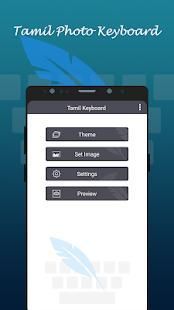
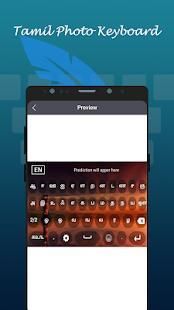
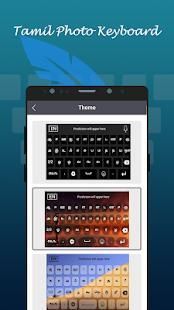
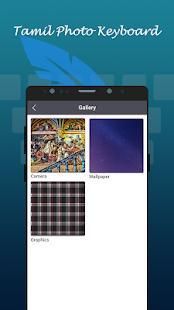
Customize theme and background. Put your photo behind keyboard background.
You can use this keyboard to write in Tamil text. Download Tamil Keyboard and type in Tamil language.
How to Type in Tamil Language Keyboard?
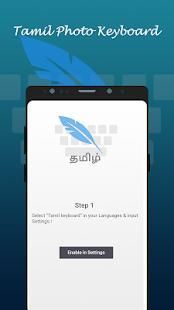
- Install and Start Tamil Keyboard
- Set as Default Keyboard from Language and input settings
- Switch to Tamil Keyboard
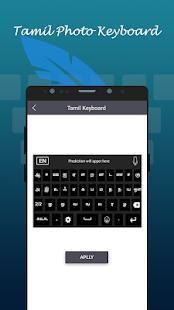
- Apply Theme and Background and start using
How to change keyboard theme?
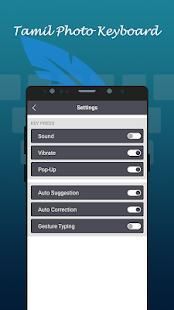
- Change Vibrations
- change sounds
- Auto text suggestion
- Font color, popup color or size
Can I change language?
Yes, you can toggle between Tamil and English languages.
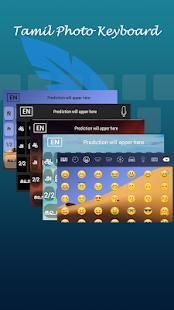
Is Keyboard supports Emoji ?
Of course, with Tamil keyboard you can access all the 1000+ emojis. Also this emoji are added in keyboard. So you just need to click on Emoji button to add emoji in your text. Easily share your emoji with all social networks.
Can I change Tamil Fonts style?
Sure. Tamil Keyboard added with best built in Tamil fonts. No need to download more.
तमिल कीबोर्ड के साथ आप सभी तमिल अक्षर, अक्षरों और शब्दों लिख सकते हैं। तमिल कीबोर्ड सबसे आसान कीबोर्ड लिखने के लिए तमिल भाषा में, यह प्रदान कर रहा है आप पढ़, लेखन और तमिल भाषा में पाठ साझा करने है।
बस इंस्टॉल, सक्षम और तमिल भाषा पर स्विच - बहुत उपयोग करने के लिए सुविधाजनक।
विषय और पृष्ठभूमि को कस्टमाइज़। कीबोर्ड पृष्ठभूमि के पीछे आपकी फोटो रखो।
आप तमिल पाठ में लिखने के लिए इस कीबोर्ड का उपयोग कर सकते हैं। तमिल कीबोर्ड और तमिल भाषा में टाइप करें।
कैसे तमिल भाषा कीबोर्ड में टाइप करने के लिए?
- स्थापित करें और तमिल कीबोर्ड शुरू
- भाषा और इनपुट सेटिंग से डिफ़ॉल्ट कीबोर्ड के रूप में सेट
- तमिल कीबोर्ड पर स्विच करें
- विषय और पृष्ठभूमि लागू करें और का उपयोग शुरू
कैसे कुंजीपटल विषय बदलने के लिए?
- कंपन बदलें
- परिवर्तन आवाज़
- ऑटो पाठ सुझाव
- फ़ॉन्ट रंग, पॉपअप रंग या आकार
मैं भाषा बदल सकते हैं?
हाँ, आप तमिल और अंग्रेजी भाषाओं के बीच टॉगल कर सकते हैं।
कीबोर्ड Emoji का समर्थन करता है है?
बेशक, तमिल कीबोर्ड के साथ आप सभी 1000 emojis पहुँच सकते हैं। इसके अलावा इस इमोजी कीबोर्ड में जुड़ जाते हैं। तो आप बस इमोजी बटन पर क्लिक करें अपने पाठ में इमोजी जोड़ने की जरूरत है। आसानी से सभी सामाजिक नेटवर्क के साथ अपने इमोजी साझा।
मैं तमिल फ़ॉन्ट्स शैली बदल सकते हैं?
ज़रूर। तमिल कीबोर्ड सबसे अच्छा तमिल फोंट में बनाया के साथ जोड़ा। कोई ज़रूरत नहीं और अधिक डाउनलोड करने के लिए।





9Apps 4.9













