
Are you finding some interesting apps? 30,000+ users downloaded TV Remote For Technika latest version on 9Apps for free every week! And it was enormous fun This hot app was released on 2018-12-26. Don’t be hesitate, download and install it on your mobile phone now!
The technika smart tv remotel is highly recommended when your normal technika smart tv remote has been broken or has run out of batteries, and you want to use the phone as a technika replacement remote. You only have to follow the instructions and select the model of your TV from the list.
technika tv control remote will replace your physical technika TV remote/
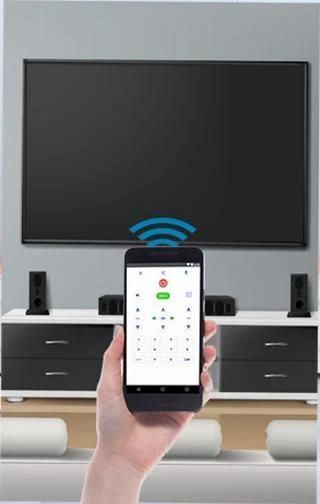
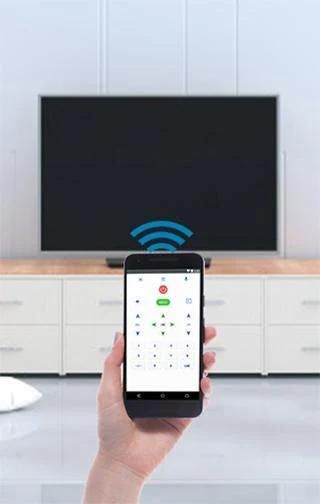
what if you could control your TV with your Android device? Try this amazing technika remote Control to convert your android device into a technika tv remote.
technika tv control remote supported all type of connection mode like IP, IR Port or Wifi connections.
Smart Android TV features are available in technika universal remote. It's simple and easy to configure and use.
In this app, Connection mode is also available like IP, IR, and Wifi. through Remote Control, you can connect your tv to your phone very easily.
How to Configure Tv Remote Control :
- Select TV from Tv List
- Select Connection like IP, IR Port or Wifi connection.
- Wait for a seconds until your connection done successful.
Awesome Features of Remote Control for Tv :
- Power On / Off control
- Volume Up / Down control
- Channel Up / Down control
- Menu Button with Up / Down and Left / Right controls.
This command is one of the easiest to use because of its clear interface, you only have to select the program and work. If your model is not supported, please indicate the name and we'll review in future updates.
The technika smart tv remotel will only work if phone and TV are on a same wireless network. So your TV and device are connected to the same network to work the remote control
In the Settings button, you can set the technika remote model, and the Info button, you can read and follow the steps you have to perform to monitor and remotely with universal command, it is quite simple.
If your phone not supporting IR then you can connect your phone to wifi via using technika Remote Control App
Note :
This app is supported by All technika Brand which listed in the app. This is an unofficial technika TV Remote Control application for these Television brand.
टेक्निक स्मार्ट टीवी रिमोटेल की अत्यधिक अनुशंसा की जाती है जब आपका सामान्य टेक्निका स्मार्ट टीवी रिमोट टूट गया हो या बैटरी से बाहर हो गया हो, और आप फोन को टेक्निक प्रतिस्थापन रिमोट के रूप में उपयोग करना चाहते हैं। आपको केवल निर्देशों का पालन करना होगा और सूची से अपने टीवी का मॉडल चुनना होगा।
टेक्निक टीवी नियंत्रण रिमोट आपके भौतिक टेक्निका टीवी रिमोट /
क्या होगा यदि आप अपने एंड्रॉइड डिवाइस के साथ अपने टीवी को नियंत्रित कर सकते हैं? अपने एंड्रॉइड डिवाइस को टेक्निका टीवी रिमोट में बदलने के लिए इस अद्भुत तकनीकी रिमोट कंट्रोल का प्रयास करें।
टेक्निक टीवी नियंत्रण रिमोट आईपी, आईआर पोर्ट या वाईफ़ाई कनेक्शन जैसे सभी प्रकार के कनेक्शन मोड का समर्थन करता है।
स्मार्ट एंड्रॉइड टीवी फीचर्स टेक्निक यूनिवर्सल रिमोट में उपलब्ध हैं। यह कॉन्फ़िगर और उपयोग करने में आसान और आसान है।
इस ऐप में, कनेक्शन मोड आईपी, आईआर और वाईफ़ाई जैसे भी उपलब्ध है। रिमोट कंट्रोल के माध्यम से, आप अपने टीवी को अपने फोन से बहुत आसानी से कनेक्ट कर सकते हैं।
टीवी रिमोट कंट्रोल को कॉन्फ़िगर कैसे करें:
- टीवी सूची से टीवी का चयन करें
- आईपी, आईआर पोर्ट या वाईफ़ाई कनेक्शन जैसे कनेक्शन का चयन करें।
- आपका कनेक्शन सफल होने तक एक सेकंड तक प्रतीक्षा करें।
टीवी के लिए रिमोट कंट्रोल की बहुत बढ़िया विशेषताएं:
- बिजली चालू / बंद नियंत्रण
- वॉल्यूम ऊपर / नीचे नियंत्रण
- चैनल ऊपर / नीचे नियंत्रण
- ऊपर / नीचे और बाएं / दाएं नियंत्रण के साथ मेनू बटन।
यह आदेश अपने स्पष्ट इंटरफेस के कारण उपयोग करने में सबसे आसान है, आपको केवल प्रोग्राम और काम का चयन करना होगा। यदि आपका मॉडल समर्थित नहीं है, तो कृपया नाम इंगित करें और हम भविष्य के अपडेट में समीक्षा करेंगे।
टेक्निका स्मार्ट टीवी रिमोटेल केवल तभी काम करेगा जब फोन और टीवी एक ही वायरलेस नेटवर्क पर हों। इसलिए रिमोट कंट्रोल करने के लिए आपका टीवी और डिवाइस उसी नेटवर्क से जुड़ा हुआ है
सेटिंग बटन में, आप टेक्निका रिमोट मॉडल और इन्फो बटन सेट कर सकते हैं, आप सार्वभौमिक कमांड के साथ मॉनिटर और दूरस्थ रूप से निगरानी करने के लिए किए गए चरणों को पढ़ और उनका पालन कर सकते हैं, यह काफी सरल है।
यदि आपका फोन आईआर का समर्थन नहीं कर रहा है तो आप टेक्निक रिमोट कंट्रोल ऐप का उपयोग कर अपने फोन को वाईफाई से कनेक्ट कर सकते हैं
ध्यान दें :
यह ऐप ऐप में सूचीबद्ध सभी टेक्निका ब्रांड द्वारा समर्थित है। यह इन टेलीविजन ब्रांड के लिए एक अनौपचारिक तकनीकी टीवी रिमोट कंट्रोल एप्लिकेशन है।




9Apps 4.9














