
There you can get the android apps APK installed on your device. 20,000+ users downloaded Server for irplus LAN latest version on 9Apps for free every week! Although you probably won't notice it at first. This hot app was released on 2019-12-26. You can quickly get it from 9Apps!
I have been very happy using binarymode's fine,
universal remote app
but my new phone lacks an IR Blaster. Thankfully, binrarymode created a
wifi version of his app
to support sending IR codes to a server for actual transmission. binarymode provides a python-based server to work with his client app. But it relies on a custom hardware solution that was beyond my skill level.
I realized that binarymode's efforts would enable me to use my old IR-equipped phone to create a virtual IR emitter for use with binarymode's LAN app on my new phone. All I needed to do was create a server app that runs on my old phone to capture the codes binarymode's client app sends and route those codes to my phone's IR Blaster. This app is the result.
When you install and run this app, it MUST be on a device that contains a built-in IR Blaster that can be recognized and used within the confines of Android's IR support. Sorry but this will exclude any of the IR emitters driven by audio through a headphone jack. This also means that only Android 4.3 and above can be supported as there was no built-in IR support in Android prior to this.
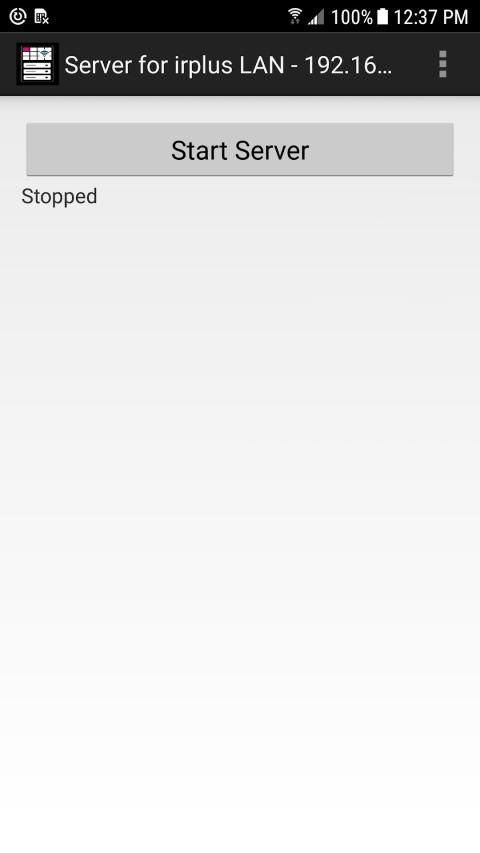
Using this app could not be easier. Just install it on your IR-equipped device, enable wifi, open the app, note the server's IP & port on the title bar (might help to see this using landscape mode), and press the Start Server button. Position your IR-equipped device somewhere with a good line of sight to the components you wish to control (I point it at my entertainment center) and you are ready to use binarymode's app on another device to send IR codes to this app for transmission.
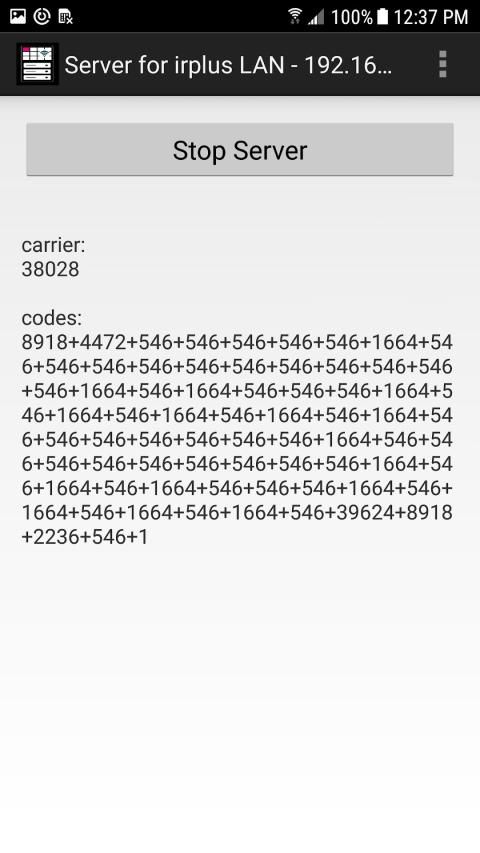
Once you have installed binarymode's LAN app on another device located on the same network as the IR-equipped device running this app, you should tap the options menu, choose settings, and put the IP & port shown in this app into the proper entry. Once done, you should be able to tap a button on a remote control and see a response on this app's main page. But more importantly, if all goes well, you should see your components respond to the IR code that was sent.
Because the IP must be the same for both this app and binarymode's app, it makes good sense to assign a static IP to the device running this app. In that way, the IP should not change unexpectedly and you will always know what the value should be. Instructions for doing this can easily be found for most wifi routers via a web search.
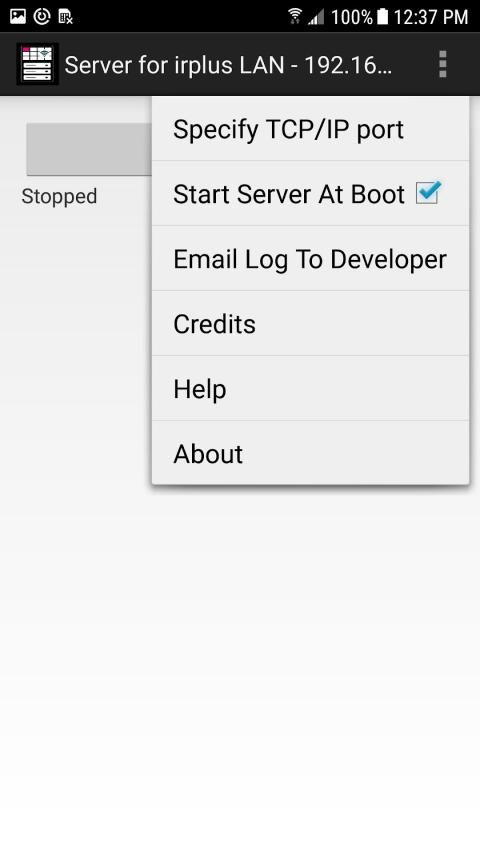
The menu in this app provide limited options. The one that I find important is the checkbox to have this app's server run automatically after each device boot. That way it should be ready when you are. However, please be aware that some devices have been found that do NOT properly notify apps when the boot process is complete. I know that the BLU Vivo XL2 is one such device. This is due to the device maker's decisions not mine and there is nothing I can do about it.
This app does not need to be visible and the screen can be off and it should still work fine. However, I do recommend that you keep the device running this app plugged into a charger to ensure that the server is alive and well when you want it. This is not required but merely a suggestion.
Also note that some of the built-in IR emitters found in devices have very narrow beams of operation and lower power levels. This means that the device running this app must be pointed directly at the components being controlled. It also means that IR signals may not penetrate glass or plastic. There is nothing I can do about that. One device that I have found to be outstanding with high power and a wide beam of operation is the Samsung Galaxy S6. But I am sure there are many others.
Please use the email address provided to let me know how this works for you. I will try to resolve problems when I can.
बाइनरीमोड के जुर्माने,
यूनिवर्सल रिमोट ऐप
का उपयोग करके मैं बहुत खुश हूं लेकिन मेरे नए फोन में IR ब्लास्टर की कमी है। शुक्र है कि, बीनवर्मोड ने
अपने ऐप के wifi संस्करण
का समर्थन करने के लिए बनाया वास्तविक प्रसारण के लिए एक सर्वर पर IR कोड भेजना। बाइनरीमोड अपने क्लाइंट ऐप के साथ काम करने के लिए एक पायथन-आधारित सर्वर प्रदान करता है। लेकिन यह एक कस्टम हार्डवेयर समाधान पर निर्भर करता है जो मेरे कौशल स्तर से परे था।
मुझे एहसास हुआ कि बाइनरीमोड के प्रयासों से मुझे अपने पुराने आईआर से लैस फोन का उपयोग करने में मदद मिलेगी ताकि मैं अपने नए फोन पर बाइनरीमोड के लैन ऐप के साथ उपयोग के लिए एक आभासी आईआर उत्सर्जक बना सकूं। मुझे बस इतना करने की ज़रूरत है कि एक सर्वर ऐप बनाया जाए जो मेरे पुराने फोन पर कोड बाइनरीमोड के क्लाइंट ऐप को भेजता है और उन कोड को अपने फ़ोन के आईआर ब्लास्टर पर रूट करने के लिए चलाता है। यह ऐप रिजल्ट है।
जब आप इस ऐप को इंस्टॉल और रन करते हैं, तो यह एक ऐसे डिवाइस पर होना चाहिए, जिसमें एक अंतर्निहित IR ब्लास्टर होता है जिसे एंड्रॉइड के आईआर सपोर्ट के दायरे में पहचाना और इस्तेमाल किया जा सकता है। क्षमा करें, लेकिन यह हेडफोन जैक के माध्यम से ऑडियो द्वारा संचालित किसी भी आईआर उत्सर्जक को बाहर कर देगा। इसका मतलब यह भी है कि केवल एंड्रॉइड 4.3 और इसके बाद के संस्करण का समर्थन किया जा सकता है क्योंकि इससे पहले एंड्रॉइड में कोई अंतर्निहित आईआर समर्थन नहीं था।
इस ऐप का इस्तेमाल करना आसान नहीं हो सकता था। बस इसे अपने आईआर से लैस डिवाइस पर स्थापित करें, वाईफाई सक्षम करें, ऐप खोलें, शीर्षक पट्टी पर सर्वर के आईपी और पोर्ट को नोट करें (यह लैंडस्केप मोड का उपयोग करके इसे देखने में मदद कर सकते हैं), और स्टार्ट सर्वर बटन दबाएं। अपने आईआर-लैस डिवाइस को उन घटकों की दृष्टि की एक अच्छी लाइन के साथ कहीं रखें, जिन्हें आप नियंत्रित करना चाहते हैं (मैं इसे मेरे मनोरंजन केंद्र पर इंगित करता हूं) और आप ट्रांसमिशन के लिए इस ऐप पर आईआर कोड भेजने के लिए किसी अन्य डिवाइस पर बाइनरीमोड के ऐप का उपयोग करने के लिए तैयार हैं।
एक बार जब आप इस ऐप को चलाने वाले IR- सुसज्जित डिवाइस के रूप में एक ही नेटवर्क पर स्थित बाइनरीमोड्स लैन ऐप को स्थापित करते हैं, तो आपको विकल्प मेनू पर टैप करना चाहिए, सेटिंग्स का चयन करना चाहिए, और इस ऐप में दिखाए गए आईपी और पोर्ट को उचित प्रविष्टि में डालना चाहिए। एक बार हो जाने के बाद, आपको रिमोट कंट्रोल पर एक बटन टैप करने और इस ऐप के मुख्य पृष्ठ पर प्रतिक्रिया देखने में सक्षम होना चाहिए। लेकिन इससे भी महत्वपूर्ण बात यह है कि अगर सब ठीक हो जाता है, तो आपको अपने घटकों को आईआर कोड के जवाब में देखना चाहिए जो भेजा गया था।
क्योंकि इस ऐप और बाइनरीमोड के ऐप दोनों के लिए आईपी एक ही होना चाहिए, यह इस ऐप को चलाने वाले डिवाइस को एक स्थिर आईपी असाइन करने के लिए अच्छा समझ में आता है। इस तरह, आईपी को अप्रत्याशित रूप से नहीं बदलना चाहिए और आपको हमेशा पता चलेगा कि मूल्य क्या होना चाहिए। ऐसा करने के निर्देश आसानी से वेब खोज के माध्यम से अधिकांश वाईफाई राउटर के लिए मिल सकते हैं।
इस ऐप में मेनू सीमित विकल्प प्रदान करता है। जो मुझे महत्वपूर्ण लगता है वह है प्रत्येक डिवाइस बूट के बाद इस ऐप के सर्वर को स्वचालित रूप से चलाने के लिए चेकबॉक्स। इस तरह से यह तब तैयार होना चाहिए जब आप हों। हालाँकि, कृपया ध्यान रखें कि कुछ डिवाइस पाए गए हैं जो बूट प्रक्रिया पूरी होने पर ऐप्स को ठीक से सूचित नहीं करते हैं। मुझे पता है कि BLU Vivo XL2 एक ऐसा उपकरण है। यह डिवाइस निर्माता के निर्णयों के कारण है न कि मेरा और इसके बारे में मैं कुछ नहीं कर सकता।
इस एप्लिकेशन को दिखाई देने की आवश्यकता नहीं है और स्क्रीन बंद हो सकती है और इसे अभी भी ठीक काम करना चाहिए। हालाँकि, मैं यह सलाह देता हूं कि आप इस ऐप को चालू रखने वाले डिवाइस को चार्जर में रखें ताकि यह सुनिश्चित हो सके कि आप जब चाहें तब सर्वर जिंदा रहे और ठीक रहे। यह केवल एक सुझाव की आवश्यकता नहीं है।
यह भी ध्यान दें कि उपकरणों में पाए जाने वाले कुछ अंतर्निहित आईआर एमिटर में ऑपरेशन के बहुत संकीर्ण बीम और कम बिजली का स्तर होता है। इसका मतलब है कि इस ऐप को चलाने वाले डिवाइस को नियंत्रित किए जा रहे घटकों पर सीधे इंगित किया जाना चाहिए। इसका मतलब यह भी है कि आईआर सिग्नल ग्लास या प्लास्टिक में प्रवेश नहीं कर सकते हैं। मेरे बारे में ऐसा कुछ नहीं है। एक उपकरण जिसे मैंने उच्च शक्ति के साथ बकाया पाया है और ऑपरेशन की एक विस्तृत बीम सैमसंग गैलेक्सी एस 6 है। लेकिन मुझे यकीन है कि कई अन्य लोग भी हैं।
कृपया मुझे यह बताने के लिए कि यह आपके लिए कैसे काम करता है, दिए गए ईमेल पते का उपयोग करें। जब मैं कर सकता हूं मैं समस्याओं को हल करने की कोशिश करूंगा।
Initial release. Tested and working on Samsung S6, Samsung Note 3 (domestic US), Samsung Note 3 (international), and Blu Vivo XL2 (however, does not start at boot). Please use the email address supplied for support.


9Apps 4.9















