

With the development of technology, more and more apps appeared in the mobile market. 30,000+ users downloaded Remote Mouse latest version on 9Apps for free every week! Although you probably won't notice it at first. This hot app was released on 2018-04-24. Remember it’s the app with great joy!
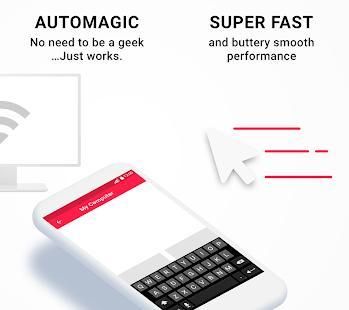
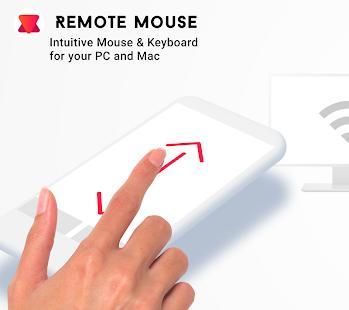
Control your Mac or PC with your smartphone or tablet. Supports mouse and keyboard entry. Simple and intuitive user experience, because it acts like a typical trackpad.
This makes RemoteMouse perfect to give a presentation or watch a movie on your computer and control everything remotely from your fingertips.
Automatic discovery
No need for IP addresses or configuration, your iDevice will automatically find your computer and connect to it. You can connect to as many computers as you like.
Full size trackpad
Wirelessly use your trackpad. Carefully designed so you can use it without looking: full screen with tucked away buttons. Supports the 2-finger scrolling gesture and right click with 2-finger tap.
Keyboard & Voice Input
Type as if you were sitting in front of your computer. Open up the keyboard or select voice input to.
Pro features coming soon:
* Change mouse sensitivity
* Left hand mode (switched buttons)
* Inverted scroll direction
* Function Keys
अपने स्मार्टफोन या टैबलेट के साथ अपने मैक या पीसी पर नियंत्रण रखें। माउस और कीबोर्ड प्रवेश का समर्थन करता है। सरल और सहज उपयोगकर्ता अनुभव, यह एक ठेठ ट्रैकपैड की तरह कार्य करता है क्योंकि।
यह RemoteMouse अपनी उंगलियों से दूरस्थ रूप से एक प्रस्तुति दे सकते हैं या अपने कंप्यूटर पर एक फिल्म देखने और नियंत्रित करने के लिए सब कुछ परिपूर्ण बनाता है।
स्वत: खोज
IP पते या विन्यास के लिए कोई ज़रूरत नहीं, अपने iDevice अपने आप आपके कंप्यूटर का पता लगाने और इसे करने के लिए कनेक्ट करेगा। आप जितने चाहें उतने कंप्यूटर से कनेक्ट कर सकते हैं।
पूर्ण आकार ट्रैकपैड
बिना किसी तार के अपने ट्रैकपैड का उपयोग करें। पूर्ण स्क्रीन दूर tucked बटन के साथ: ध्यान से तो आप इसे देख बिना उपयोग कर सकते हैं बनाया गया है। 2-उंगली स्क्रॉल इशारा और 2-उंगली नल के साथ राइट क्लिक समर्थन करता है।
कीबोर्ड और वॉयस इनपुट
टाइप के रूप में अगर आप अपने कंप्यूटर के सामने बैठे थे। कीबोर्ड खोलें या करने के लिए ध्वनि इनपुट का चयन करें।
प्रो सुविधाओं जल्द ही आ रहा:
* माउस बदलें संवेदनशीलता
* बाएँ हाथ मोड (बंद बटन)
* उल्टा स्क्रॉल दिशा
* फ़ंक्शन कुंजियां
Version 1.0




9Apps 4.9














