

We access you a main official website for app download. 20,000+ users downloaded Pixelmon latest version on 9Apps for free every week! You will feel better when you start playing This hot app was released on 2018-06-02. You can see more apps release recently on 9Apps.
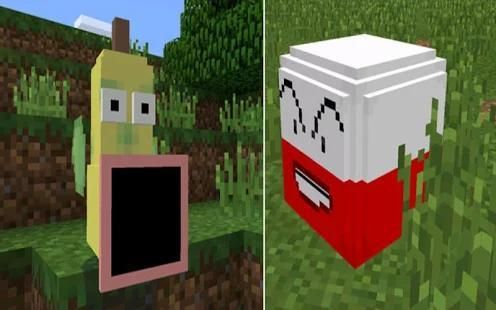
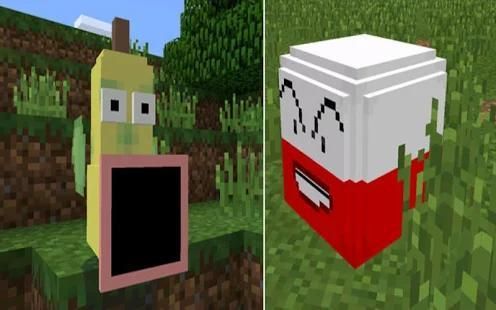
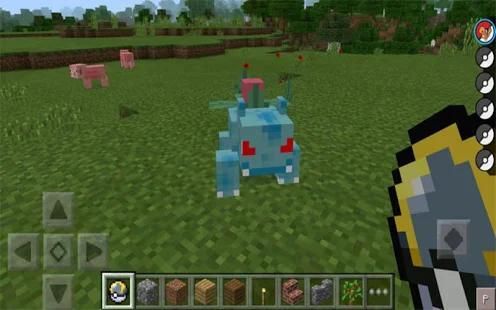
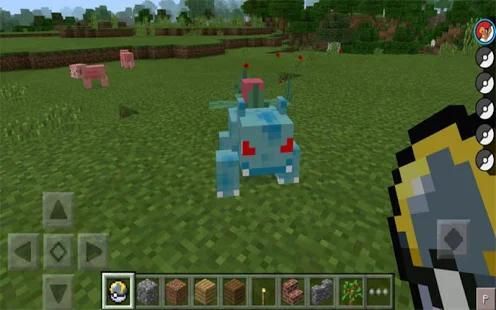
Pixelmon PE is an advanced Pokémon mod for Minecraft Pocket Edition. Even though it’s currently released as a beta version it has loads of features and many of them work quite well. You can catch Pokémon, duel others and use items such as the Pokedex to view detailed information about your Pokémon. Even for the fact it’s still being in beta it definitely is very fun to use and is most definitely worth testing out!
Getting Started
Before spawning in a world you will get an option to select which Pokémon you want to start out with. In this case I selected Charmander.
Spawning a Pokémon
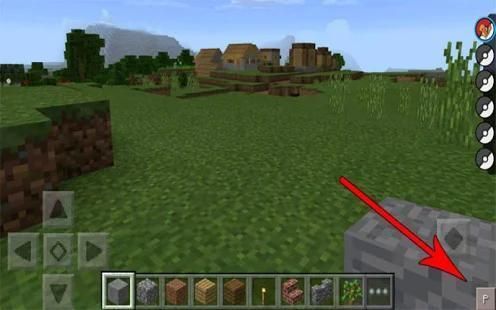
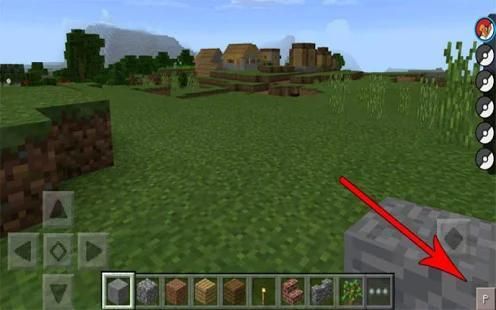
To spawn a Pokémon press the P button in the bottom right corner of the screen. A list of Poké Balls will appear on the right side of the screen. Long-tap on either of the Poké Balls to spawn the Pokémon. (In this case, you will just have one Poké Ball.)
Catching Pokémon
To catch Pokémon you will need some Poké Balls. There are three different types of Poké Balls and each of them have different chances (%) of catching Pokémon.
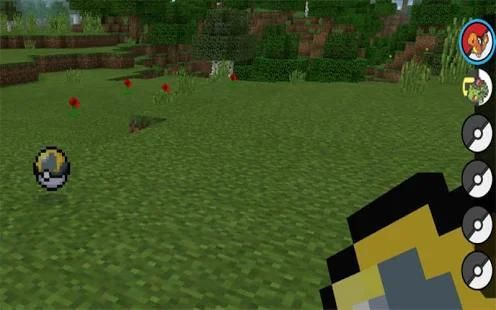
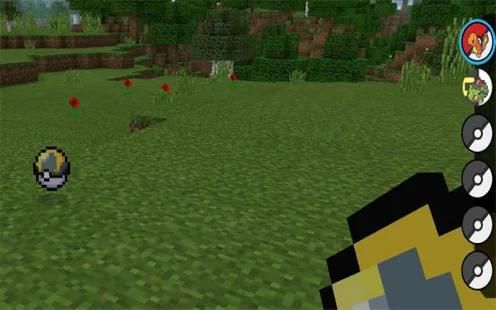
In this case I got an Ultra Ball. Throw it (long-tap) at a Pokémon (like a snowball) to catch it.
If you are successful it will appear on the right side of the screen among your other Poké Balls. You might need to press P in the bottom right corner in order to see the balls.
Hold down your finger on the Poké Ball to spawn the newly caught Pokémon.
Poké Ball (2008) – 1 Poké Ball Up + 1 redstone + 1 Poké Ball Down
Poké Ball Up (504) – 3 Red Apricorns
Poké Ball Down (507) – 4 iron ingots
Ultra Ball (2009) – 1 Ultra Ball Up + 1 redstone + 1 Poké Ball Down
Ultra Ball Up (505) – 2 Black Apricorns + 1 Yellow Apricorn
Great Ball (2010) – work in progress
Master Ball (2009) – 1 Master Ball Up + 1 Poké Ball + 1 Poké Ball Down
Master Ball Up (506) – 2 Pink Apricorns + 3 Purple Apricorns + 1 iron ingot
(to find a list of all other items, e.g. Apricorns, scroll down to the bottom)
Apricorn Trees
Some Poké Balls require some type of apricorn to be crafted. Apricorns can be harvested by breaking the tree which looks as seen in the image below.
There are four types of apricorn trees:
Red (common)
Yellow (rare)
Blue (super rare)
Black (ultra rare).
They spawn randomly in the world. After you’ve collected at least one it can be planted on the ground to grow more and they don’t require any water to grow.
Leveling Up
Some of the items can be used for feeding your Pokémon and helping it to level up. At the time we reviewed this it didn’t work but as soon the bug is fixed we’ll make sure to update this part.
Neither of the items can be crafted at this point. (This might be bugged at the moment!)
Rare Candy (3001)
Thunderstone (3002)
Waterstone (3003)
Moonstone (3004)
Leafstone (3005)
Firestone (3006)
Duskstone (3007)
Dawnstone (3008)
Two Pokémon in Minecraft PELots of Pokémon
Other Item/Block ID
These items are currently disabled. They will be enabled in the next update.
Red Apricorns (3015)
Black Apricorns (3019)
Purple Apricorns (3018)
Yellow Apricorns (3016)
Pink Apricorns (3020)
Blue Apricorn (3017)
Red Bonguri (3009)
Yellow Bonguri (3010)
Blue Bonguri (3011)
Black Bonguri (3013)
Purple Bonguri (3012)
Pink Bonguri (3014)
Upcoming Features
Pokémon Battles
More advanced system for apricorn trees
And much more!
Install Guide
1. Use ES File Explorer (or any other file manager app) to extract the downloaded zip file.
2. Copy the Pixelmon PE folder to /games/com.mojang/
3. Open BlockLauncher and load the textures (Texture.zip).
4. Then use BlockLauncher to install the mod (Pixelmon PE.js).
5. Done!
PS: Requires the latest BlockLauncher beta!
Pixelmon पीई Minecraft पॉकेट संस्करण के लिए एक उन्नत पोकीमोन आधुनिक है। भले ही यह एक बीटा संस्करण यह सुविधाओं का भार है के रूप में जारी है और उनमें से कई बहुत अच्छी तरह से काम करते हैं। आप अपने पोकीमोन बारे में विस्तृत जानकारी देखने के लिए पोकीमोन, द्वंद्वयुद्ध दूसरों और इस तरह के रूप में उपयोग के Pokédex आइटम पकड़ कर सकते हैं। यहां तक कि तथ्य यह है कि यह अभी भी बीटा में किया जा रहा है के लिए यह निश्चित रूप से बहुत उपयोग करने के लिए मजेदार है और सबसे निश्चित रूप से परीक्षण के लायक है!
शुरू करना
एक ऐसी दुनिया में उत्पन्न करने वाला इससे पहले कि आप जो पोकीमोन आप के साथ शुरू करना चाहते चयन करने का विकल्प मिल जाएगा। इस मामले में मैं चार्मान्डर का चयन किया।
पोकीमॉन को उत्पन्न करने
स्क्रीन के नीचे दायें कोने में एक पोकीमोन प्रेस पी बटन अंडे देने के लिए। Poké गेंदों की एक सूची स्क्रीन के दाईं ओर पर दिखाई देगा। Poké गेंदों में से किसी पर लंबे समय नल पोकीमोन अंडे देने के लिए। (इस मामले में, आप बस एक Poké गेंद होगा।)
पोकीमोन पकड़ने
पोकीमोन को पकड़ने के लिए आप कुछ Poké गेंदों की आवश्यकता होगी। वहाँ Poké गेंदों के तीन विभिन्न प्रकार हैं और उनमें से प्रत्येक पोकीमोन पकड़ने के विभिन्न अवसरों को (%) है।
इस मामले में मैं एक अल्ट्रा गेंद मिल गया। यह पकड़ने के लिए यह एक पोकीमोन (एक स्नोबॉल तरह) पर (लंबे समय से नल) फेंक देते हैं।
आप सफल हैं, तो यह आपके अन्य Poké गेंदों के बीच स्क्रीन के दाईं ओर पर दिखाई देगा। आपको गेंदों को देखने के लिए नीचे दाएं कोने में पी दबाने की आवश्यकता हो सकती है।
नव पकड़ा पोकीमोन अंडे Poké गेंद पर अपनी उंगली दबाए रखें।
Poké गेंद (2008) - 1 Poké गेंद ऊपर + 1 + 1 रेड्स्तोने Poké गेंद नीचे
Poké गेंद ऊपर (504) - 3 लाल Apricorns
Poké गेंद नीचे (507) - 4 लोहा सिल्लियां
अल्ट्रा गेंद (2009) - 1 अल्ट्रा गेंद ऊपर + 1 + 1 रेड्स्तोने Poké गेंद नीचे
अल्ट्रा गेंद ऊपर (505) - 2 काले Apricorns + 1 पीला Apricorn
ग्रेट बॉल (2010) - कार्य प्रगति पर
मास्टर गेंद (2009) - 1 मास्टर गेंद ऊपर + 1 Poké गेंद + 1 Poké गेंद नीचे
मास्टर गेंद ऊपर (506) - 2 गुलाबी Apricorns + 3 बैंगनी Apricorns +1 लोहा इनगट
(अन्य सभी आइटम, उदा Apricorns की एक सूची मिलेगी नीचे तक स्क्रॉल करते करने के लिए)
Apricorn पेड़
कुछ Poké गेंदों की आवश्यकता होती है APRICORN किसी प्रकार से तैयार किया जाना है। Apricorns पेड़ जो नीचे के रूप में छवि में देखा लग रहा है तोड़ कर काटा जा सकता है।
वहाँ APRICORN पेड़ों की चार प्रकार हैं:
लाल (सामान्य)
पीला (दुर्लभ)
ब्लू (सुपर दुर्लभ)
काले (अल्ट्रा दुर्लभ)।
वे दुनिया में बेतरतीब ढंग से अंडे। आप कम से कम एक एकत्र करने के बाद इसे और अधिक विकसित करने के लिए जमीन पर लगाया जा सकता है और वे की आवश्यकता नहीं है किसी भी पानी बढ़ने की।
ऊपर समतल
कुछ आइटम में अपने पोकीमोन खिला और यह स्तर ऊपर करने के लिए मदद करने के लिए इस्तेमाल किया जा सकता। समय हम यह काम नहीं किया की समीक्षा की लेकिन जैसे ही बग हम इस भाग को अद्यतन करने सुनिश्चित करेंगे तय हो गई है।
मदों की न तो इस बिंदु पर तैयार किया जा सकता है। (यह इस समय bugged किया जा सकता है!)
दुर्लभ कैंडी (3001)
Thunderstone (3002)
Waterstone (3003)
Moonstone (3004)
Leafstone (3005)
फायरस्टोन (3006)
Duskstone (3007)
Dawnstone (3008)
पोकीमोन की Minecraft PELots में दो पोकीमोन
अन्य मद / ब्लॉक आईडी
इन मदों वर्तमान में अक्षम हैं। वे अगले अद्यतन में सक्षम हो जाएगा।
लाल Apricorns (3015)
काले Apricorns (3019)
बैंगनी Apricorns (3018)
पीला Apricorns (3016)
गुलाबी Apricorns (3020)
ब्लू Apricorn (3017)
लाल Bonguri (3009)
पीला Bonguri (3010)
ब्लू Bonguri (3011)
काले Bonguri (3013)
बैंगनी Bonguri (3012)
गुलाबी Bonguri (3014)
आगामी विशेषताएं
पोकीमोन लड़ाई
APRICORN पेड़ों के लिए और अधिक उन्नत प्रणाली
और भी बहुत कुछ!
गाइड स्थापित करें
1. ES फ़ाइल एक्सप्लोरर (या किसी अन्य फ़ाइल प्रबंधक एप्लिकेशन) डाउनलोड ज़िप फ़ाइल को निकालने के लिए।
2. /games/com.mojang/ को Pixelmon पीई फ़ोल्डर कॉपी
3. ओपन BlockLauncher और बनावट लोड (Texture.zip)।
4. फिर आधुनिक (Pixelmon PE.js) स्थापित करने के लिए BlockLauncher का उपयोग करें।
5. हो गया!
पुनश्च: नवीनतम BlockLauncher बीटा आवश्यक है!
Bugs Fixed

9Apps 4.9















