




Thousands of top best android apps on 9Apps! 20,000+ users downloaded Calculator latest version on 9Apps for free every week! It has been a popular app for a long time. This hot app was released on 2019-06-11. 9Apps has thousands of apps and updated daily!
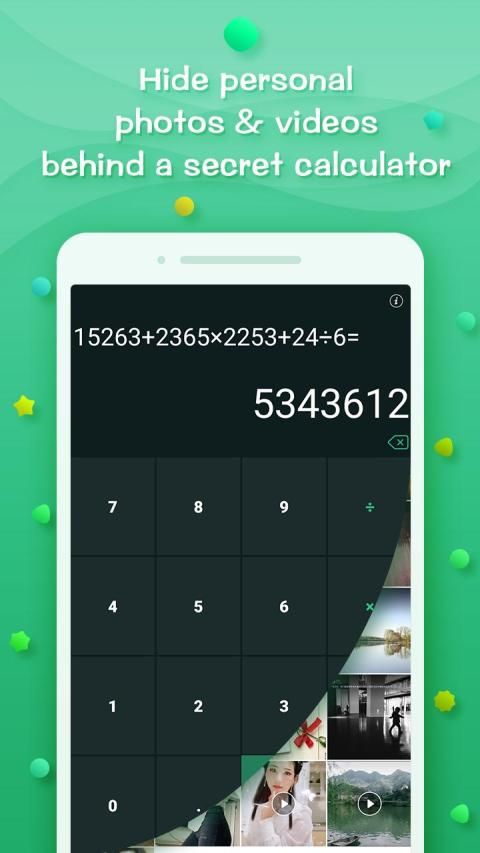
Photo Safe Calculator is the best privacy protection tool to hide your photos perfectly.
How to perfectly hide the photos you want to hide?
Step 1: Download and install the app.
After the installation is complete, the app's icon and name are like a calculator. When you open the app, it also shows the user interface of the calculator.
Step 2: Open your password after installation.
You can only open your album if you enter the correct password. If you accidentally lose your phone, others will not be able to see your photo in a private album.
Step 3: Go to the privacy album and choose to hide the photo.
You don't need to import images, Photo Safe Calculator will automatically read the system album, you just need to choose which photos to put in the privacy album.
We strive to create the safest privacy photo album app for you.
फोटो सेफ़ कैलकुलेटर आपकी तस्वीरों को पूरी तरह से छिपाने के लिए सबसे अच्छा गोपनीयता सुरक्षा उपकरण है।
उन तस्वीरों को पूरी तरह से कैसे छिपाएं जिन्हें आप छिपाना चाहते हैं?
चरण 1: एप्लिकेशन को डाउनलोड और इंस्टॉल करें।
इंस्टॉलेशन पूरा होने के बाद, ऐप का आइकन और नाम कैलकुलेटर की तरह होता है। जब आप ऐप खोलते हैं, तो यह कैलकुलेटर के उपयोगकर्ता इंटरफ़ेस को भी दिखाता है।
चरण 2: स्थापना के बाद अपना पासवर्ड खोलें।
यदि आप सही पासवर्ड दर्ज करते हैं तो आप केवल अपना एल्बम खोल सकते हैं। यदि आप गलती से अपना फोन खो देते हैं, तो अन्य आपकी फोटो को एक निजी एल्बम में नहीं देख पाएंगे।
चरण 3: गोपनीयता एल्बम पर जाएं और फ़ोटो को छिपाने के लिए चुनें।
आपको छवियों को आयात करने की आवश्यकता नहीं है, फोटो सेफ़ कैलकुलेटर स्वचालित रूप से सिस्टम एल्बम को पढ़ लेगा, आपको बस यह चुनने की ज़रूरत है कि गोपनीयता एल्बम में कौन सी फ़ोटो डालनी हैं।
हम आपके लिए सबसे सुरक्षित गोपनीयता फोटो एल्बम ऐप बनाने का प्रयास करते हैं।
Keep your photos safe:)






9Apps 4.9















