
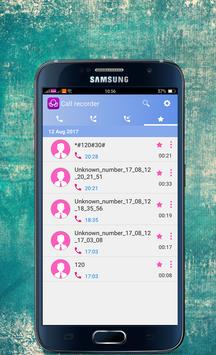
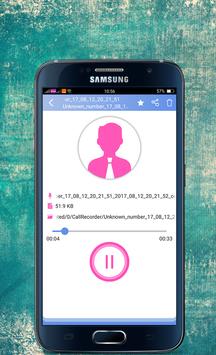
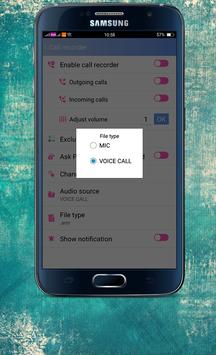
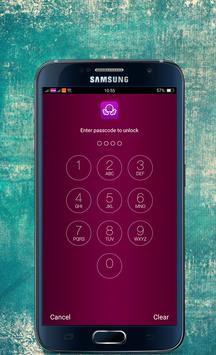
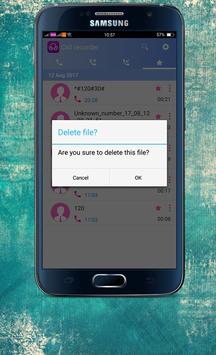
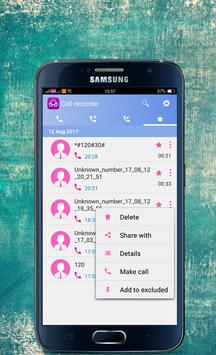
My Call Recorder Automatic is a free call recorder application. It is one of the best call recorders in the Play Store. Best call recorder application to record incoming and outgoing calls automatically. Record any phone call you want and choose which calls you want to save. You can set which calls are recorded and which are ignored.
My Call Recorder Automatic Features:
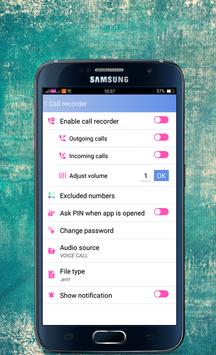
✓- Record your all calls automatically while calling or ask every-time to record new call.
✓- Play, save and delete, call recordings
✓- Record incoming call
✓- Record Outgoing call
✓- Favorite
✓- Search
✓- Share recording to Bluetooth, Message etc.
✓- Ignore recording for specific contact or phone number
✓- Add caller phone number to contacts
✓- See caller history
✓- Notification with caller image.
✓- Vibrate device on start of call recording.
✓- Notification on device on start of call recording with blinking light (if your device supports it).
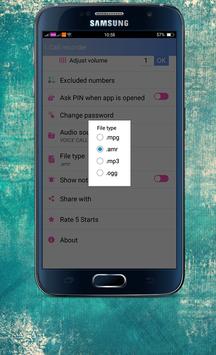
✓- Record your call in MP3, WAV, MP4, AMR or 3GPP format.
✓- You can play back, or save your files on your SD card in mp3, wav, mp4, amr or 3gpp format.
✓- Different options of audio quality are available.
✓- You can listen your communication or calls recordings in your on device default audio player.
✓- White list
✓- Blacklist
✓- It’s FREE!
✓- And many more..
Notes My Call Recorder Automatic :
✓. Please note that some devices are not compatible or not allow to record calls.
✓. Please confirm that your device should not have more than one call recording application, otherwise it can create issues.
✓. Some devices record low voice of other party, in this problem, please enable automatic speaker, on start of call recording by going application and then more settings.
✓. If call recorder does not record calls, please restart your device to try again. If it does not record again then your device might not support call recording.
✓. This app might not be working when you are using other apps to record something, such as wechat, LINE: Free Calls & Messages, voice recorder or other call recorder.
✓. If you get error "msg_create_file_error", then please test, Have your device been with sdcard or memory card? If not, please change recordings destination path to any other path by going into more settings and recording path and change it correctly.
✓. You can select WAV, 3GPP, MP4 or AMR audio encoding format, if MP3 recording not working properly on some devices.
✓. If you get "Sorry recording starting failed", please try other recording options like change Audio source or sample rate.
✓. If you select option Always ask from settings, then after selecting this option, you will be ask every-time to record call after one second on outgoing call and after one second after you pick or answer incoming call.
✓. Default voice quality is 8kHz, If it does not work on your device you can change from Quality options, 8kHz or 44.1kHz (High quality but might not works on some devices) are usually used by people.
✓. If you select WAV file format then try sample rate 44.1kHz. This action will increase the file size but quality of audio become very crystal clear.
My Call Recorder Automatic TIPS :
Devices not recording calls should try all options in settings if non work then try theses options:
1. Choose Always Ask from Menu->Settings->Default Recording Mode->Always Ask
2. Now on each call select to record after call picked up.
You can use My Call Recorder Automatic to make and record national or international calls from any Android device including tablets.
In any problem contact:bgusef@gmail.com




9Apps 4.9














