
There are hundreds of new apps released every week, 20,000+ users downloaded Install Apps On Sd Card Pro latest version on 9Apps for free every week! More functions were added in this app. This hot app was released on 2019-03-12. You can see more apps release recently on 9Apps.
Move Apps To Sd Card-File Transfer&Moves App:
One common Point with computing devices : PCs, laptops, smartphones, and tablets—is the way they tend to feel sluggish over time. You’re always going to get peak performance when they’re brand new out of the box, but the accumulated apps, files, photos, and updates end up using system resources, which results in slower operation.
With Move Apps To Sd Card-File Transfer&Moves App and proper upkeep and the right hardware, you can maintain optimal performance on your Android smartphone or tablet as long as it has a microSD card slot.
If you have an Android phone or tablet with a small amount of storage, you probably keep uninstalling apps to make room for other ones. But there is a way to expand the storage of an Android device if it has an SD card slot.
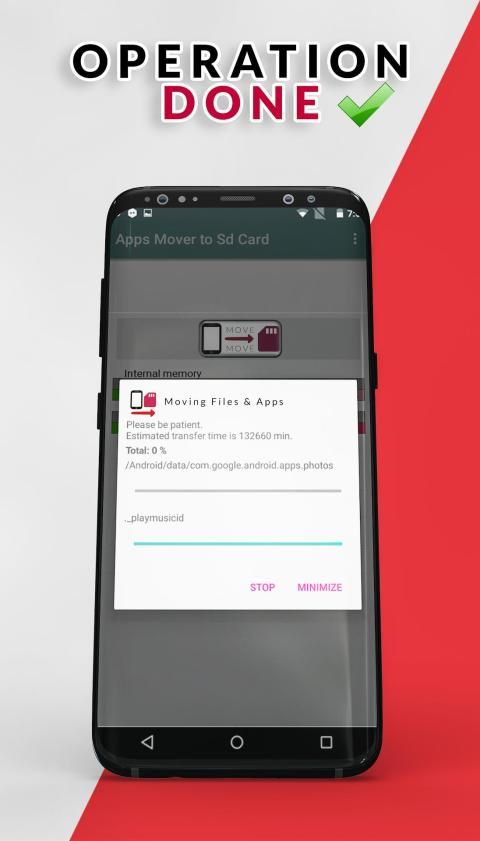
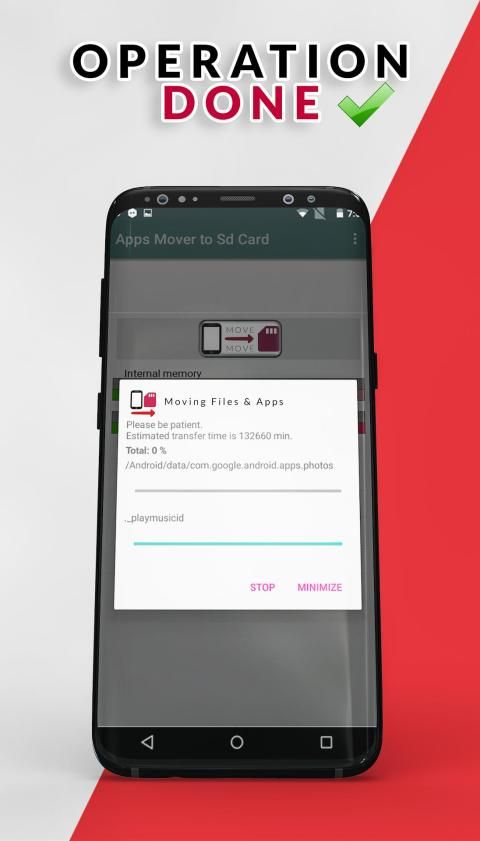
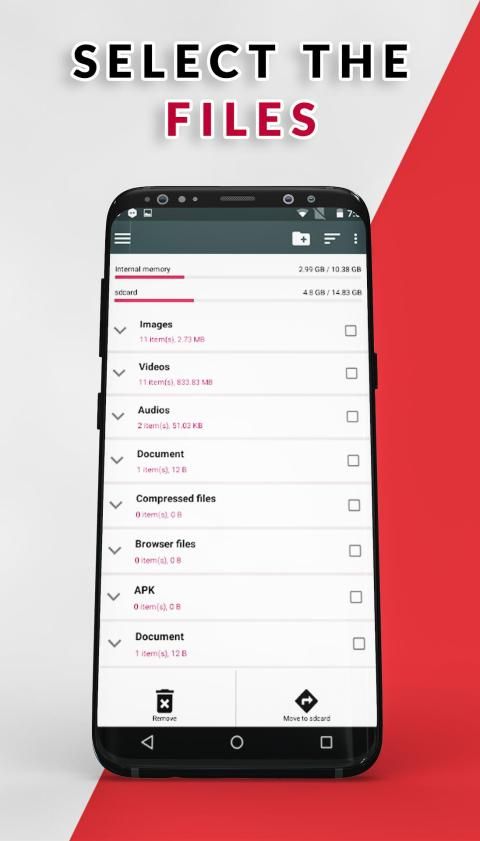
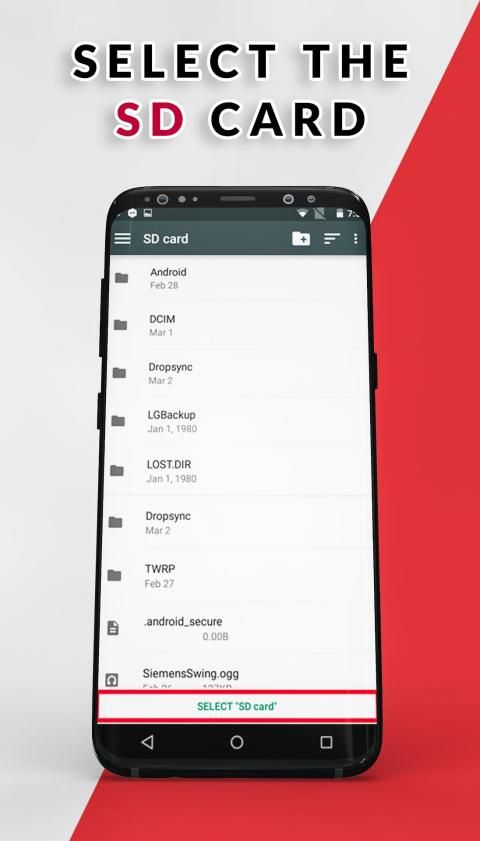
This Install Apps On Sd Card App is a one click fast solution to move your files from internal memory to SD card in your phone. Move your photos, videos and other downloads to your SD card.
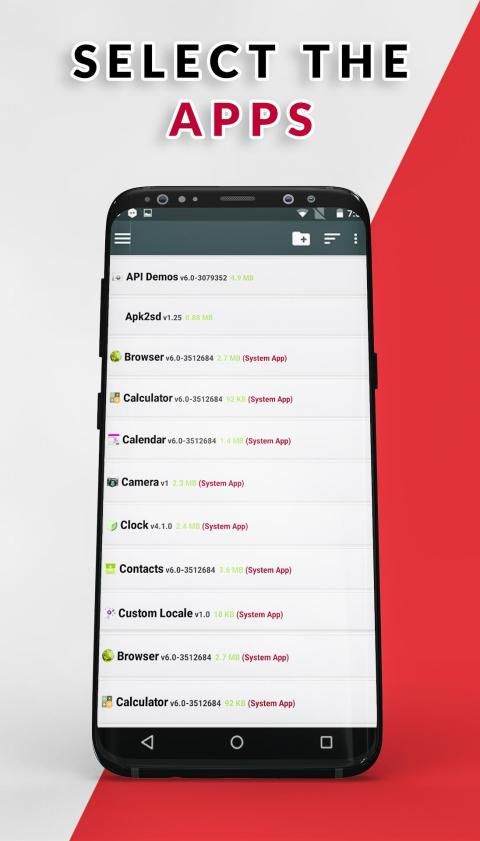
If you’re an Android user who’s moved apps before, chances are good that you’re well aware of the limitations. Some apps are deemed as too important by their developer, and thus can’t be moved via normal methods. Many apps that ship with the device can’t be moved either.
Method :
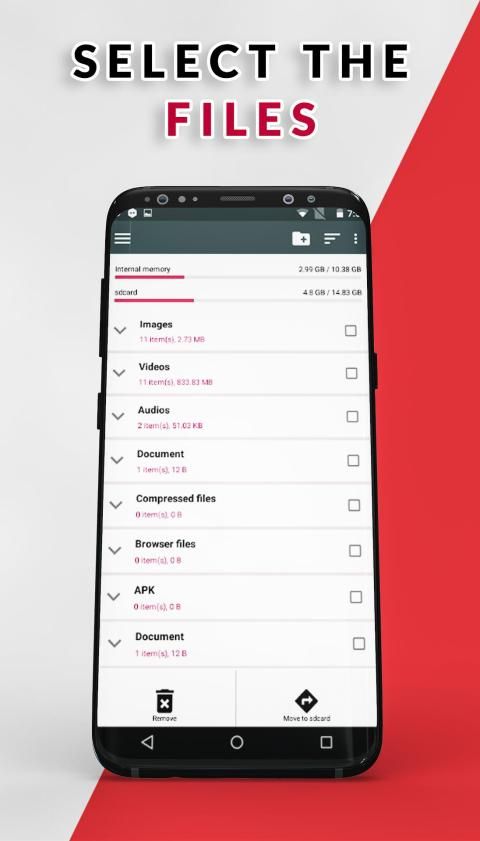
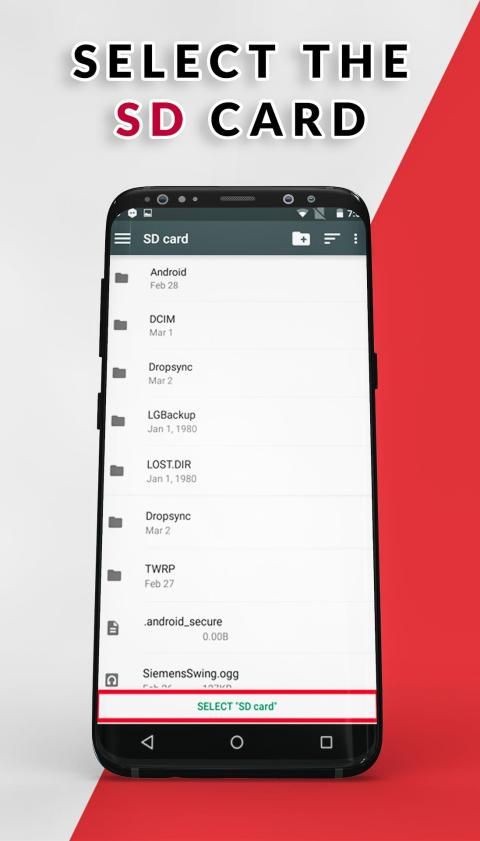
1 -- Select Your Device Memory Card Destination
2 --Select All Your files & Apps showing in the Main Menu
3 --Press the thumb icon on the above side of the Menu
4 --Move Your Files & Apps to the Memory Card
Enjoy The Fresh Memory
ऐप्स को Sd कार्ड-फ़ाइल स्थानांतरण और मूव ऐप में ले जाएं:
कंप्यूटिंग डिवाइस के साथ एक सामान्य बिंदु: पीसी, लैपटॉप, स्मार्टफोन, और टैबलेट - वह तरीका है जो वे समय के साथ सुस्त महसूस करते हैं। जब आप बिलकुल नए आउट ऑफ बॉक्स हो जाते हैं, तो आप हमेशा चरम प्रदर्शन प्राप्त करने वाले होते हैं, लेकिन संचित ऐप्स, फाइलें, फोटो और अपडेट सिस्टम संसाधनों का उपयोग करके समाप्त हो जाते हैं, जिसके परिणामस्वरूप धीमी कार्रवाई होती है।
कार्ड-फाइल ट्रांसफर एंड मूव्स ऐप और उचित अपडाउन और सही हार्डवेयर के लिए मूव ऐप्स के साथ, आप अपने एंड्रॉइड स्मार्टफोन या टैबलेट पर तब तक इष्टतम प्रदर्शन बनाए रख सकते हैं जब तक इसमें माइक्रोएसडी कार्ड स्लॉट न हो।
यदि आपके पास थोड़ी मात्रा में स्टोरेज वाला एंड्रॉइड फोन या टैबलेट है, तो आप शायद दूसरे के लिए जगह बनाने के लिए ऐप्स अनइंस्टॉल करते रहें। लेकिन एक एंड्रॉइड डिवाइस के स्टोरेज का विस्तार करने का एक तरीका है यदि इसमें एसडी कार्ड स्लॉट है।
यह एसडी कार्ड ऐप पर एप्लिकेशन इंस्टॉल करें अपनी फ़ाइलों को आंतरिक मेमोरी से एसडी कार्ड में स्थानांतरित करने के लिए एक क्लिक तेज समाधान है। अपने फ़ोटो, वीडियो और अन्य डाउनलोड को अपने एसडी कार्ड में स्थानांतरित करें।
यदि आप एक Android उपयोगकर्ता हैं, जो पहले ऐप्स ले गए हैं, तो संभावना अच्छी है कि आप सीमाओं से अच्छी तरह वाकिफ हैं। कुछ ऐप्स को उनके डेवलपर द्वारा बहुत महत्वपूर्ण माना जाता है, और इस तरह उन्हें सामान्य तरीकों से स्थानांतरित नहीं किया जा सकता है। कई ऐप जो डिवाइस के साथ शिप करते हैं, उन्हें भी स्थानांतरित नहीं किया जा सकता है।
तरीका :
1 - अपने डिवाइस मेमोरी कार्ड गंतव्य का चयन करें
2 - मुख्य मेनू में आपकी सभी फाइलें और एप्लिकेशन चुनें
3 - मेनू के ऊपर की तरफ अंगूठे के आइकन को दबाएं
4 - मेमोरी कार्ड के लिए अपनी फ़ाइलें और ऐप्स को छोड़ें
ताजा स्मृति का आनंद लें
Fixed Bugs & new Features



9Apps 4.9














