

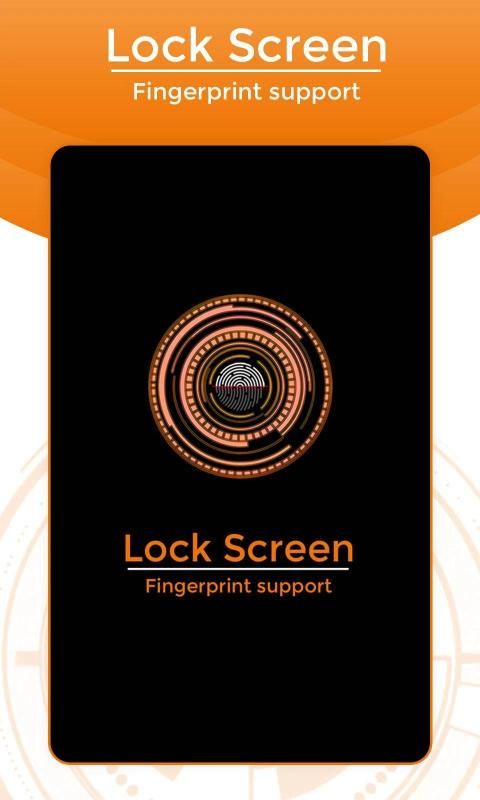
Big event coming! 30,000+ users downloaded Lock Screen With Fingur Print Support Guide latest version on 9Apps for free every week! Once you've used it, you'll be attracted. This hot app was released on 2019-02-08. And it takes your phone small room to run it.
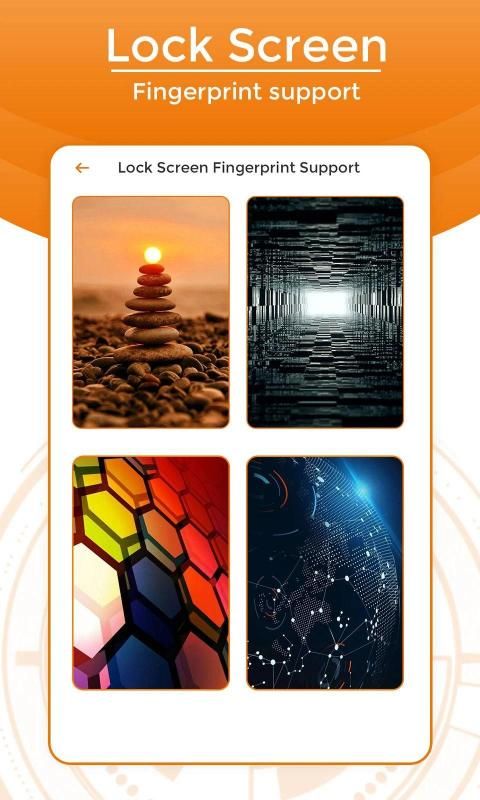
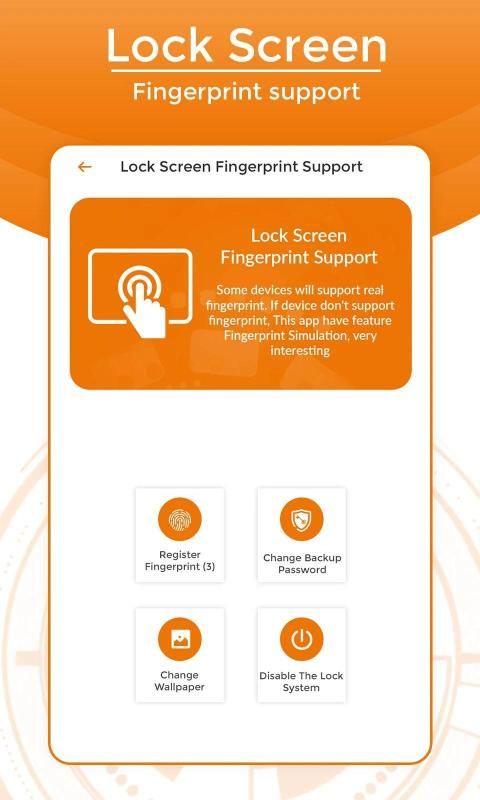
Fingerprint Lock screen is application which helps you unlock your mobile phone by simulate to scan your fingerprints. Fingerprints graphics very amazing and scan is very great that make this application more professional. We have more ten brilliant, beautiful wallpapers which is provided to decode your screen.
You can unlock by password when you scan your fingerprints. Lock screen will more security when you set up password.
This Fingerprints Lock screen application not really determined your fingerprints, it is only simulation application.
It takes photo of snooper that tries to unlock your apps with wrong passwords, patterns or fingerprint and send email to you immediately with photo and details.
~ Fingerprint app lock is supported by all phones who has Fingerprint hardware and Marshmallow Android Version and if you don't have one then our Fingerprint Simulator enables simulated App lock support for any phone you have. Enable Simulator from settings and you can simulate fingerprint app lock with PIN or Patten.
There are more than 10 brilliant and beautiful wallpapers provided to decorate your screen to the best.
Feature:
★ Lock screen with password
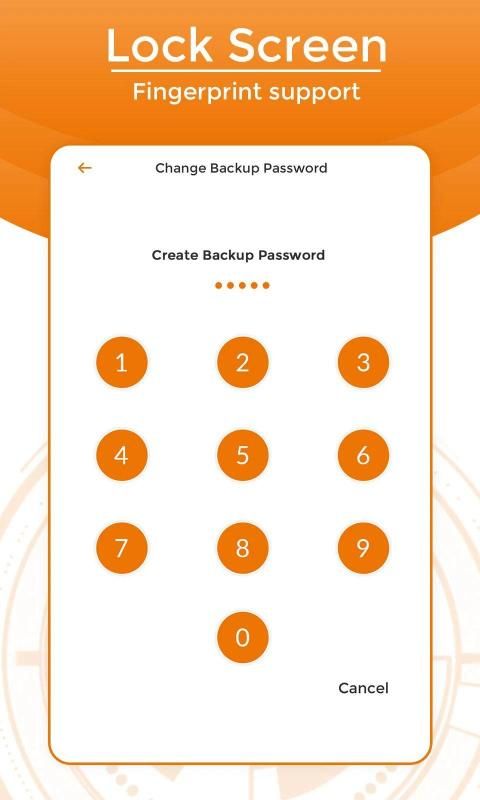
★ Create password to lock your phone with lenght max is 8 number
★ Fingerprint support (only work on supported devices)
★ Fingerprint Simulation
★ Lock screen with a password safe with anyone
★ Stable operation
★ High security, prevent log in your mobile phone
★ Fingerprints Simulation machine with graphic amazing
★ Security: easy to set pattern password to protect your phone
★ Lot of beautiful password lock themes
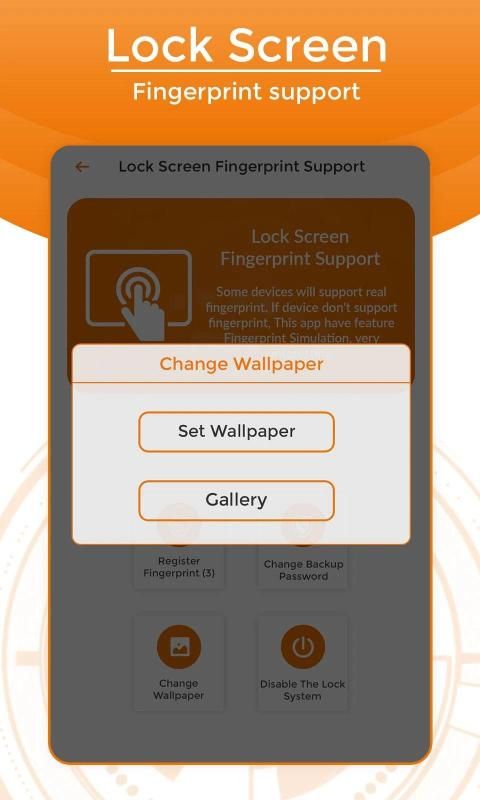
★ Multiple wallpaper to choose, you can choose your own wallpaper from gallery too
★ Consume less memory and battery
★ Support your languages
★ Support almost phones and tablet devices
To make app working on fingerprint password, you must setup your fingerprint lock first on phone settings. When this is ON, the fingerprint lock screen will be enabled at unlock screen, otherwise it requires pattern or password for lock screen instead.
How to use:
Open application:
1. Activate lock:
+ Tick Enable lock screen
+ Create password to lock screen with lenght max is 8 number
+ Confirm password
2. Change wallpaper
+ Click change wallpaper
+ Choonse wallpaper availble or in gallery
+ Crop, rotate wallpaper and save
3. change password
+ Click Change password
+ Enter old password
+ Create password to lock screen with lenght max is 8 number
+ Confirm password
---FQA---
1. How to protect my phone ?
You need setups lock screen (enable lock) and create password
THANK YOU!!!
फ़िंगरप्रिंट लॉक स्क्रीन एक ऐसा एप्लिकेशन है जो आपके मोबाइल फ़ोन को अनलॉक करने में आपकी उंगलियों के निशान को स्कैन करने में मदद करता है। फ़िंगरप्रिंट ग्राफिक्स बहुत ही अद्भुत और स्कैन बहुत शानदार है जो इस एप्लिकेशन को अधिक पेशेवर बनाते हैं। हमारे पास अधिक दस शानदार, सुंदर वॉलपेपर हैं जो आपकी स्क्रीन को डीकोड करने के लिए प्रदान किए गए हैं।
जब आप अपनी उंगलियों के निशान को स्कैन करते हैं तो आप पासवर्ड द्वारा अनलॉक कर सकते हैं। जब आप पासवर्ड सेट करेंगे तो लॉक स्क्रीन पर अधिक सुरक्षा होगी।
यह फ़िंगरप्रिंट लॉक स्क्रीन एप्लिकेशन ने वास्तव में आपकी उंगलियों के निशान निर्धारित नहीं किए हैं, यह केवल सिमुलेशन एप्लीकेशन है।
यह स्नूपर की तस्वीर लेता है जो आपके एप्लिकेशन को गलत पासवर्ड, पैटर्न या फिंगरप्रिंट के साथ अनलॉक करने की कोशिश करता है और फोटो और विवरण के साथ आपको तुरंत ईमेल भेजता है।
~ फ़िंगरप्रिंट ऐप लॉक उन सभी फोनों द्वारा समर्थित है जिनके पास फ़िंगरप्रिंट हार्डवेयर और मार्शमैलो एंड्रॉइड वर्जन है और यदि आपके पास एक नहीं है तो हमारा फ़िंगरप्रिंट सिम्युलेटर आपके पास किसी भी फोन के लिए नकली ऐप लॉक समर्थन को सक्षम करता है। सिम्युलेटर को सेटिंग्स से सक्षम करें और आप पिन या पैटन के साथ फिंगरप्रिंट ऐप लॉक का अनुकरण कर सकते हैं।
आपकी स्क्रीन को बेहतरीन ढंग से सजाने के लिए 10 से अधिक शानदार और सुंदर वॉलपेपर प्रदान किए गए हैं।
फ़ीचर:
★ पासवर्ड के साथ लॉक स्क्रीन
★ लैंथ मैक्स के साथ अपने फोन को लॉक करने के लिए पासवर्ड बनाएं 8 नंबर
★ फिंगरप्रिंट समर्थन (समर्थित उपकरणों पर केवल काम)
★ फिंगरप्रिंट सिमुलेशन
★ किसी के साथ सुरक्षित पासवर्ड के साथ लॉक स्क्रीन
★ स्थिर संचालन
★ उच्च सुरक्षा, अपने मोबाइल फोन में लॉग इन को रोकें
★ ग्राफिक अद्भुत के साथ फिंगरप्रिंट सिमुलेशन मशीन
★ सुरक्षा: अपने फोन की सुरक्षा के लिए पैटर्न पासवर्ड सेट करना आसान है
★ सुंदर पासवर्ड लॉक विषयों की बहुत
★ चुनने के लिए कई वॉलपेपर, आप गैलरी से भी अपने खुद के वॉलपेपर चुन सकते हैं
★ कम मेमोरी और बैटरी का सेवन करें
★ अपनी भाषाओं का समर्थन करें
★ लगभग फोन और टैबलेट उपकरणों का समर्थन करें
ऐप को फिंगरप्रिंट पासवर्ड पर काम करने के लिए, आपको अपना फिंगरप्रिंट लॉक पहले फ़ोन सेटिंग पर सेट करना होगा। जब यह चालू होता है, तो फिंगरप्रिंट लॉक स्क्रीन को अनलॉक स्क्रीन पर सक्षम किया जाएगा, अन्यथा इसके लिए लॉक स्क्रीन के लिए पैटर्न या पासवर्ड की आवश्यकता होती है।
कैसे इस्तेमाल करे:
आवेदन खोलें:
1. सक्रिय ताला:
+ लॉक स्क्रीन सक्षम करें टिक
+ लिन्क अधिकतम के साथ लॉक स्क्रीन के लिए पासवर्ड बनाएं 8 नंबर है
+ पासवर्ड की पुष्टि करें
2. वॉलपेपर बदलें
+ परिवर्तन वॉलपेपर पर क्लिक करें
+ चूनसे वॉलपेपर उपलब्ध या गैलरी में
+ फसल, वॉलपेपर घुमाएं और बचाएं
3. पासवर्ड बदलें
+ पासवर्ड बदलें पर क्लिक करें
+ पुराना पासवर्ड डालें
+ लिंच मैक्स के साथ लॉक स्क्रीन के लिए पासवर्ड बनाएं 8 नंबर
+ पासवर्ड की पुष्टि करें
--- FQA ---
1. अपने फोन की सुरक्षा कैसे करें?
आपको सेटअप लॉक स्क्रीन (लॉक सक्षम करें) और पासवर्ड बनाने की आवश्यकता है
धन्यवाद!!!





9Apps 4.9














