
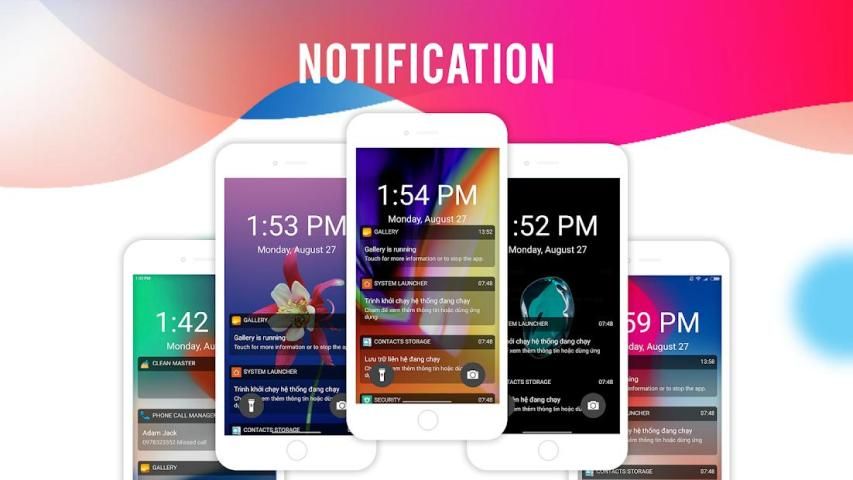
9Apps supports free android apps apk download. 20,000+ users downloaded Lock Screen latest version on 9Apps for free every week! If you are not comfortable with the old version then you can updated it right now. This hot app was released on 2018-09-26. If you still need more information collecting extra factors, read below.
This is mobile phone that many people want to have,but not every one has the ability to own it.
now this app lock Iphone can realize your dream.
With Lock screen, you will be able to personalize your lock screen with artworks and designer themes. You won't believe your eyes!
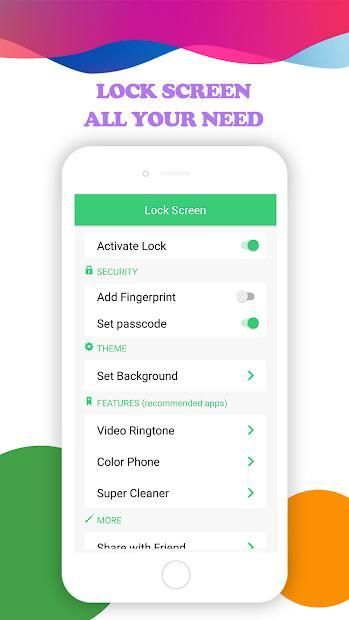
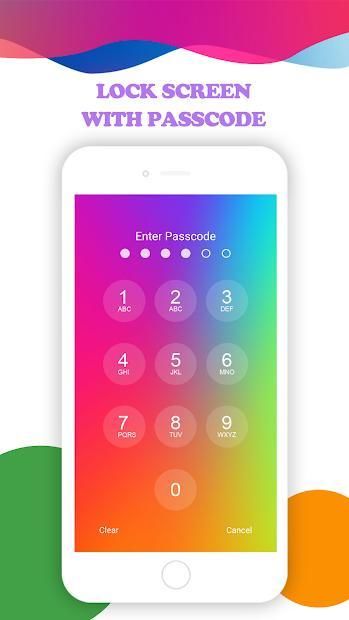
For increased security, you have to just enable pin lock in settings in this application and create own password for unlock phone screen.
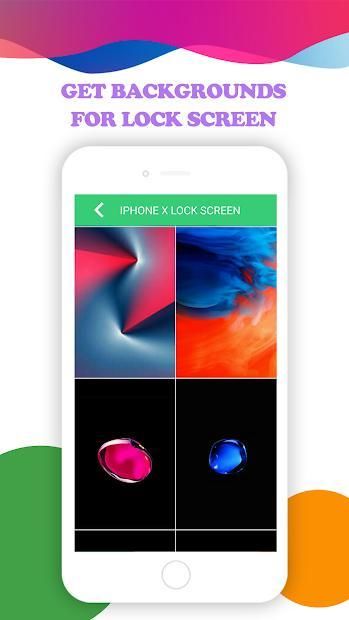
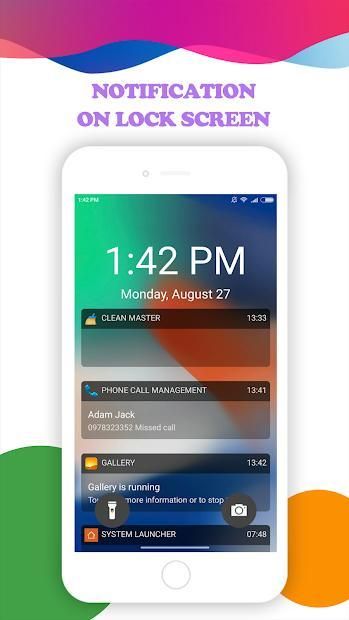
When you open the application there you will see a few settings which will allow you to customize the lock screen of your android phone. Very easy user interface will help you to customize the application. User can customize the lock screen with inbuilt HD-Wallpaprs . You can get the notifications right on your lock screen in the similar way that is available in the X lock screen. You can also open notifications from your lock screen.
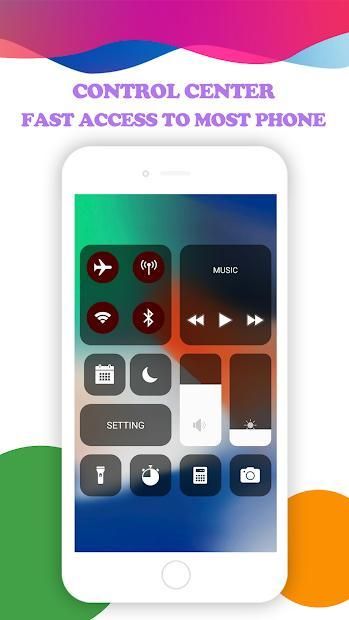
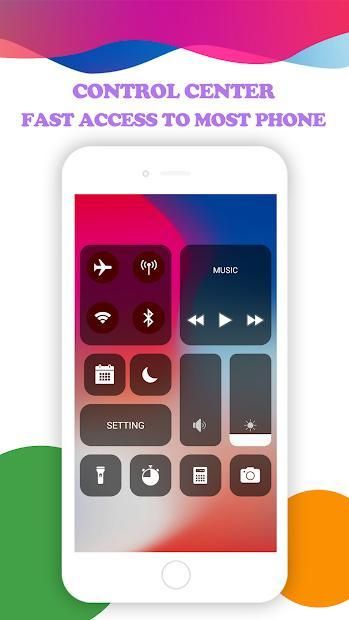
Lock Screen Phone X for OS 11 also once you activate the Phone X lock screen style, you will have access to control center on the top of screen (Control Center OS 11). You can control a lot of things here, like flashlight, Wi-Fi and Bluetooth, settings, brightness and a lot more.
Lock Screen Phone X: Os 11 Lock Screen features a lot of other varieties of the lock screen similar to that of the OS 11 locker. You can also set a pin here, which is asked every time you unlock your phone and this will increase the privacy of your phone. You can activate and deactivate the pin protection with the security options in the app.
Features of the Lock Screen Phone X :
- Phone X type Lock Screen
- Beautiful and Easy UI
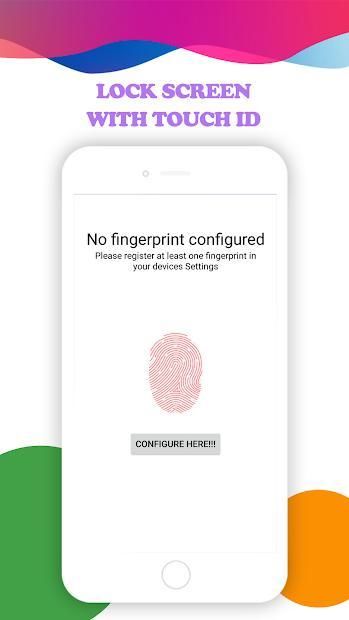
- Unlock Phone with Passcode or Fingerprint
- Lock Screen Customisation
- Support set wallpaper from phone X wallpapers
- Super cool OS 11 lock screens for your android
- Works on most of the android phones
How to Use:
1. Open the app settings, and tick the Enable Screen toggle to enable it.
2. Click the Disable System Lock in case you use the system lock.
3. Click the Set Wallpaper to switch to different beautiful backgrounds.
4. Enable the Pin Lock button box if pin mode is required.
NEW OS 11 Control Center – OS 11 Setting
OS 11 Lock Screen Control Center contain most used switches and looks amazing! iOS lockscreen control your device with only one panel with the New OS 11 Style.
Phone X Lock Screen Wallpapers
Lockscreen for Phone X bring for you experience all the same great design features from OS 11 on your Android device. With wallpaper for Phone X, you’ll never know the difference! If you want to customize your wallpaper, you can select an image from your gallery and use it as a background picture!
The app features a lot of other varieties of the lock screen similar to that of the OS locker. You can select any one out of them under the option ‘Change Lock Screen’. You can also set a pin here, which is asked every time you unlock your phone and this will increase the privacy of your phone. You can activate and deactivate the pin protection with the security options in the app.
And much more amazing function…
Want an Lock Screen Phone X for OS 11 on your Android? Get OS11 Locker and experience new Phone Lock Screen with notifications, keypad lock screen, and more great features. And don’t forget rate Lock Screen for Phone X 5* in store to support us. Thank for support.
Any kind of suggestions and feedback will be much appreciated for future necessary updates.I will update for app for app more complete.
If you have any query, reach us at : team3aemthanhcongnha11@gmail.com
यह मोबाइल फोन है कि बहुत से लोग चाहते हैं, लेकिन हर किसी के पास इसका स्वामित्व रखने की क्षमता नहीं है।
अब यह ऐप लॉक आईफोन आपके सपनों को महसूस कर सकता है।
लॉक स्क्रीन के साथ, आप कलाकृति और डिजाइनर विषयों के साथ अपनी लॉक स्क्रीन को वैयक्तिकृत करने में सक्षम होंगे। आप अपनी आंखों पर विश्वास नहीं करेंगे!
बढ़ी हुई सुरक्षा के लिए, आपको इस एप्लिकेशन में सेटिंग्स में पिन लॉक को सक्षम करना होगा और अनलॉक फोन स्क्रीन के लिए अपना पासवर्ड बनाना होगा।
जब आप एप्लिकेशन खोलेंगे तो आपको कुछ सेटिंग्स दिखाई देगी जो आपको अपने एंड्रॉइड फोन की लॉक स्क्रीन को कस्टमाइज़ करने की अनुमति देगी। बहुत आसान यूजर इंटरफेस आपको एप्लिकेशन को कस्टमाइज़ करने में मदद करेगा। उपयोगकर्ता इनबिल्ट एचडी-वालपैपर्स के साथ लॉक स्क्रीन को कस्टमाइज़ कर सकता है। आप एक्स लॉक स्क्रीन में उपलब्ध तरीके से अपनी लॉक स्क्रीन पर अधिसूचनाएं प्राप्त कर सकते हैं। आप अपनी लॉक स्क्रीन से नोटिफिकेशन भी खोल सकते हैं।
एक बार जब आप फोन एक्स लॉक स्क्रीन शैली को सक्रिय करते हैं तो ओएस 11 के लिए लॉक स्क्रीन फोन एक्स, आपको स्क्रीन के शीर्ष पर नियंत्रण केंद्र तक पहुंच होगी (कंट्रोल सेंटर ओएस 11)। आप फ्लैशलाइट, वाई-फाई और ब्लूटूथ, सेटिंग्स, चमक और बहुत कुछ जैसे कई चीजों को नियंत्रित कर सकते हैं।
लॉक स्क्रीन फोन एक्स: ओएस 11 लॉक स्क्रीन में ओएस 11 लॉकर की तरह लॉक स्क्रीन की कई अन्य किस्में हैं। आप यहां एक पिन भी सेट कर सकते हैं, जिसे हर बार जब आप अपने फोन को अनलॉक करते हैं तो पूछा जाता है और इससे आपके फोन की गोपनीयता बढ़ जाएगी। आप ऐप में सुरक्षा विकल्पों के साथ पिन सुरक्षा को सक्रिय और निष्क्रिय कर सकते हैं।
लॉक स्क्रीन फोन एक्स की विशेषताएं:
- फोन एक्स प्रकार लॉक स्क्रीन
सुंदर और आसान यूआई
- पासकोड या फिंगरप्रिंट के साथ फोन अनलॉक करें
- लॉक स्क्रीन अनुकूलन
- फोन एक्स वॉलपेपर से समर्थन सेट वॉलपेपर
- अपने एंड्रॉइड के लिए सुपर कूल ओएस 11 लॉक स्क्रीन
- अधिकांश एंड्रॉइड फोन पर काम करता है
कैसे इस्तेमाल करे:
1. ऐप सेटिंग्स खोलें, और इसे सक्षम करने के लिए सक्षम स्क्रीन टॉगल पर टिकटें।
2. यदि आप सिस्टम लॉक का उपयोग करते हैं तो अक्षम करें सिस्टम लॉक पर क्लिक करें।
3. विभिन्न सुंदर पृष्ठभूमि में स्विच करने के लिए सेट वॉलपेपर पर क्लिक करें।
4. पिन मोड की आवश्यकता होने पर पिन लॉक बटन बॉक्स सक्षम करें।
नया ओएस 11 कंट्रोल सेंटर - ओएस 11 सेटिंग
ओएस 11 लॉक स्क्रीन कंट्रोल सेंटर में सबसे ज्यादा इस्तेमाल किए गए स्विच होते हैं और अद्भुत लगते हैं! आईओएस लॉकस्क्रीन नई डिवाइस 11 स्टाइल के साथ केवल एक पैनल के साथ अपने डिवाइस को नियंत्रित करता है।
फोन एक्स लॉक स्क्रीन वॉलपेपर
फोन एक्स के लिए लॉकस्क्रीन आपके एंड्रॉइड डिवाइस पर ओएस 11 से सभी बेहतरीन डिजाइन फीचर्स का अनुभव करता है। फोन एक्स के लिए वॉलपेपर के साथ, आप कभी अंतर नहीं जानेंगे! यदि आप अपने वॉलपेपर को कस्टमाइज़ करना चाहते हैं, तो आप अपनी गैलरी से एक छवि का चयन कर सकते हैं और इसे पृष्ठभूमि चित्र के रूप में उपयोग कर सकते हैं!
ऐप में ओएस लॉकर की तरह लॉक स्क्रीन की कई अन्य किस्में हैं। आप 'चेंज लॉक स्क्रीन' विकल्प के तहत उनमें से किसी एक को चुन सकते हैं। आप यहां एक पिन भी सेट कर सकते हैं, जिसे हर बार जब आप अपने फोन को अनलॉक करते हैं तो पूछा जाता है और इससे आपके फोन की गोपनीयता बढ़ जाएगी। आप ऐप में सुरक्षा विकल्पों के साथ पिन सुरक्षा को सक्रिय और निष्क्रिय कर सकते हैं।
और बहुत अधिक अद्भुत काम ...
अपने एंड्रॉइड पर ओएस 11 के लिए लॉक स्क्रीन फोन एक्स चाहते हैं? ओएस 11 लॉकर प्राप्त करें और अधिसूचनाओं, कीपैड लॉक स्क्रीन, और अधिक शानदार सुविधाओं के साथ नई फोन लॉक स्क्रीन का अनुभव करें। और हमें समर्थन करने के लिए स्टोर में फोन एक्स 5 * के लिए लॉक स्क्रीन दर मत भूलना। समर्थन के लिए धन्यवाद।
भविष्य में आवश्यक अपडेट के लिए किसी भी प्रकार के सुझाव और फीडबैक की सराहना की जाएगी। मैं ऐप के लिए एप के लिए अपडेट कर दूंगा।
यदि आपके पास कोई प्रश्न है, तो हमें यहां पहुंचे: team3aemthanhcongnha11@gmail.com
New App




9Apps 4.9














