
Have you ever read one of those reviews about a app? 20,000+ users downloaded Grantha latest version on 9Apps for free every week! This app has been greatly welcomed in India. This hot app was released on 2020-06-01. Download and play this free app for android mobile phone now!
The Grantha script was designed for writing sacred texts in the Sanskrit language.
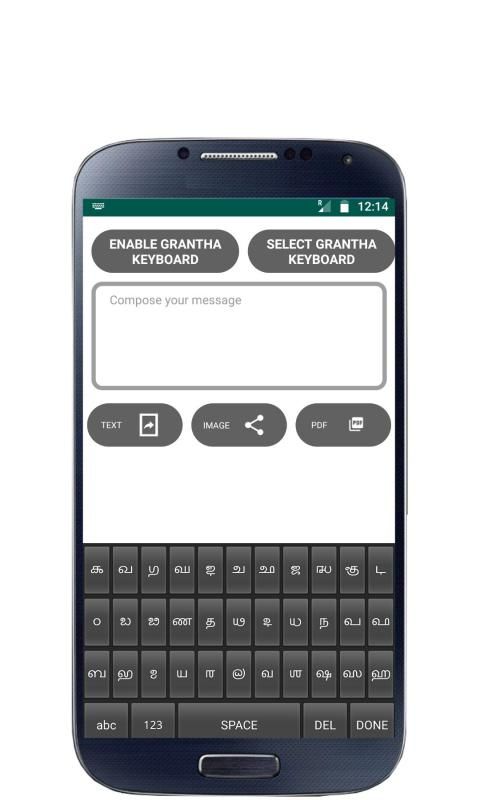
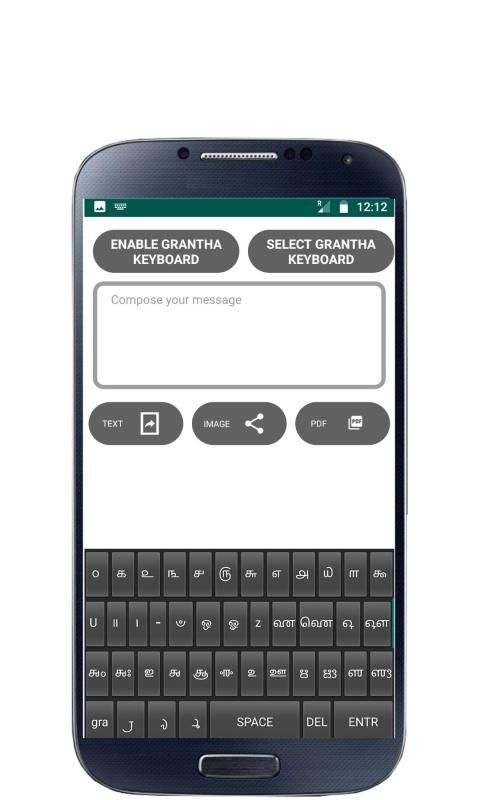
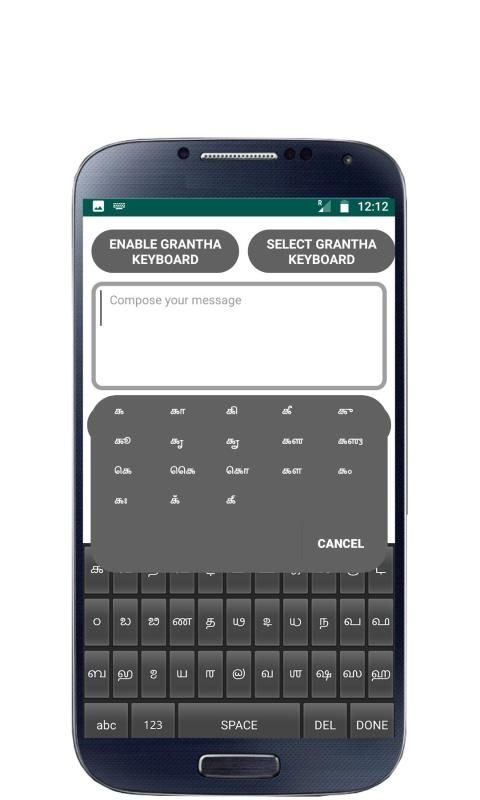
Grantha app is a touch-screen keyboard for inputting text in Grantha.Grantha app uses a logically ordered design based on the structure of Grantha script.
How to Enable Grantha Keyboard on your Mobile
Android Version 2.0 and above
Settings - Locale and Text - Select Grantha Keyboard.
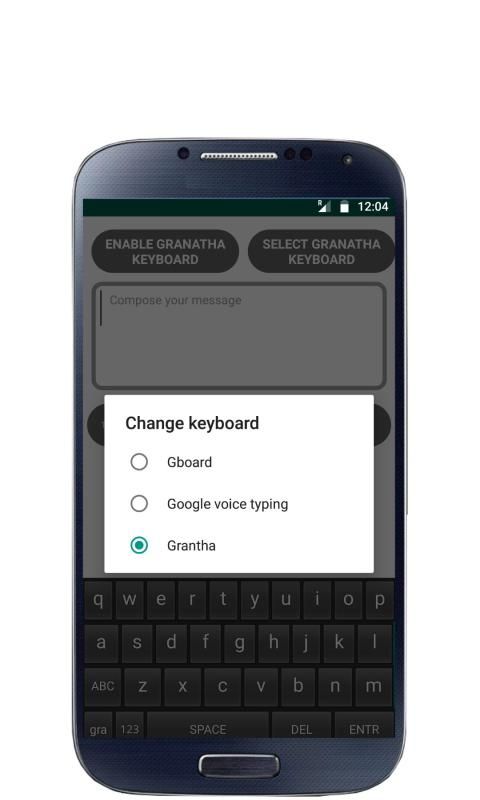
Long press in a text box and select input method and then select Grantha Keyboard.
Android Version 3.0 and above
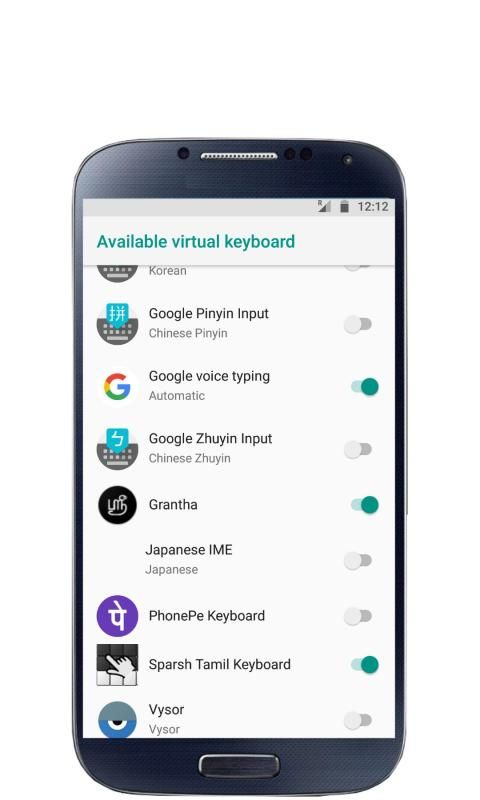
Settings - Language and input - Configure input methods - Enable Grantha Keyboard - Go Back - Current input method - Select Grantha Keyboard
Android Version 4.0 and above
Settings - Language and input - Enable Grantha Keyboard - Select Default - Select Grantha Keyboard
Other Steps to ensure working of Grantha :-
After installation, you can verify the Grantha Installation, Open “Settings” and go to “Language and Keyboard” - you can see the Grantha Keyboard on listing.
To Make Input method as Grantha Keyboard. Theoretically, you can use with any textbox ( SMS, Search or wherever the textinput requires), You can find a keyboard icon at top left of title bar, please click on that.
Choose an input method such as "Grantha Keyboard." Your Android Mobile will now use this method.
ग्रन्थ लिपि को संस्कृत भाषा में पवित्र ग्रंथ लिखने के लिए डिज़ाइन किया गया था।
ग्रन्थ ऐप ग्रन्थ में टेक्स्ट को इनपुट करने के लिए एक टच-स्क्रीन कीबोर्ड है। ग्रांथा ऐप ग्रांथा स्क्रिप्ट की संरचना के आधार पर तार्किक रूप से ऑर्डर किए गए डिज़ाइन का उपयोग करता है।
अपने मोबाइल पर ग्रांथा कीबोर्ड कैसे सक्षम करें
Android संस्करण 2.0 और ऊपर
सेटिंग्स - लोकेल और टेक्स्ट - ग्रांट कीबोर्ड का चयन करें।
एक टेक्स्ट बॉक्स में लंबे समय तक प्रेस करें और इनपुट विधि का चयन करें और फिर ग्रांथा कीबोर्ड का चयन करें।
Android संस्करण 3.0 और ऊपर
सेटिंग्स - भाषा और इनपुट - इनपुट विधियों को कॉन्फ़िगर करें - ग्रांथा कीबोर्ड सक्षम करें - वापस जाएं - वर्तमान इनपुट विधि - ग्रांट कीबोर्ड का चयन करें
Android संस्करण 4.0 और ऊपर
सेटिंग्स - भाषा और इनपुट - ग्रांथा कीबोर्ड सक्षम करें - डिफ़ॉल्ट चुनें - ग्रांथा कीबोर्ड का चयन करें
ग्रन्थ का कार्य सुनिश्चित करने के लिए अन्य कदम: -
स्थापना के बाद, आप ग्रांथा इंस्टॉलेशन को सत्यापित कर सकते हैं, "सेटिंग" खोलें और "भाषा और कीबोर्ड" पर जाएं - आप लिस्टिंग के लिए ग्रांथा कीबोर्ड देख सकते हैं।
ग्रांथा कीबोर्ड के रूप में इनपुट विधि बनाने के लिए। सैद्धांतिक रूप से, आप किसी भी टेक्स्टबॉक्स के साथ उपयोग कर सकते हैं (एसएमएस, खोज या जहां भी टेक्स्टइनपुट की आवश्यकता होती है), आप टाइटल बार के शीर्ष पर एक कीबोर्ड आइकन पा सकते हैं, कृपया उस पर क्लिक करें।
एक इनपुट विधि चुनें जैसे कि "ग्रांथा कीबोर्ड।" अब आपका Android मोबाइल इस विधि का उपयोग करेगा।
A initial release


9Apps 4.9