

9Apps is your first choice to download apps. 20,000+ users downloaded Copy Paste Any Text Trial latest version on 9Apps for free every week! The app is superior that can be used with any of the mobile type. This hot app was released on 2019-11-14. To read more info about mobile apps, you can click on 9Apps.
Trial version allows you to copy paste up to 5 times before it expires.
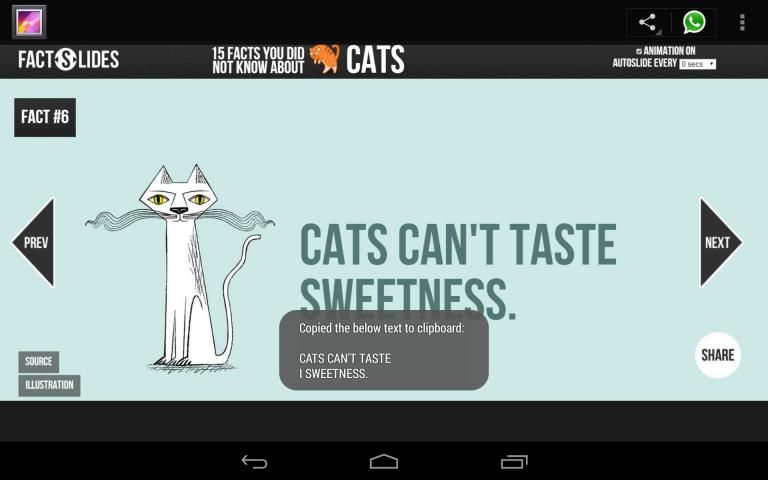
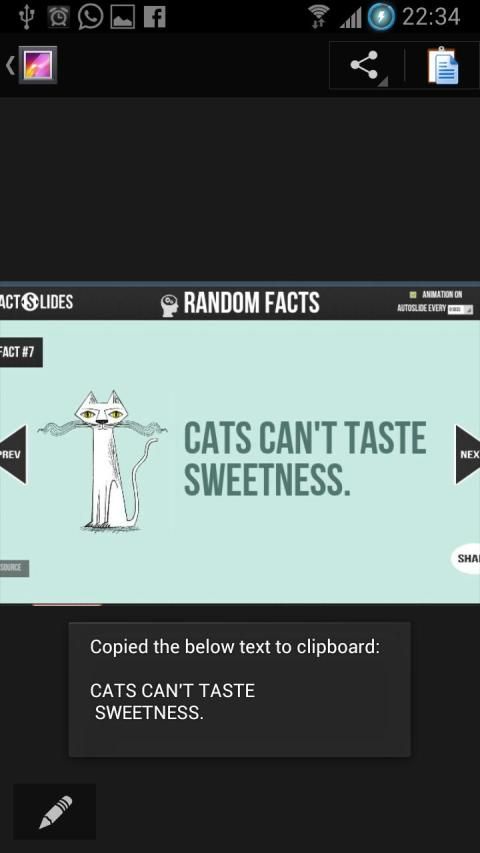
Copy paste any text as long as you can see it on your screen!
Featured in Android Authority's Indie app of the day http://www.androidauthority.com/copy-paste-any-text-instantly-366278/
Frustrated because you can't copy some text to clipboard although it looks like it could? This is the app for you - a universal copy and paste solution for Android!
**Only requirement is that your device is able to take screenshots (Using built in hardware short cut keys (preferred) or third party apps)**
Strong points compare to similar apps:
1) Root is NOT required
2) No complicated setup procedures - some apps require user to connect the device to a PC, download some drivers and go through a set of instructions (often painful) to enable auto screenshot. This procedure has to be repeated every time the device reboots.
3) Not running as background service - launches only when you need it.
4) Nothing in notification bar - some apps adds an unremovable notification in notification bar.
5) No internet connection required after initial download.
6) Landscape mode is fully supported.
Weak points:
1) Doesn't take screenshots automatically
2) Screenshots were left in device, requires manual deletion.
3) URLs don't copy well
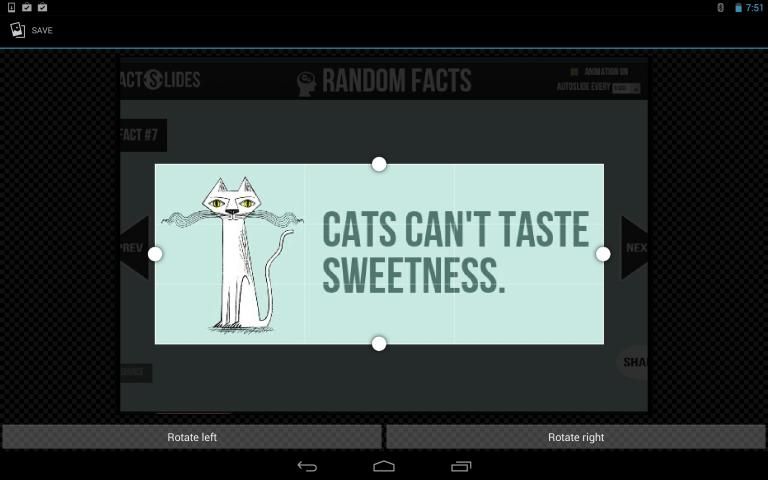
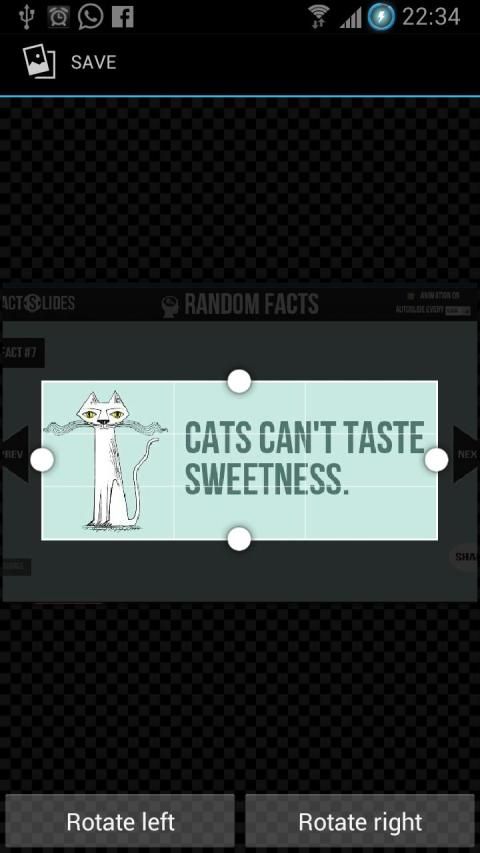
This app uses OCR (Optical Character Recognition) technology to read text from images. Yes it doesn't have to be a screenshot, you may choose any images from your gallery.
Note: OCR result for Arabic, Hindi, Gujarati, Chinese, Japanese and Korean is very bad. (this is due to the OCR engine)
Supports 60 languages:
Afrikaans, Albanian, Ancient Greek, Arabic, Azerbaijani, Bangla/Bengali, Basque, Belarusian, Bulgarian, Catalan, Chinese (Simplified), Chinese (Traditional), Croatian, Czech, Danish, Dutch, English, Esperanto, Estonian, Finnish, French, Galician, German, Greek, Gujarati, Hebrew, Hindi, Hungarian, Icelandic, Indonesian, Italian (Old), Italian, Japanese, Kannada, Korean, Latvian, Lithuanian, Macedonian, Malay, Malayalam, Maltese, Norwegian, Polish, Portuguese, Romanian, Russian, Serbian (Latin), Slovak, Slovenian, Spanish (old), Spanish, Swahili, Swedish, Tagalog, Tamil, Telugu, Thai, Turkish, Ukrainian, Vietnamese
परीक्षण संस्करण आप इसे समाप्त होने से पहले 5 गुना तक कॉपी पेस्ट करने के लिए अनुमति देता है।
जब तक आप अपने स्क्रीन पर देख सकते हैं के रूप में किसी भी पाठ कॉपी पेस्ट!
दिन के एंड्रॉयड प्राधिकरण की इंडी एप्लिकेशन को http://www.androidauthority.com/copy-paste-any-text-instantly-366278/ में विशेष रुप से प्रदर्शित
आप इसे सकता है की तरह लग रहा है, हालांकि क्लिपबोर्ड में कुछ पाठ की नकल नहीं कर सकते हैं क्योंकि हताश? यह तुम्हारे लिए app है - Android के लिए एक सार्वभौमिक कॉपी और पेस्ट समाधान!
** केवल आवश्यकता ** अपनी डिवाइस (हार्डवेयर छोटा रास्ता चाबियाँ (पसंदीदा) या तीसरी पार्टी क्षुधा में बनाया का उपयोग करके) स्क्रीनशॉट लेने के लिए सक्षम है
मजबूत अंक इसी तरह की क्षुधा से तुलना करें:
1) रूट की आवश्यकता नहीं है
2) कोई जटिल सेटअप प्रक्रियाओं - कुछ क्षुधा, एक पीसी के लिए डिवाइस से कनेक्ट कुछ ड्राइवरों डाउनलोड और ऑटो स्क्रीनशॉट सक्षम करने के लिए निर्देशों का एक सेट (अक्सर दर्दनाक) के माध्यम से जाने के लिए उपयोगकर्ता की आवश्यकता होती है। यह प्रक्रिया डिवाइस रिबूट हर बार दोहराया जाना है।
3) पृष्ठभूमि सेवा के रूप में चल रहा है न - जब आप यह आवश्यकता केवल शुरूआत।
4) सूचना पट्टी में कुछ भी नहीं है - कुछ क्षुधा सूचना पट्टी में एक unremovable अधिसूचना कहते हैं।
प्रारंभिक डाउनलोड करने के बाद आवश्यक 5) कोई इंटरनेट कनेक्शन।
6) लैंडस्केप मोड पूरी तरह से समर्थित है।
कमजोर अंक:
1) स्वचालित रूप से स्क्रीनशॉट लेने नहीं करता है
2) स्क्रीनशॉट डिवाइस में छोड़ दिया गया, मैनुअल हटाए जाने की आवश्यकता है।
3) यूआरएल अच्छी तरह से नकल नहीं है
इस app छवियों से पाठ पढ़ने के लिए ओसीआर (ऑप्टिकल कैरेक्टर मान्यता) तकनीक का उपयोग करता है। हाँ, यह आप अपने गैलरी से किसी भी चित्र चुन सकते हैं, एक स्क्रीनशॉट होने की जरूरत नहीं है।
नोट: जापानी और कोरियाई अरबी, हिंदी, गुजराती, चीनी, के लिए ओसीआर परिणाम बहुत खराब है। (इस ओसीआर इंजन की वजह से है)
60 भाषाओं का समर्थन करता है:
अफ्रीकी, अल्बानियाई, प्राचीन यूनानी, अरबी, अज़रबैजानी, बांग्ला / बंगाली, बास्क, बेलारूसी, बल्गेरियाई, कैटलन, चीनी (सरलीकृत), चीनी (पारंपरिक), क्रोएशियाई, चेक, डेनिश, डच, अंग्रेजी, एस्पेरान्तो, एस्टोनियाई, फिनिश, फ्रेंच , गैलिशियन्, जर्मन, ग्रीक, गुजराती, हिब्रू, इतालवी, (ओल्ड), हंगरी आइसलैंड, इंडोनेशियाई, इतालवी हिन्दी, जापानी, कन्नड़, कोरियाई, लातवियाई, लिथुआनियाई, मकदूनियाई, मलय, मलयालम, माल्टीज़, नार्वे, पोलिश, पुर्तगाली, रोमानियाई, रूसी, सर्बियाई (लैटिन), स्लोवाक, स्लोवेनियाई, स्पैनिश (पुराने), स्पेनिश, स्वाहिली, स्वीडिश, तागालोग, तमिल, तेलुगु, थाई, तुर्की, यूक्रेनी, वियतनामी
1.1.5
- Added 64-bit support
- Added help dialog in Manage Languages page to show how to manually download language packs
- Some UI improvements
1.1.4
- Fixed download issue for certain language packs






9Apps 4.9














